0:17
hey guys Gabriel the chrome unbox most
0:21
of you guys probably recognize this this
0:22
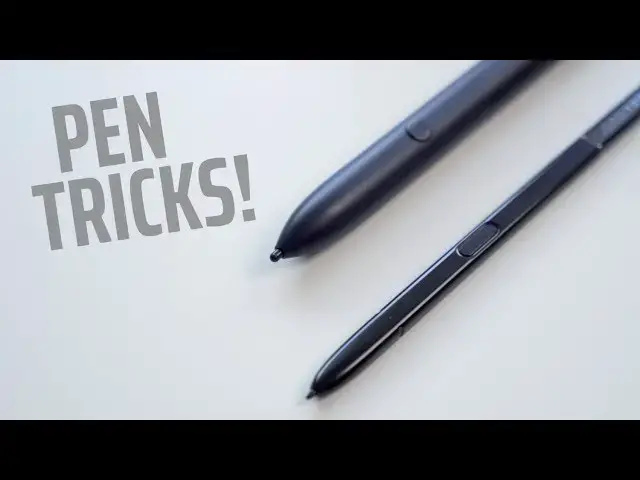
is the midnight pixel book pin that you
0:25
get with the pixel slate if you choose
0:27
to pay $99 for it it's one of only two
0:30
active styli on the market you have the
0:33
HP x2 that comes with one the pixel book
0:36
pins a little bit unique as is it's the
0:38
only one that features this little
0:40
button right here you can see it but
0:42
essentially all this is is a shortcut
0:45
for the assistance so if you look down
0:47
here on your screen you got your stylus
0:50
you've got your assistant here and you
0:53
can draw all do whatever you want to do
0:55
and it'll trigger the assistant and
0:57
search for stuff the button is just a
0:59
shortcut for that but it is the only one
1:01
on the market that has it so this is the
1:03
stylus that comes with the Samsung Pro
1:05
and the Samsung Plus essentially it's an
1:08
S Pen just like you'd find in Samsung's
1:10
minus the button it's just an EMR pin it
1:13
interacts with the display very useful
1:16
tool very handy doesn't use a battery
1:18
and it will work on in pretty much any
1:20
EMR device that has that type of
1:22
digitizer in it kori send us an email a
1:25
couple weeks ago that said he had an old
1:27
Galaxy S five stylus laying around and
1:30
just for giggles he picked it up and
1:32
tried to use it on the Samsung
1:33
Chromebook it has a button on it much
1:36
like you'd see on this one right here
1:39
and when he pressed the button and
1:42
circled something same effect as the
1:46
pixel book pin this cost $15 on Amazon
1:49
now granted it's not the exact same size
1:52
as the one that comes with the Samsung
1:54
Chromebook so it's not gonna fit in the
1:55
garage as well as this one does but this
1:59
is a pretty neat trick and if you're
2:00
someone who's looking forward to using
2:02
the assistant on your Chromebook this
2:04
will save you a lot of steps and time
2:06
because as it sits right now if you've
2:08
messed around with the flags and enabled
2:10
the assistant on your non pixel book
2:12
Chromebook you know to get the assistant
2:14
you have to click the stylist click
2:16
assistant and then do whatever you want
2:18
to do well now for 15 bucks or less if
2:21
you want to buy a knockoff brand you can
2:24
assistant enabled stylist for your
2:26
Chromebook the only caveat here is that
2:28
it has to be a Chromebook that does
2:30
support a stylus which means it has an
2:31
EMR digitizer in the display those are
2:34
going to be the Samsung plus Pro the
2:37
Acer tab 10 my Acer spend 13 as well as
2:41
this Acer 11 we've got right here
2:42
I'm sorry Acer 5:12 any of them that
2:45
support come with or offer a EMR stylus
2:49
this trick should work so yeah this is a
2:52
really cool feature that apparently no
2:53
one but Cory knew about and we're really
2:55
grateful that he emailed us if you want
2:57
to check it out grab one off eBay Amazon
2:59
wherever perhaps you have an old galaxy
3:02
phone laying around it should work
3:04
there's no pairing there's nothing to do
3:05
just pick it up start jotting on your
3:07
screen press the button now there are
3:09
some caveats for enabling the assistant
3:11
if you're not on Chrome OS 74 and
3:15
perhaps on a pixel book I'll drop those
3:17
in the article so that you can see it's
3:18
just one flag you need to turn on and
3:20
your assistant will be there and ready
3:22
to go alright until next time guys