Up next in 10



Sponsored by Google ChromeOS. Refresh the devices you already own at no cost with ChromeOS Flex, a modern, cloud-based operating system that's secure and easy to manage: http://goo.gle/ChromeOSFlex
Join Chrome Unboxed Plus for access to our private Discord, an ad-free website experience, AMAs, exclusive giveaways, and more! Start your 7-day FREE TRIAL here: https://chromeunboxed.com/join/
👉 Shop the best Chromebook deals today: https://chromeunboxed.com/the-best-chromebook-deals-today-updated/
📧 Subscribe to our newsletter: https://bit.ly/4jVq0de
・・・・・・・
For years, ChromeOS Flex has been a fantastic way to breathe new life into aging hardware. Whether it's an old Windows laptop gathering dust or a fleet of devices in a classroom, ChromeOS Flex offers a lightweight, secure, and easy-to-manage alternative. But traditionally, installing it has always required one specific, physical thing: a USB stick.
That meant IT admins had to go device by device, manually plugging in a drive and running the installer. It works, but it's time-consuming and requires physical access to the machine. But that limitation is now a thing of the past.
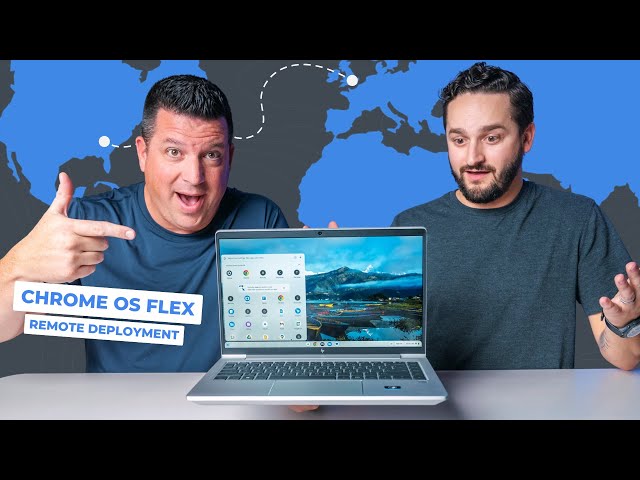
In a new video, we teamed up with Google to showcase a game-changing new feature: remote deployment for ChromeOS Flex - and it is a massive step towards simpler, more efficient deployment of ChromeOS Flex on devices in any setting: classroom to the boardroom.
Read more: https://chromeunboxed.com/remote-deploying-chromeos-flex-from-4000-miles-away-video/
☕ Fueled by Fresh Roasted Coffee! Buy the special edition Chrome Unboxed bag here: https://chromeunboxed.com/coffee
Show More Show Less View Video Transcript
0:00
So, for years now, Chrome OS Flex uh has
0:02
given businesses and educators and just
0:06
users in general the ability to update
0:09
aging devices with Chrome OS. But it's
0:12
always required one of these
0:15
USB
0:15
a USB stick, but not anymore.
0:19
Now, there is a tool that the Chrome OS
0:21
team, the Chromos Flex team has come up
0:23
with that allows for true remote
0:25
deployment of Chrome OS Flex. So instead
0:28
of needing to go device by device by
0:31
device with a USB stick, now from a
0:34
remote location, an IT admin can just
0:36
push Chrome OS Flex onto devices
0:40
wherever they are and
0:41
across the state, across the country,
0:43
across the world. So yeah, today we are
0:45
going to do it. We're going to set up
0:47
Chrome OS Flex remotely on a old Windows
0:50
device that we have here in the office
0:52
in Elizabeth Town, Kentucky. And to do
0:56
this, we're going to connect with Will
0:57
Smith, a product manager at Google, who
0:59
is in London,
1:01
in the UK,
1:02
Kentucky, UK.
1:04
In the UK. So, let's uh let's see if we
1:06
can hop on and uh uh chat with Will.
1:12
But before we dive into the chat with
1:14
Will and the live demo, let's take a
1:16
quick second to talk about the
1:17
incredible sponsor for this video,
1:19
Google Chrome OS. We worked with the
1:21
Chrome OS Flex team for this project and
1:23
they made this entire remote deployment
1:25
demo possible. When we first started
1:27
brainstorming with them about this new
1:28
feature, we thought this would be the
1:30
perfect way to show all of you live and
1:32
in action just how straightforward it is
1:34
to convert a device to Chrome OS Flex.
1:37
Even if you're not in the same room or
1:38
even on the same continent, it has been
1:40
fantastic working side by side with them
1:42
to highlight the power of this platform
1:44
and we are genuinely grateful for their
1:46
support. It's been so fun working with
1:48
them to showcase how Chrome OS Flex is
1:50
such an awesome solution for
1:51
organizations. So, if you are interested
1:53
in learning more about getting started
1:55
with Chrome OS Flex, just hit the link
1:57
in the description below. Okay, now
1:59
let's jump back into our chat with Will
2:01
from Google.
2:03
All right. Hey, Will. What's going on?
2:05
Hi there, guys. Nice to see you.
2:06
Hey, so uh so Will, you uh you were in
2:10
you were in London, right?
2:12
I am. I'm in London. Uh, I'm here today
2:14
to to help you guys get a device set up
2:16
with with with Chrome OS Flex that I
2:18
understand is uh currently running uh
2:21
running Windows and you need some some
2:22
remote help to get it set up.
2:24
Exactly.
2:25
And we, to be clear, are not in London.
2:28
Yeah, we are not. We are in Kentucky.
2:30
Yeah.
2:31
Will's in London.
2:32
Far away.
2:32
And he's across an ocean. And uh we're
2:35
going to
2:36
across the pond.
2:37
He's across the pond. And uh we've got a
2:39
we've got a Windows device here. I don't
2:41
even know what this thing is. an HP
2:43
something. It's running Windows 10
2:45
currently.
2:46
Elite book.
2:47
Elite Book. And it is it's a nice
2:49
device, but you know, if you if you have
2:51
this in your fleet and you're wanting
2:53
maybe maybe you've got some issues with
2:55
it or maybe you just want to upgrade to
2:56
Chrome OS Flex for all of the benefits
2:58
that Chrome OS Flex provides.
3:00
You're on Windows 10.
3:00
Yeah. Or you're on Windows 10.
3:02
Windows 11. Windows 10's losing support.
3:04
Exactly. Exactly. And so
3:06
it's a prime device.
3:07
Exactly. So, um, so Will, just just to
3:10
give folks a little bit of a a
3:11
background here, tell us tell us about,
3:13
you know, your position and what you do
3:15
at Google.
3:15
Yeah, so I'm a a product manager. I've
3:17
been at Google for 5 years now. Um, and
3:20
I I'm a product manager for Chrome OS
3:21
Flex. So, um, working on all aspects of
3:24
that product from what what devices
3:26
should we support to special features
3:28
like this one that helps people get more
3:30
flex quickly and easily.
3:31
Yeah. And I I mean, you know, obviously
3:34
there's there's all of these benefits to
3:36
Chrome OS Flex, you know, cost savings,
3:38
you know, just just tons of benefits and
3:39
this new feature is just incredible. So
3:42
So can you give folks a little bit more
3:44
detail on exactly, you know, what remote
3:47
deployment is? And I guess even even
3:49
even on that, like what problem is it
3:51
trying to solve for businesses?
3:53
Yeah, so yeah, flex was flex remote
3:55
deployment specifically was kind of
3:56
built because um we kept hearing from
3:58
administrators that they love the idea
4:00
of of flex. They love the cost savings,
4:02
the sustainability benefits. Those
4:04
things were fantastic, but the only ways
4:06
to deploy it before were USB sticks or
4:08
using um Pixie um which is kind of like
4:10
local network installs. And those were
4:12
great. They they they got the job done.
4:14
Um but what people really were looking
4:15
for is a a completely kind of like
4:17
frictionless way to do it. So what we've
4:19
built is a way to deploy Flex without
4:22
any kind of onsite or or touch of the
4:24
device. Um and also no matter what
4:27
network they're on. So they don't need
4:28
to be on your local network um with the
4:30
comp with on the company like site or
4:32
the company offices. They can be
4:34
anywhere in the world remote employees
4:36
and they can get flex without any kind
4:38
of user interaction on the device.
4:39
Yeah. And I mean we've we've we've done
4:42
how many deployments with with USB
4:45
sticks?
4:45
Yeah. And it and it works and it's crazy
4:47
and we've made videos about it because
4:48
it's such a cool thing to see kind of
4:50
like happening in real time. But that's
4:52
a different thing like doing that with a
4:55
a device sitting on the desk. Like if I
4:57
took a USB right here and and put Chrome
4:58
OS Flex on this, that's it's impressive
5:00
the way that it works with so many
5:02
devices,
5:03
but to do it remotely is absolutely
5:05
wild. Um, and so if we get into like
5:08
real world application of of what this
5:10
is going to be good for because it's
5:12
impressive and it's it's a cool bar
5:13
trick, right? But like who's the ideal
5:16
user like the the the primary use case
5:18
for this type of thing?
5:20
Yeah. So it's really designed the the
5:22
the tool isn't a a a consumer-led type
5:25
tool. It's a it's a tool that's been
5:26
devised really for kind of medium or
5:28
large uh administrators um
5:31
administrators of medium or large
5:32
businesses. Um or or education. It's
5:35
also can be used there a lot as well. Um
5:37
so really there's there's kind of two
5:39
scenarios. You you've made the choice
5:40
that that Flex is the right the right
5:42
thing for your business. Um or you've
5:44
got remote dep remote uh employees and
5:46
you were just struggling to work out how
5:48
do I get Flex on those devices? Do I
5:51
ship them a USB stick and ask them to do
5:52
it themselves? do I um get them to ship
5:55
the device back to me and then I ship it
5:56
back to them once I've image it imaged
5:58
it uh with flex which is is costly
6:00
timeconuming and confusing. So uh this
6:03
solution really just allows people to to
6:06
press a button on the existing tooling
6:07
that they already have today to manage
6:09
their Windows devices and away they go.
6:12
They don't need to kind of worry about
6:13
any of those complexities.
6:14
Very cool. So I mean generally speaking
6:17
like all this does work. I mean, it's
6:19
it's been great, you know, to see the
6:21
way Chrome OS Flex just kind of
6:22
functions. And again, we've made videos
6:24
about this a lot and and it it is cool
6:26
to see how seamless it tends to work
6:29
even on devices that aren't technically
6:30
supported.
6:31
Yeah.
6:31
Um, but the idea of like remote OS
6:34
deployment, I mean, that's what we're
6:35
talking about here, like the idea of
6:36
deploying an entirely new operating
6:38
system to devices that you don't have in
6:41
hand.
6:41
Yeah. I mean that when you start
6:43
thinking of it that way, like if you
6:44
weren't talking about Chrome OS Flex, if
6:46
you're just starting about like, hey,
6:47
I'm going to deploy Windows or Mac OS
6:48
onto some some piece of hardware
6:51
remotely, that sounds incredibly
6:53
complex. So, are there any like barriers
6:55
to adoption here? Is there like a ton of
6:58
new stuff for it guys to have to learn
7:00
in order to go about doing this? They're
7:01
going to have to take a class or
7:03
something?
7:03
No. No. And really kind of what what
7:05
you've hit on there with the complexity
7:07
of of of like doing an OS upgrade or
7:10
something like that. Uh creating golden
7:11
images um uh managing drivers when
7:14
you're doing an OS grade upgrade. All
7:16
those things kind of make in the mind of
7:18
an IT administrator a non-starter.
7:20
They're just like I'll just stick with
7:22
what I've got or wait for a hardware
7:23
refresh. Um what what we've done here
7:26
with Flex is it kind of is like a bit of
7:28
a paradigm shift on that. Um it's a
7:30
super simple feature. Um the the key
7:33
thing as well is it's it's around 2 GB
7:35
the package. Um so it doesn't take a
7:37
whole lot of time to deploy over a
7:39
network. Um usually takes about 5 to 10
7:41
minutes depending on the network
7:43
situation that that you have um inside
7:45
the business. Um but yeah, we basically
7:47
essentially reduced modernizing a PC
7:50
down to something that can be done kind
7:51
of automatically um off hours. That's
7:54
the other thing. You can use existing
7:55
tooling you've got to do it off hours um
7:58
by someone potentially on the other side
7:59
of the world such as myself. um and
8:02
ultimately change that kind kind of
8:04
costbenefit analysis um of monetization
8:06
for your business.
8:07
So yeah, I mean the usefulness here for
8:09
businesses is obviously like super
8:11
straightforward.
8:12
Um pretty clear. But you know the other
8:15
the other you know kind of part of this
8:18
is is education, right? So can you talk
8:20
a little bit about education and how you
8:22
know IT admins at schools might be able
8:25
to use this new uh remote deployment
8:27
tool?
8:28
Yeah. Yeah, definitely. Um education is
8:30
a perfect fit. uh we have it's it's a
8:32
huge market for us education um
8:34
especially in the US um we've seen
8:36
school districts operating on razor thin
8:38
budgets and timelines as well trying to
8:40
get everything done in a in a in a
8:42
summer term or a winter winter winter
8:44
break or a summer break. Um and remote
8:47
deploy is a really powerful tool to kind
8:49
of get that over the line. So yeah, an
8:52
IT director could kind of refresh an
8:53
entire computer lab or even devices that
8:55
aren't on school property um without
8:57
having to do any kind of physical
8:59
reimaging like they're they're used to
9:00
doing today. Um the scale as well in in
9:03
in schools can be really impressive very
9:05
quickly. Uh we've we've seen um over
9:07
50,000 devices get done in under 3
9:09
weeks, which which was uh yeah, a little
9:12
bit of a shock for us. We weren't
9:13
expecting that level of of pace that
9:15
quick, but yeah, it's really exciting
9:16
and and and powerful to see.
9:18
That's that's seriously insane. 50,000.
9:20
Is that what you said? I'm just double
9:22
checking the number here.
9:22
50K. Yeah. 50,000.
9:24
Oh my gosh.
9:26
That's wild.
9:26
I mean, you got to think. Yeah. Like
9:27
some of these schools just have so many
9:29
devices, especially if it's a district,
9:31
a school district, you know, that maybe
9:32
has multiple schools and they've got
9:34
Chromebooks deployed across, you know,
9:36
all
9:36
every kid has a Chromebook and teachers
9:38
have Chromebooks. Yeah. It's
9:39
um or or Windows devices and then you're
9:42
having to redeploy all your admin like
9:44
Yeah, it's that's wild. That's that's
9:46
pretty insane. So,
9:48
yeah. I mean, this this is this is
9:51
incredible. Um, and honestly, if I'm
9:53
sure people watching and myself
9:55
included,
9:56
I want to see this happen.
9:59
Yeah,
9:59
that's what we're here for. Like, no
10:01
offense, Will, but like we want to see
10:04
the magic happen here. And so, we've got
10:06
this device uh and it, to be fair, it's
10:08
been in our office for a little bit.
10:10
I've been so excited to uh eventually
10:12
see this thing just like magically
10:14
transform into a Chromebook. So, uh, and
10:16
real quick, is this, uh, one of the like
10:18
official I assume it is, but, is this
10:20
one of the official supported, uh,
10:22
Chrome OS Flex devices?
10:23
It is. Yeah, it should be. Yeah,
10:24
that makes that makes a lot more sense.
10:26
Exactly. Yeah.
10:27
We'd be really flying by the seat hands
10:28
if not.
10:29
Um, yeah, I was just going to say we
10:30
don't gate uh, remote deployment on on
10:31
certified devices, but we always
10:33
recommend.
10:34
Okay.
10:34
But people do do look to do
10:36
Oh, sure.
10:37
on certified devices.
10:38
Right. Awesome.
10:39
So, I think let's uh let's hop in to a
10:42
remote deployment again, folks. Willond
10:45
is in London and we are going to
10:48
remotely deploy Chrome OS Flex on this
10:51
Windows 11.
10:52
And when we say we, we mean Will.
10:54
Will's gonna do it. We're just here to
10:56
uh we're here to check it out, which is
10:58
we should have brought popcorn.
10:59
We should have brought some popcorn,
11:00
man. Dang it. Uh yeah,
11:01
I don't have any popcorn.
11:02
And Andy Cam. Andy Cam's back, folks. Uh
11:05
he's over there.
11:06
Andy Cam, can you go grab us popcorn?
11:08
Okay. Uh
11:09
there's a popcorn machine downstairs.
11:10
There is. We literally have a popcorn.
11:11
There's no popcorn. Uh, so Will, I think
11:14
let's just hop right into this. So, kind
11:16
of walk us through the steps here. Um,
11:19
you know, if you're if if if you're the
11:21
the IT admin, um, doing this process,
11:24
kind of walk us through the steps here.
11:26
Are we going to I'm assuming we we'll
11:28
have to maybe uh I guess we're not going
11:30
to have to really interface with this
11:32
device much, right? Like once you've got
11:34
everything up and running, right? So I
11:37
guess yeah what what what do we have to
11:39
put on the device or how does the remote
11:41
deployment work to where you can get
11:42
access to do this? Kind of take us
11:44
through the steps here.
11:45
Yeah. So the the the quick and easy
11:47
steps really are the first step we
11:49
always recommend is that the admin uh
11:51
gets an enrollment token from the Google
11:52
admin console. So that's part of another
11:55
feature that we that we brought out
11:56
earlier in the year that basically
11:57
allows administrators to have a device
12:00
automatically enroll into the um the
12:03
domain that they're managing, the
12:04
business or school domain. Um, so we
12:06
always recommend doing that as part of
12:07
remote deploy because what happens is
12:09
basically the device will install Flex.
12:12
It will boot up for the first time and
12:13
go, I know where I'm meant to be. I'm
12:15
meant to be part of
12:16
Joe Blogs's doctor's office or whatever.
12:19
Exactly.
12:19
Um, so that's the first step. Grab a
12:21
token. Um, and then the administrator
12:23
can package that token into kind of a
12:26
remote deployment kind of binary. Um,
12:28
and then we recommend that they they
12:30
push that out to the devices using
12:32
whatever tool they already use inside
12:34
inside their business. So there's no
12:36
special tool that we've created for the
12:38
the pushing of the uh the binary. Um,
12:40
that can be any kind of like mass
12:44
deployment uh kind of or management
12:45
solution they have in tune uh anything
12:48
active directory all that type of stuff.
12:50
Um, and then distribute that to the
12:52
devices. And that's where your device is
12:53
right now. It's basically sat there.
12:55
It's got um Windows on it and it's got
12:58
this kind of little binary on it that's
13:00
ready to go. And then what I will do is
13:03
remotely execute that binary and then it
13:05
starts the process of the installation.
13:07
Okay, let's do it.
13:09
Awesome. So, what I'm going to do now,
13:10
I'm going to use
13:13
the remote management tool that we've
13:15
got set up and I'm going to click run
13:19
the remote execution. So, that is
13:22
starting to happen. So while that's
13:24
happening um I can chat through some
13:26
other kind of smaller features as part
13:27
of remote deploy. So one of those is um
13:31
the ability to to to schedule this on
13:33
offline. Um the tool itself doesn't
13:37
really um
13:39
care what what what kind of management
13:41
tool is being used. So if the tool that
13:43
you're using be it in tune go to resolve
13:46
or any of these kind of um solutions for
13:48
managing Windows devices has the option
13:50
to kind of queue up commands and things
13:52
like that you can do that remotely um
13:54
while the device
13:56
we saw we saw
13:57
we've got something going here will it
13:59
said it said your device is about ready
14:01
to restart
14:04
oh chromos flex
14:05
all right
14:06
sorry to cut you off where this is why
14:09
you're in London we are in Kentucky.
14:12
And this is not Elizabeth Town,
14:14
Kentucky.
14:15
Like this isn't Yeah. This isn't like
14:16
remote desktop. So there's not you you
14:18
have to remote desktop in here.
14:20
Uh this is this is pretty cool.
14:22
Awesome. Cool. Well, yeah, that should
14:23
hopefully not take too long to actually
14:24
do the whole installation step. Um and
14:27
some of the other things that that
14:28
admins can do um is they can set up
14:30
remote logging. Um, so that's really
14:32
important obviously to make sure that
14:34
this is working when you're doing over
14:35
tens of thousands devices using using
14:37
the the logging tools that you already
14:39
have as an admin to make sure devices
14:41
are behaving and operating as as you
14:43
need inside your business or school. Um,
14:45
you can set this up to work with those
14:47
tools that you already have. So that's
14:48
that's something that's really
14:49
important. Um, and the other thing as
14:51
well, we have a little a feature called
14:52
a dry run. So before you actually do an
14:55
installation, you can you can do a dry
14:56
run on devices. What that basically does
14:58
is it runs through all the checks and
15:00
kind of fakes an install before it
15:02
actually happens. Um, so that's really
15:04
good to kind of make sure everything's
15:05
going to work the way it should. It it
15:07
goes through and just checks that the
15:08
device has enough RAM on storage in
15:10
space and the TPM is in the right state.
15:12
So all those things are in place before
15:14
the install actually happens and then
15:16
yeah, you can hopefully do Yeah, I was
15:18
going to
15:19
if if you're if you're rolling this out
15:20
to, you know, a fleet of devices,
15:23
even a hundred, even if you're just, you
15:24
know, doing a 100 devices like to to be
15:26
able to have like some management tools
15:28
to check that stuff before it goes out.
15:30
Like that's super helpful. All right,
15:32
got some more action here.
15:33
We're past the main BIOS screen. We're
15:34
back to just a black screen. So,
15:37
we've done a few deployments in the past
15:39
where uh we're doing it on the USB
15:41
stick. This is This is running through
15:45
basically the same
15:46
basically the same process. So, I'm
15:49
hoping we're going to get something
15:51
here.
15:51
That's that that's that's the plan. Um
15:53
yeah, we we've already been waiting what
15:55
30 seconds to a minute. Um this which
15:57
will be very quick. I think we have to
15:59
wait a little bit longer.
15:59
Oh, we have Chromos Flex.
16:01
Yeah.
16:01
Will we have Chromos Flex?
16:03
So, I did I didn't time it. We should
16:04
have timed it. Well, we can take the
16:06
time stamps from the video.
16:07
We should have I'll I'll I'll do I'll do
16:09
it on the video. I'll do a little timer
16:11
on the video showing how long that took.
16:13
That couldn't have been more than
16:16
two 2 minutes. 3 minutes.
16:17
Yeah.
16:17
Two. Yeah. 2 minutes.
16:19
Oh, screen reader. Here we go.
16:22
Well, that's that's insane.
16:24
I feel like Should I log in?
16:26
And log in. Let's log in. Let's get it
16:28
up and running. So, we can now just use
16:31
this device. Correct, Will. Like, we can
16:32
we can log in, get set up, and this is a
16:37
this is is now a Chrome OS Flex device.
16:39
It's a Chromebook.
16:40
Exactly. And uh yeah, if we if we'd set
16:42
it up, we didn't set it up this way, but
16:44
if we'd set it up with the automatic
16:45
enrollment feature, it would have booted
16:47
up, done the enrollment into the school
16:49
or the business's domain, applied all
16:51
the policies that they need in terms of
16:52
like credentials and things like that,
16:54
and uh it'll be ready to go.
16:56
It's just insane.
16:57
Just mind blown, dude. This is
16:59
incredible. And the fact that you were
17:00
in London, we are in in the UK. By the
17:05
way, there's a London, Kentucky. He's
17:07
not in London, Kentucky. It would still
17:09
be impressive if you
17:10
It would still be impressive, but
17:12
40 minutes away.
17:13
Will is across the pond in the UK in
17:16
London and we just got a device set up.
17:20
This is
17:20
I'm trying to skip I'm trying to skip
17:21
through the setup stuff quick. I think
17:23
it was check doing a check for update
17:24
real quick. Like you just got you're
17:26
fresh.
17:27
You're fresh. Come on. Get rocking and
17:28
rolling.
17:29
Well, that's a that's a good question
17:30
while this is waiting. Um so when
17:32
whenever that binary comes over, is it
17:35
set to a certain version of Chrome OS
17:37
Flex?
17:37
Yeah. So basically the way that we do it
17:39
is we release a new version of this
17:40
every LTS cycle. So we're not doing new
17:43
versions of this every every single
17:44
stable release. That would be a lot of
17:46
effort um for something that we don't
17:48
think many of our administrators or or
17:49
or users of devices at 20 30,000 uh
17:53
devices fleets would would find useful.
17:55
I think being on the LTS channel is is
17:57
advised for for larger deployments. So
17:59
yeah, we we do it every LTS release.
18:01
Yeah. So it's taking its update now.
18:03
Once you're once you're released, you
18:04
could also you can move it to stable
18:06
channel or whatever channel you want to
18:08
be on.
18:09
So for anybody who's maybe watching who
18:11
doesn't know, can you explain the the
18:12
LTS?
18:13
Yeah, so LTS is is is a a long-term
18:16
stability channel um that basically we
18:19
we offer um on the Chrome OS kind of
18:21
release management cycle um to allow
18:23
people to have one version every 6
18:25
months that that basically um gets gets
18:27
security and stability updates but
18:29
doesn't change the kind of Chrome
18:30
version that comes with every stable
18:32
update. So obviously you can go Chrome
18:34
OS 140, 141, 142. Uh this would go 138
18:39
and skip to 144, 145. I can't remember
18:43
which one's the next one, but basically
18:44
every 6 months there's a there's a uh
18:47
LTS version,
18:48
right? So we're we're installing the
18:50
latest update and I mean this whole
18:53
process
18:54
at this point like it's it's there.
18:56
Yeah.
18:56
I just want to show it'd be cool to show
18:58
the home screen.
18:59
Well, this is this is incredible. So,
19:01
can we talk availability as far as like
19:03
when when this is going to be generally
19:06
available for admins and stuff like that
19:08
to actually start using this?
19:09
Uh, yeah. Uh, go back in time couple of
19:11
months. It's it's been available since
19:12
July. So, ready to go. If anyone wants
19:14
this, you can grab it today. Just go to
19:17
just type in to your favorite search
19:19
engine um Chrome OS Flex remote
19:21
deployment and you'll you'll find all
19:22
the right uh the right tools.
19:25
Yeah. And we'll make sure to link it um
19:27
down in the description and in the
19:28
article um as well. So, if you're if
19:31
you're trying to find um how to get into
19:33
this, uh we'll provide all of those
19:35
details. But, you know, again, Robbie's
19:38
logging in right now to a Chromebook.
19:42
This is a HP Elite. I don't know how old
19:45
this device is, but it was running it
19:47
was running Windows 10,
19:49
and we've now got a couple minutes ago,
19:50
just a couple minutes ago. And now we
19:52
have a Chromebook um that was, you know,
19:57
remotely set up from Will in London. And
20:00
I've just realized there something else
20:01
I I didn't really talk about as well is
20:03
is the kind of like Chromos is used a
20:05
lot on the kind of kiosk and signage
20:07
side as well. Um using that automatic
20:09
enrollment feature. If you want to kind
20:11
of remotely reimage devices that
20:13
currently set up as digital displays or
20:16
whatever in a in a restaurant or um in a
20:19
in a public area, uh you could do that
20:20
remotely. And as we've seen, it's not
20:22
going to come with a lot of downtime.
20:24
So, as long as the network is set up
20:26
correctly, should be 2 or 3 minutes.
20:29
Incredible. Well, we've we've we've got
20:31
it.
20:31
And Windows key works as your, you know,
20:33
launcher key there. So, let's see some
20:36
other shortcuts real quick. We got
20:37
volume up and down is working.
20:39
Brightness is working. So, all our
20:41
shortcuts are working the way they
20:43
should. Um, yeah. I mean, trackpad I'm
20:47
assuming trackpad gestures will work
20:48
perfectly fine. Uh, got it.
20:51
Yep.
20:52
Oh, yeah. I mean, show that off on the
20:54
camera there. Yeah.
20:56
It's
20:57
like it was a Chromebook.
20:58
It's to start with.
21:00
Incredible. Incredible.
21:01
Fascinating. Every time we do any kind
21:03
of Chrome OS Flex thing, it's always
21:05
a little bonkers to me.
21:07
Yeah.
21:07
Uh that you've just replaced the
21:08
operating system and everything's cool.
21:10
Just like that. Just like that. Wow.
21:12
Incredible. Well, thank you so much for
21:14
doing this. Um
21:16
yeah, this has been cool. again like I I
21:18
just keep repeating it, but Will's in
21:20
London. We are in Kentucky and we just
21:23
did this remote deployment in no time
21:26
and it's it's just incredible. So, Will,
21:29
thanks so much for doing this. Thanks so
21:30
much for showing this to our audience
21:32
and and showing off this awesome tool
21:34
that you guys have built. So, um yeah,
21:36
appreciate your time. We'll we'll catch
21:38
up another time. Maybe we'll do another
21:40
device.
21:41
Let's find another Windows device. We'll
21:42
just do another one.
21:43
This be a weekly standing day.
21:44
Yeah, let's dound thousands. Let's keep
21:46
it rolling. All right, Will, we
21:48
appreciate the time, man. Thank you.
21:50
No worries. Thanks for having me.
21:51
So, yeah, that's it. Um, this was a
21:54
really cool opportunity to see an
21:56
incredible tool um that I think is going
21:58
to be helpful for
21:59
just so many IT admins in so many
22:01
different settings, whether it be
22:02
business, I mean, just across the board
22:05
when you cut down the budget for having
22:07
to send out workers to go manually put
22:10
Chrome OS Flex, which is an amazing tool
22:12
in and of itself.
22:12
Yes, exactly. Uh but now you
22:14
you got this layer on top of it.
22:16
Yeah. That just it just cuts down uh
22:18
friction and makes it so much easier to
22:20
do. Uh there's so many devices out there
22:22
that are still capable of running well.
22:24
Uh Chrome OS Flex is the right option
22:26
for lots of businesses. And uh now it's
22:28
much easier for them to just dole this
22:30
out uh uh on a large scale really really
22:33
quickly. But guys, that's it for this
22:35
one. If you enjoyed this video, give us
22:36
a thumbs up. head down there, hit that
22:38
subscribe button, and be sure to ring
22:39
the notification icon as well if you'd
22:40
like to be alerted when we make future
22:42
videos just like this one. Until next
22:43
time, we'll see you.
#Computers & Electronics
#Enterprise Technology
#Computer Education