

Support our independent tech coverage. Chrome Unboxed is written by real people, for real people—not search algorithms. Join Chrome Unboxed Plus for just $2 a month to get an ad-free experience, access to our private Discord, and more. Learn more about membership here.
START FREE TRIAL (MONTHLY)START FREE TRIAL (ANNUAL)
For years, ChromeOS Flex has been a fantastic way to breathe new life into aging hardware. Whether it’s an old Windows laptop gathering dust or a fleet of devices in a classroom, ChromeOS Flex offers a lightweight, secure, and easy-to-manage alternative. But traditionally, installing it has always required one specific, physical thing: a USB stick.
That meant IT admins had to go device by device, manually plugging in a drive and running the installer. It works, but it’s time-consuming and requires physical access to the machine. But that limitation is now a thing of the past.
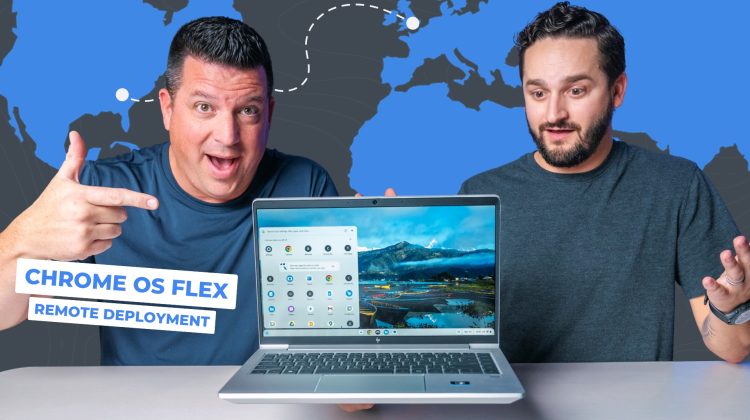
In a new video, we teamed up with Google to showcase a game-changing new feature: remote deployment for ChromeOS Flex – and it is a massive step towards simpler, more efficient deployment of ChromeOS Flex on devices in any setting: classroom to the boardroom.
From London to Kentucky in minutes
To prove just how powerful this new tool is, we set up a little experiment. We had an old HP EliteBook running Windows 10 sitting in our office in Elizabethtown, Kentucky. But the person installing ChromeOS Flex onto it wasn’t in the room. In fact, he wasn’t even on the same continent.
We connected with Will Smith, a Product Manager for ChromeOS Flex at Google, all the way from London, UK. Using the new remote deployment tool, Will was able to push the ChromeOS Flex installation to our device without us ever touching it; and we caught the whole thing on camera!
How it works
This tool is designed for medium to large businesses and educational institutions that already have device management infrastructure in place. Here’s the basic process:
- Get a Token: The admin generates an enrollment token from the Google Admin console. This ensures the device automatically enrolls into the correct domain once ChromeOS Flex is installed.
- Create the Package: The admin packages that token into a small binary file (around 2GB).
- Deploy via Existing Tools: This binary is pushed out using whatever management tool the organization already uses for Windows devices (like Intune or SCCM).
- Execute Remotely: Ideally during off-hours, the admin remotely executes the binary, which starts the installation process.
The result? Our Windows laptop rebooted, ran through a quick installation process, and within just a few minutes, it was sitting at the ChromeOS welcome screen, fully converted and ready to log in. It was genuinely impressive to watch.
A massive win for IT admins
This feature removes a huge barrier to adoption for organizations with remote employees or large, dispersed fleets. An IT director could refresh an entire school computer lab or upgrade remote workers’ laptops without ever shipping a USB drive or touching a single device. Will mentioned they’ve already seen deployments of over 50,000 devices in under three weeks using this method.
For businesses and schools looking to modernize their fleet, save money, and reduce e-waste, ChromeOS Flex just became an even more compelling option. The remote deployment tool has been available since July, so if you’re an IT admin interested in trying it out, you can find more information and get started right now.
SUBSCRIBE TO UPSTREAM
Get Chrome Unboxed delivered straight to your inbox
Upstream is our flagship, curated newsletter with the top stories, most click-worthy deals, giveaways, and trending articles from Chrome Unboxed sent directly to your inbox a few times a week. Join 31,000+ subscribers.

