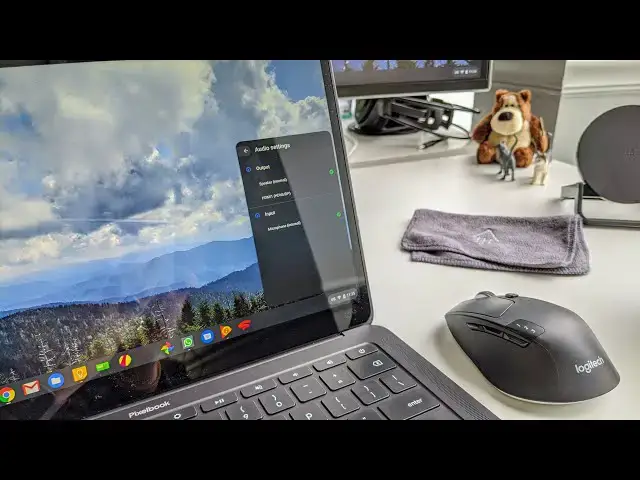
0:00
adjusting audio isn't that different on
0:01
a Chromebook than it is on a Windows
0:03
machine or a MacBook but you really need
0:05
to know what you're doing whenever you
0:06
start plugging different peripherals
0:08
into your Chromebook and try to route
0:10
that audio so for this chromebook tip
0:12
we're going to take a look at exactly
0:14
how you go about moving your audio from
0:16
your Chromebook to an external device
0:25
all right so this is insanely simple
0:28
actually if you go down to your settings
0:30
and you see the kind of thing pop up
0:32
here if you extend that all the way up
0:34
you see your volume notification here
0:36
now there's no choices here there's no
0:38
options I have to send it I don't have
0:40
anything hooked into this Chromebook
0:41
currently but the minute I hook
0:43
something in say like a pair of
0:45
headphones immediately that little
0:48
headphone thing shows up now it's going
0:51
to show up whether it's going to an
0:52
external monitor or anything else it's
0:54
always going to show just a little pair
0:55
of headphones when you hover it it says
0:56
audio settings click it now all of a
0:58
sudden I see speaker internal and it's
1:00
already changed over to the headphones
1:02
because I just plugged headphones in
1:04
it's thinking hey he probably wants to
1:05
route this through the headphones but
1:07
what if I hook in an external monitor
1:08
that has some speakers on it immediately
1:12
once it sees the monitor you now see
1:15
speaker internal headphones or HDMI one
1:18
so that's the HDMI output that I've got
1:20
hooked in so if you're hooked to a TV or
1:22
an external monitor you can shoot your
1:24
audio to that or if you want to put it
1:26
to your headphones if you hooked in some
1:27
bluetooth headphones those would show up
1:29
there as well so you start getting all
1:30
these selections and you can just go
1:32
select whichever one you want and your
1:34
audio is gonna route to that particular
1:37
source and it really is that simple and
1:40
the minute you start unplugging these
1:41
things and you go check it again and
1:48
there's nothing there now so there's
1:50
nothing to choose from it's not
1:51
confusing it's very simple the only
1:52
options you get are the things that you
1:54
have plugged into your Chromebook but if
1:56
you don't know that that's the case and
1:57
you start plugging stuff in and you're
1:59
gonna watch your video you're showing
2:00
somebody something at work or you're
2:02
like hey watch this video real quick and
2:03
there's no audio playing it's really
2:05
frustrating trying to figure out where
2:06
that audio is going well now you know
2:08
just go down there look choose the right
2:10
one so that you're routing the audio to
2:12
and you'll be in business guys that's it
2:14
for this one hope this one helped you
2:16
hope this tip helped you out a little
2:17
bit if you're new to Chromebooks or
2:18
maybe you've been around for a while and
2:20
just haven't hooked any peripherals in
2:21
and if it did give us a thumbs up go
2:24
down hit the subscribe button and make
2:25
sure to hit the notification bell so
2:26
you'll be alerted when we make future
2:28
videos just like this one until next