

Support our independent tech coverage. Chrome Unboxed is written by real people, for real people—not search algorithms. Join Chrome Unboxed Plus for just $2 a month to get an ad-free experience, access to our private Discord, and more. Learn more about membership here.
START FREE TRIAL (MONTHLY)START FREE TRIAL (ANNUAL)
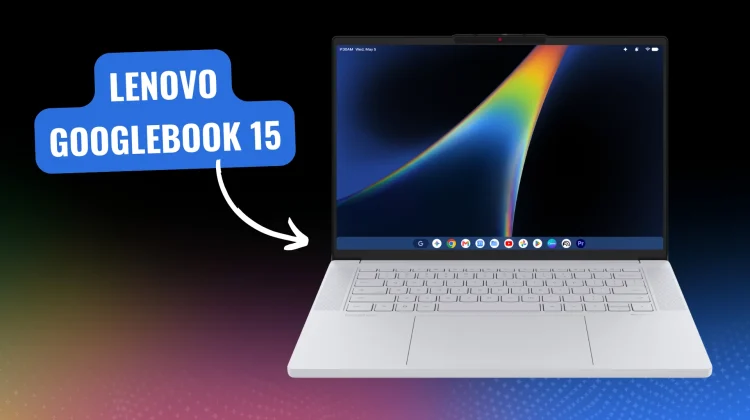
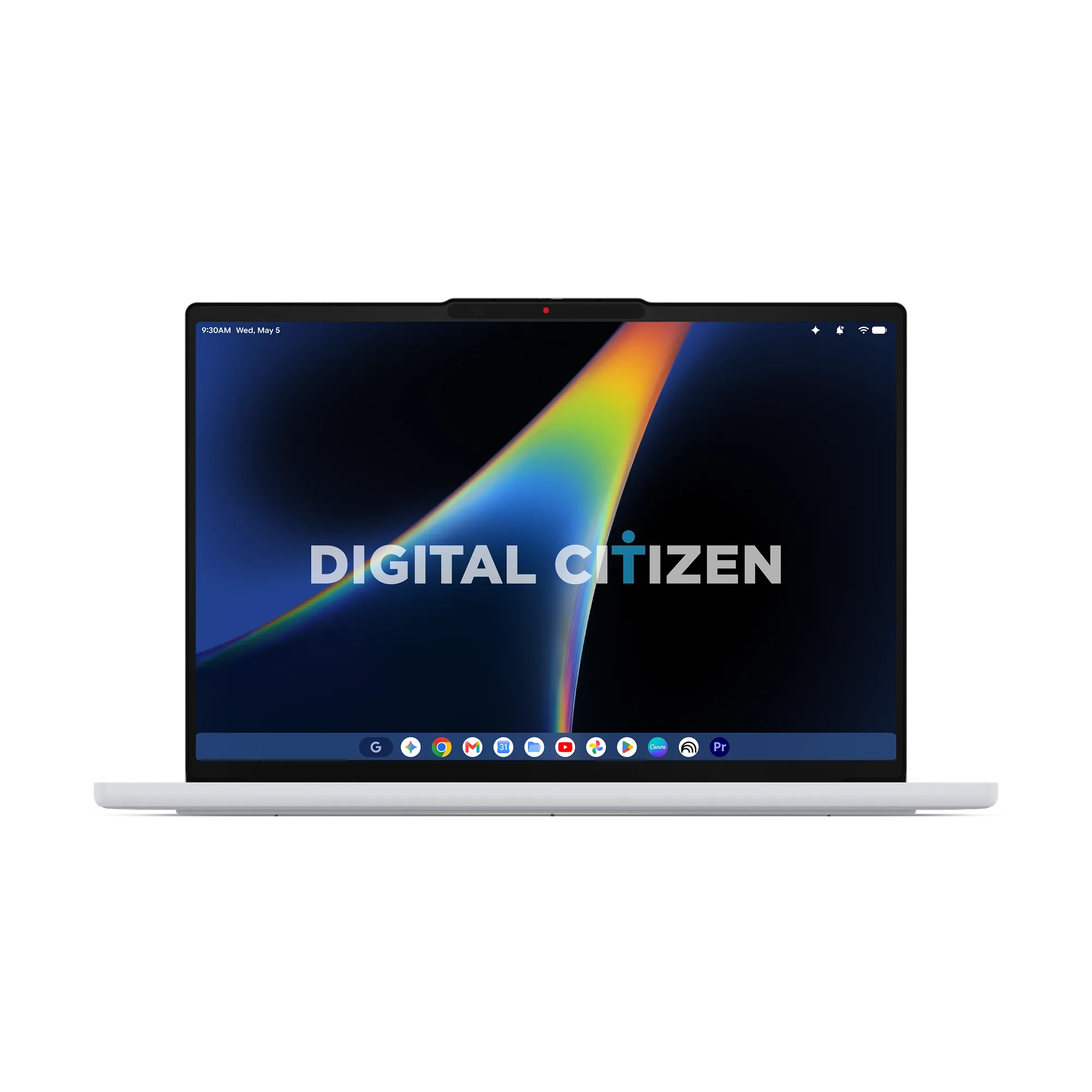
Having tracked the evolution of Google’s new desktop platform – Googlebook – for over a year at this point, I’ve been eagerly anticipating what the first wave of retail Googlebooks would actually look like in the real world. Following recent leaks surrounding Lenovo’s Googlebook lineup that included a 2-in-1 tablet and the companion AI Mouse, a massive press render set published by Digital Citizen (via Android Authority) has given us our clearest look yet at the upcoming Lenovo Googlebook 15.
While we expect Lenovo to formally unveil its new lineup alongside HP, ASUS, Acer and Dell at a Googlebook-specific press event in September (though the internet keeps saying IFA Berlin will be the coming out party), these press renders provide concrete details about how Google and its OEM partners are executing hardware quality, physical keyboard layouts, and the new Android-based desktop interface.


The keyboard deck holds some interesting info
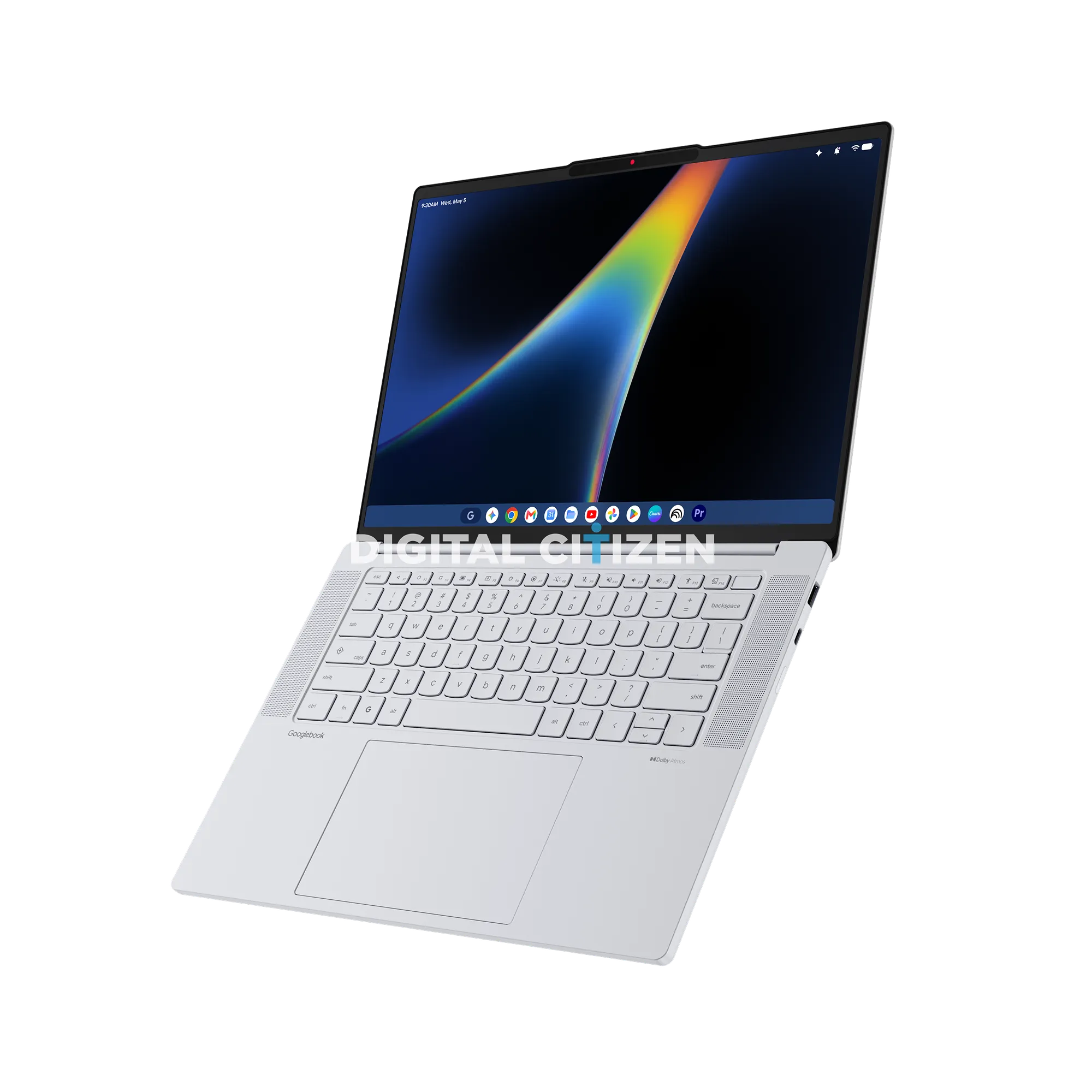
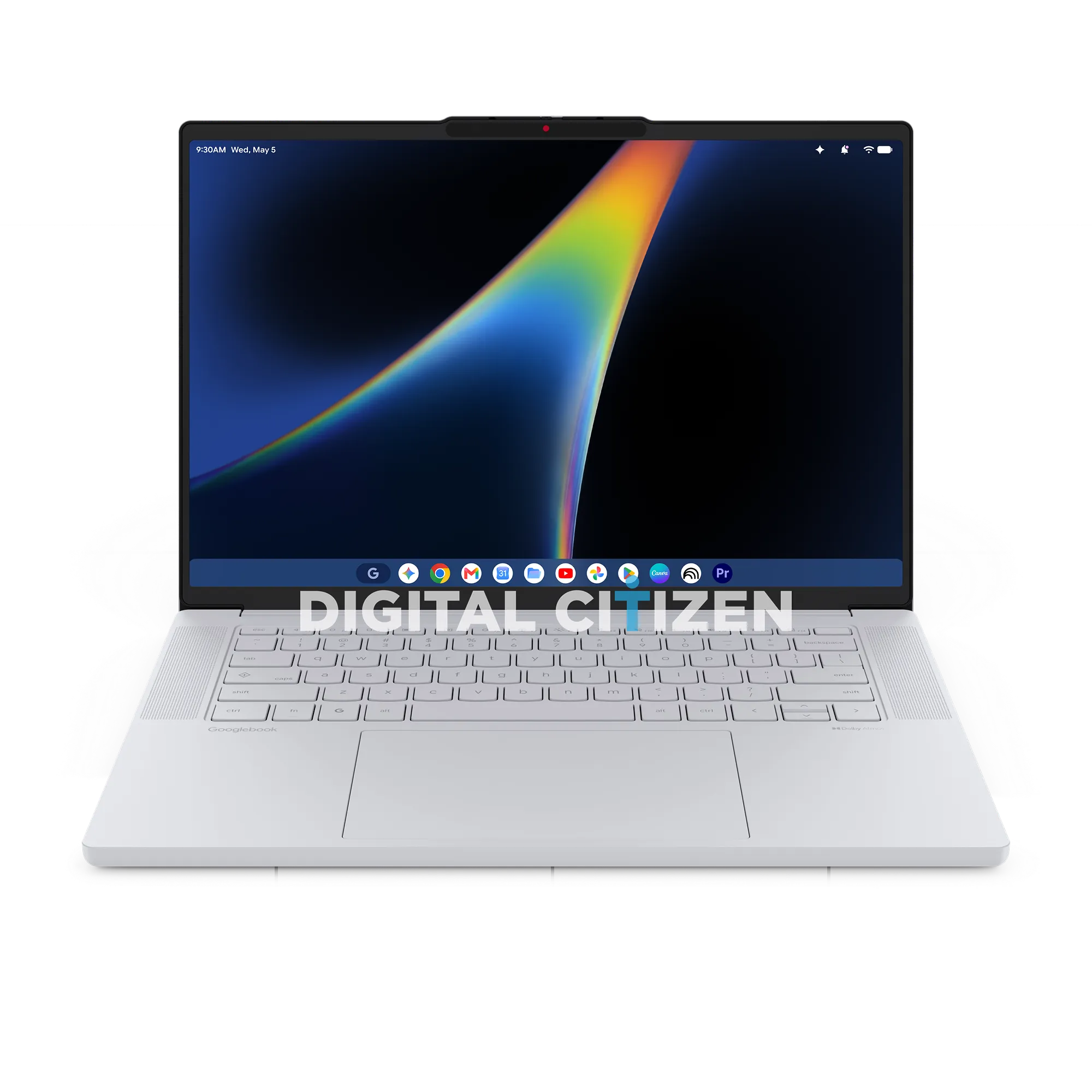
Looking at the keyboard deck of the leaked Lenovo 15-inch model, a few major hardware choices stand out immediately:
- Primary ‘Googlebook’ Branding: On the left side of the palm rest, Lenovo has emblazoned Googlebook directly onto the chassis in place of its standard laptop family badging. As we’ve noted in past discussions around brand strategy, stamping Google’s core name on the deck signals tight baseline platform control.
- Gemini Key or launcher? Resting on the bottom row between the
FnandAltkeys is a dedicated G key just like we’ve had on Chromebooks for years at this point. This could be the launcher key like we’ve seen on ChromeOS, or this could become the main entry point to Gemini. Time will tell on this front. - Quick Insert and Function Controls: The Quick Insert key remains from the Chromebook era. Meanwhile, the top row features 14 function keys (
F1–F14), including dedicated shortcuts for display brightness, keyboard backlights, media controls, microphone muting, and a dedicated accessibility toggle. There’s clearly a fingerprint scanner up top, too.
Notably, the 15-inch deck skips a traditional numeric pad, keeping the keyboard centered and leaving room for a massive glass trackpad flanked by upward-firing Dolby Atmos speaker grilles. If the Lenovo Chromebook 14 is anything to go by, these things will sound incredible.
Android status bar and Adobe Premiere Pro
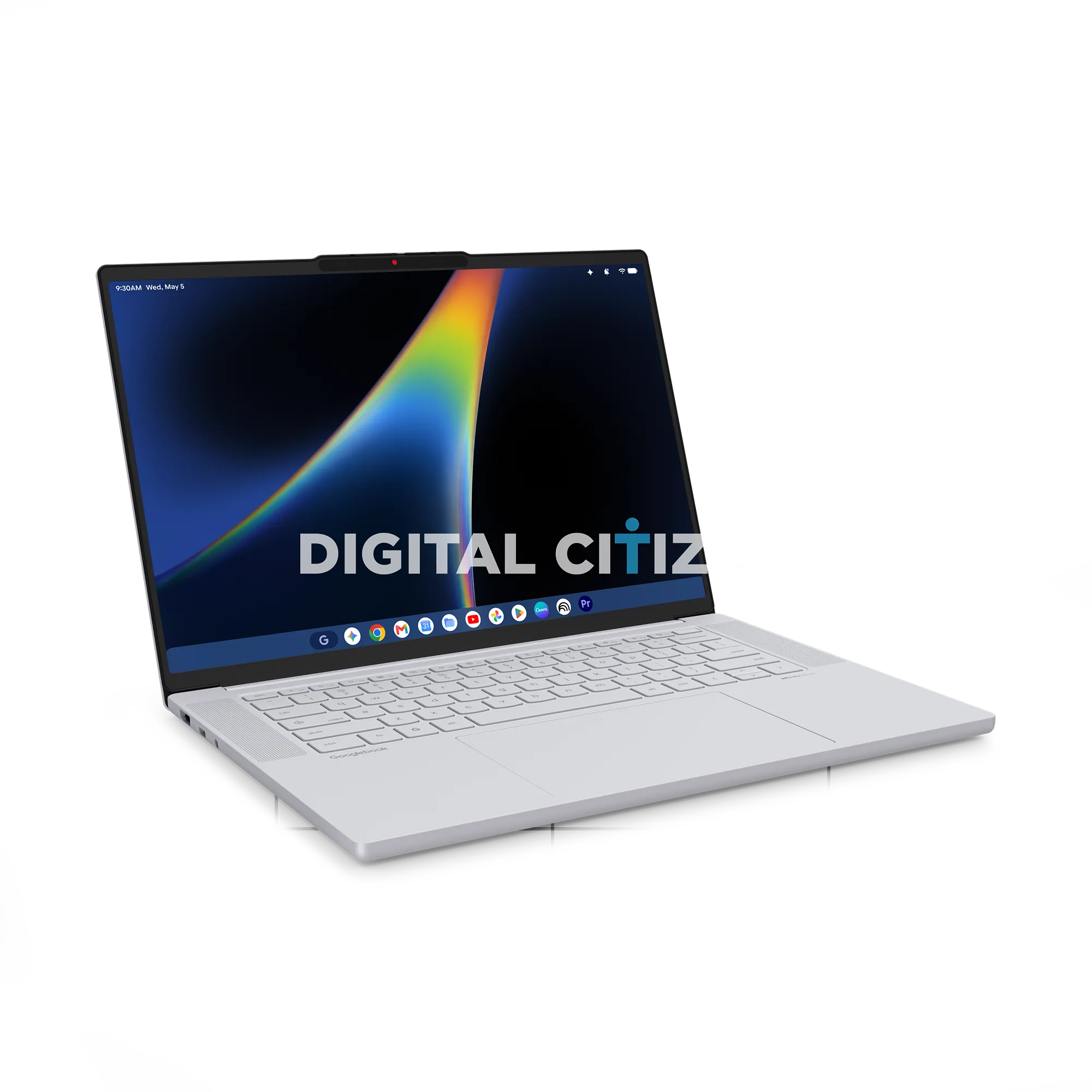
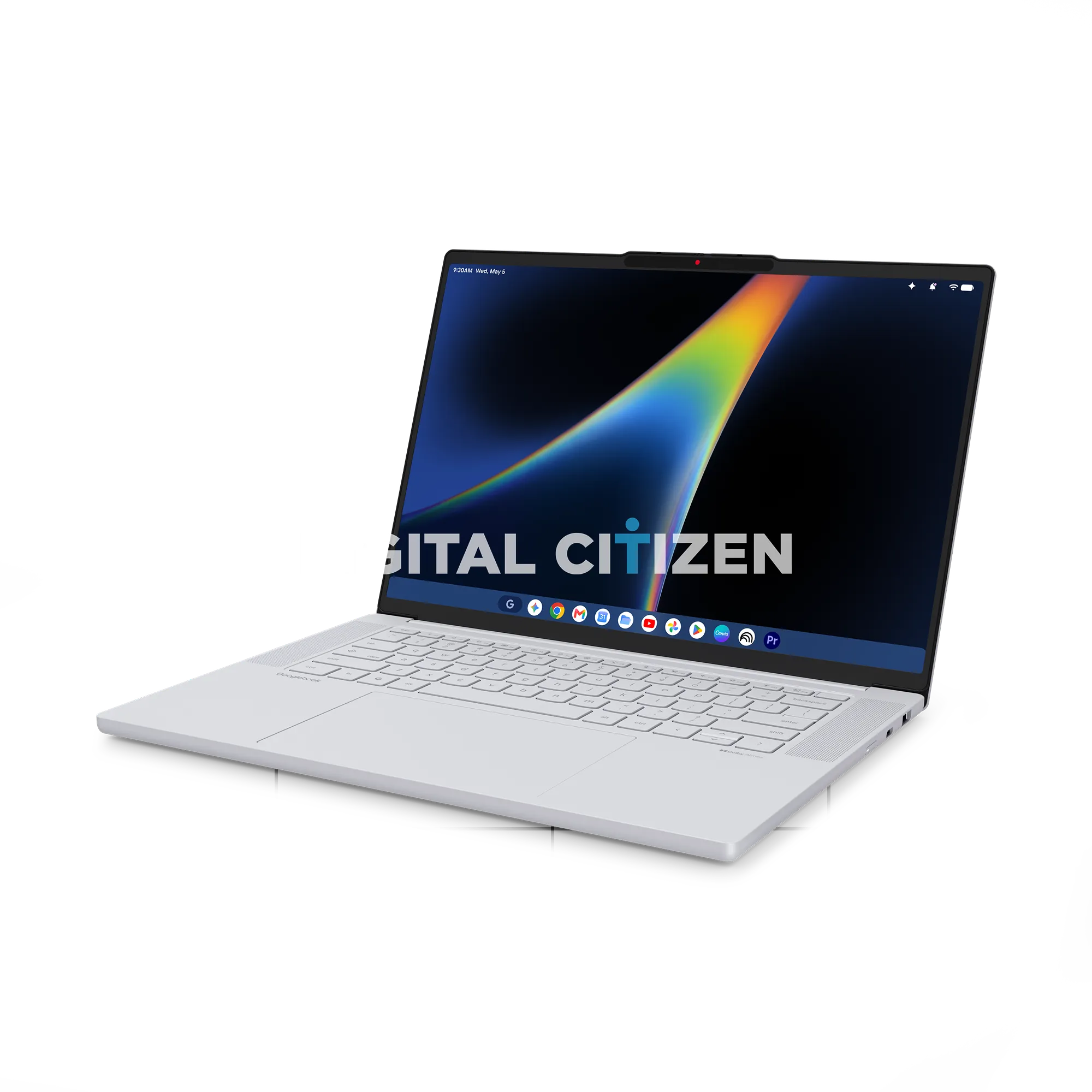
The limited software visible in the press renders offers our best glimpse yet at the unified Android desktop interface (internally referred to as “Aluminium OS”).
At the top of the display sits a smartphone-style status bar housing time, notification indicators, battery metrics, Wi-Fi status, and an ambient Gemini sparkle. At the bottom, a rounded taskbar houses a large Google G (the launcher) along with some pinned Google services alongside third-party creative suites.
Most intriguing is the presence of Adobe Premiere Pro pinned right in the taskbar dock. In past testing across ChromeOS devices, running heavy creative suites often meant dealing with web-based workarounds or broken Android containers. Seeing native desktop-class creative software like Premiere Pro featured prominently in official launch materials demonstrates Google’s intent to position Googlebooks as serious workhorses for creative professionals.
Practical ports, scalloped bottom and an interesting camera
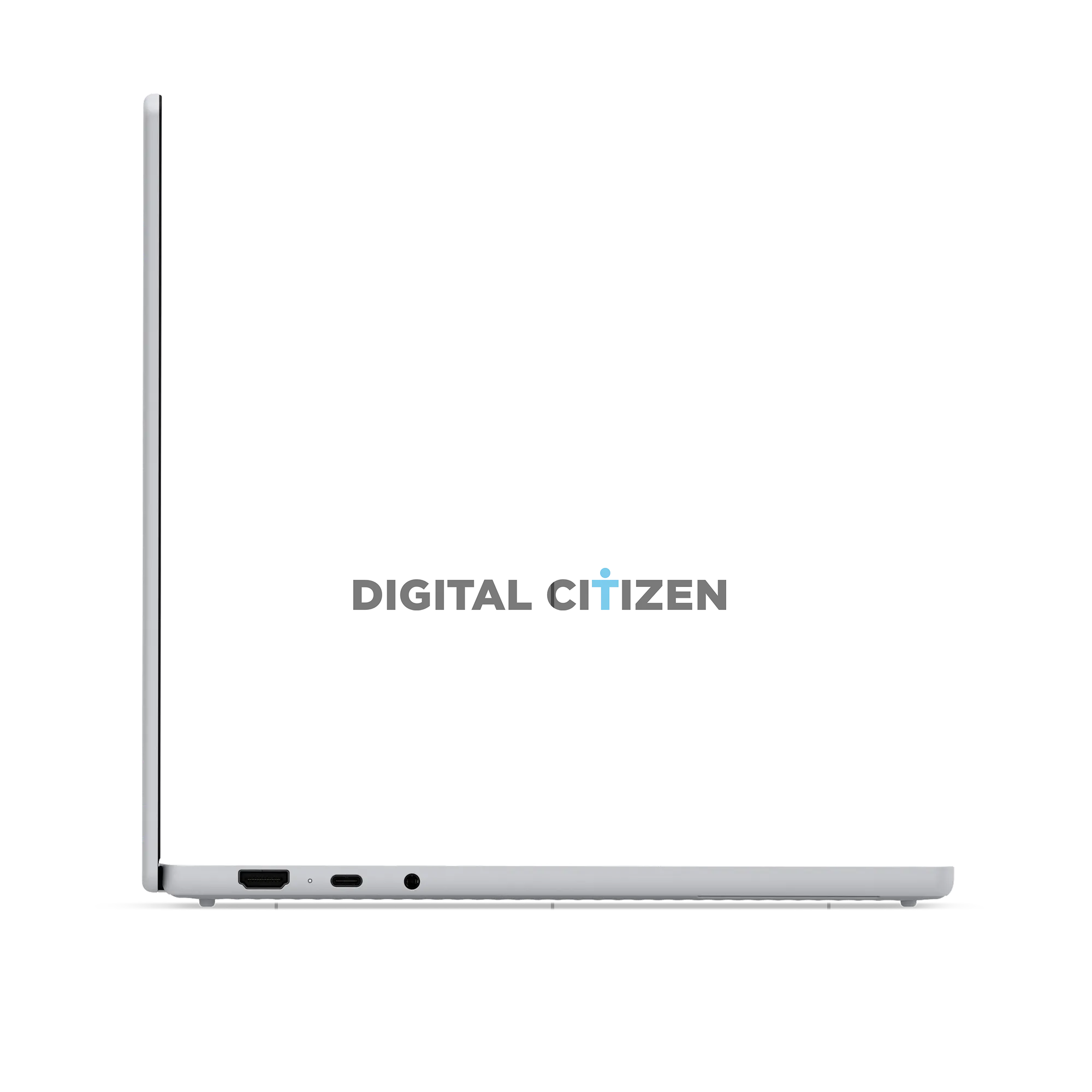
Lenovo isn’t stripping away physical I/O to chase a thin profile. The leaked renders showcase a practical port selection designed for daily workflows:
- Full-sized HDMI output
- Dual USB-C ports
- Full-sized USB-A port
- SD card reader slot
- 3.5mm headphone jack
The 15-inch display features slim bezels with a top camera notch. Crucially, the notch houses a physical privacy shutter we’ve come to expect over the years on Chromebooks. And the camera area has more going on than just the webcam as well. What sensors are hiding behind that dark bar around the camera is anyone’s guess for now.
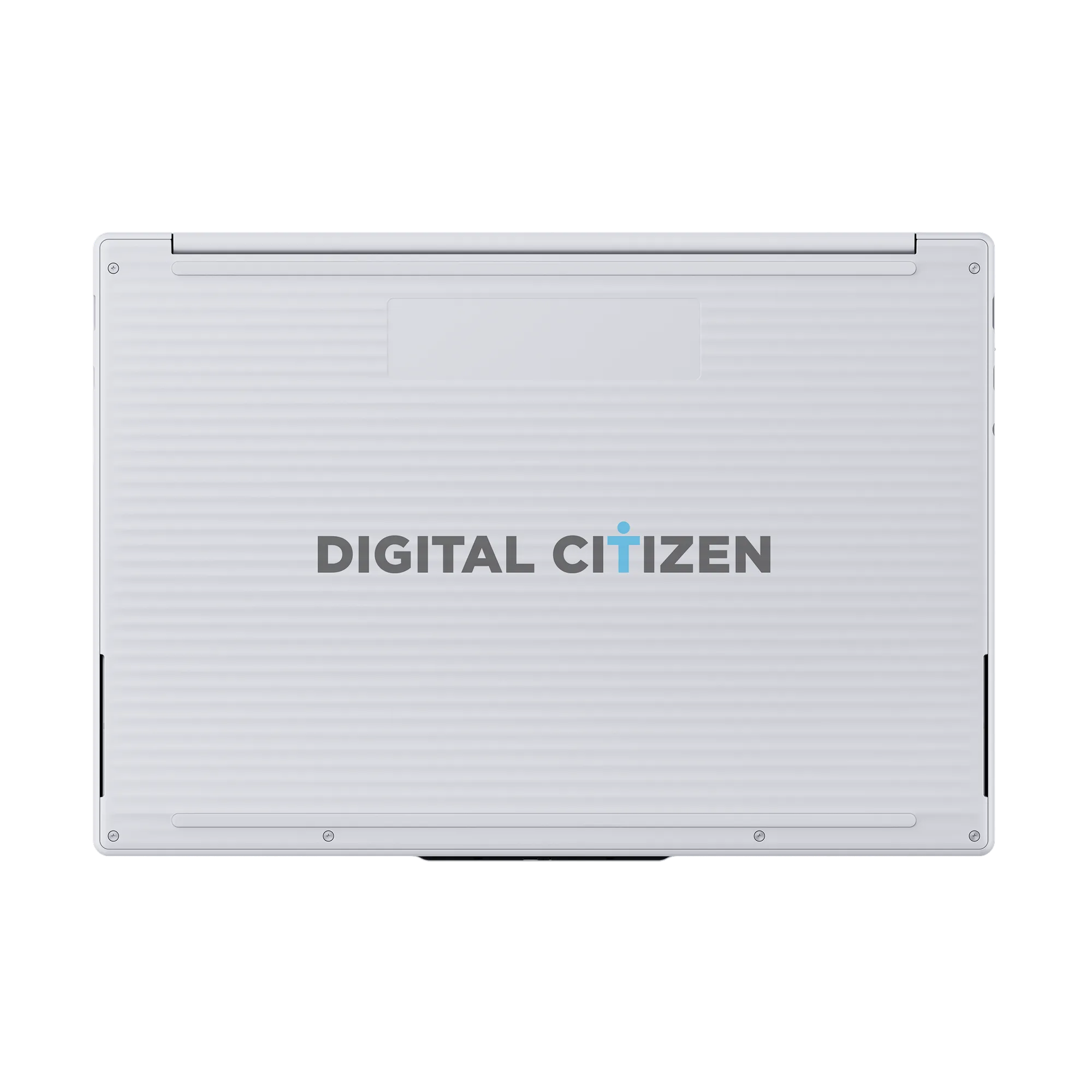
On the underside, the aluminum chassis features a scalloped finish that mimicks what Lenovo has been doing in their Chromebooks for the past year or so. As you can see in our review of the Lenovo Chromebook 14 and on the more recent, more affordable Lenovo Slim 3 Chromebook, this is a Lenovo-specific touch that I’ve really come to love for aesthetics and improved grip.
What’s next for Googlebooks
While technical specs like exact processor tiers, display resolutions, and memory configurations remain unconfirmed, seeing final marketing renders tells me that launch season is rapidly approaching, and we couldn’t be more excited around here. There’s obviously a massive unboxing and review season just around the corner, and we say bring it on!
SUBSCRIBE TO UPSTREAM
Get Chrome Unboxed delivered straight to your inbox
Upstream is our flagship, curated newsletter with the top stories, most click-worthy deals, giveaways, and trending articles from Chrome Unboxed sent directly to your inbox a few times a week. Join 31,000+ subscribers.

