

Support our independent tech coverage. Chrome Unboxed is written by real people, for real people—not search algorithms. Join Chrome Unboxed Plus for just $2 a month to get an ad-free experience, access to our private Discord, and more. Learn more about membership here.
START FREE TRIAL (MONTHLY)START FREE TRIAL (ANNUAL)
When it comes to the success of any new computing platform, hardware is only half the battle. Arguably, the more important half is the app ecosystem. For years, the ChromeOS experience has been a tough sell for some. While I love web-based apps and prefer them, many users want and/or need a far more robust application library with things like Adobe Photoshop, Microsoft Office, and more.
Android apps were poised to help this out on ChromeOS, but for a long time on Chromebooks, they’ve been a mixed bag due to emulation limitations across the board. For the most part, Android apps on ChromeOS never became the answer for the missing desktop app library users were looking for on Chromebooks.
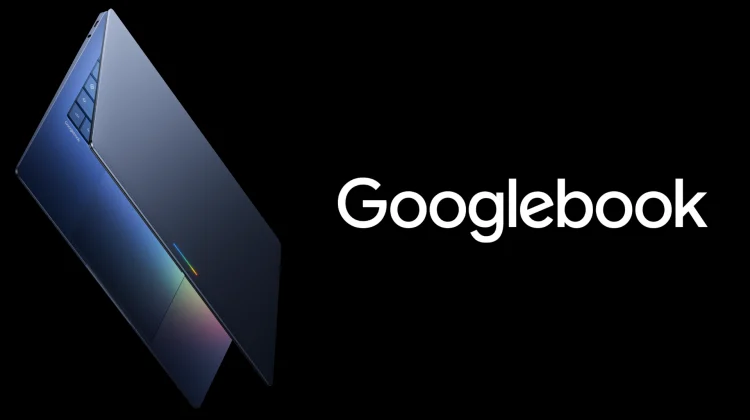
But with the upcoming launch of the Googlebook, Google is making sure the software experience matches the premium hardware right out of the box. In our recent sit-down interview with Google VP John Maletis, we had the chance to ask him point-blank about the app situation. Specifically, we wanted to know if heavy-hitting applications like Adobe Premiere, Photoshop, and Microsoft Office would be ready for a platform aiming to compete directly with premium Windows and Mac laptops. His answer should have any prospective Googlebook buyer very excited.
Native Android apps
According to Maletis, he has been spending the “vast majority” of his time focused squarely on outreach and partnerships with app developers. And the conversations they are having now are drastically different from the past.
The key difference for the Googlebook is the underlying Android tech stack. “We now have an ability to run truly native Android applications, not emulated,” Maletis explained. “So performance of these apps is incredible.”
Because the Googlebook eliminates the middleman of emulation, developers are finally seeing a clear path to the holy grail of software development: the ability to build an app once and deploy it seamlessly across multiple form factors, from phones to premium laptops.
Traditional developers are going all in
So, what does this mean for the apps you actually use every day? Maletis confirmed that what he calls “traditional app developers” behind the tools we rely on for serious productivity and creative work are fully on board.
“They are all in and rethinking the way that they want to deliver their applications and their services to customers,” he noted.
By targeting a premium hardware spec and providing a native Android environment that supports large-screen optimization, keyboard shortcuts, and trackpad gestures, Google is giving these developers the canvas they need to deliver desktop-class experiences. You won’t have to rely on creative workarounds or web apps to get your work done.
Exclusive AI experiences at launch
Beyond the traditional apps, Maletis highlighted a second group of developers that are moving incredibly fast: the AI-native and AI-first creators. These progressive developers are taking full advantage of the deep Gemini Intelligence woven directly into the Googlebook’s core.
Because the Googlebook is built from the ground up as an “intelligence system” rather than just an operating system, these developers are tapping into the unique AI capabilities of the hardware. Maletis teased that some of these partners are driving “unique experiences that, at least at launch, will only be available on Googlebooks.”
With the hardware slated to hit shelves later this year, it is incredibly reassuring to hear that Google isn’t treating app support as an afterthought. They are actively laying the groundwork to ensure that when you open a Googlebook on day one, the apps you need (and hopefully some brand new ones you haven’t even thought of yet) are ready and waiting.
SUBSCRIBE TO UPSTREAM
Get Chrome Unboxed delivered straight to your inbox
Upstream is our flagship, curated newsletter with the top stories, most click-worthy deals, giveaways, and trending articles from Chrome Unboxed sent directly to your inbox a few times a week. Join 31,000+ subscribers.

