

For those of you who don’t know, Robby Payne and I run another venture alongside Chrome Unboxed called Proof Golf, a golf simulator facility in our hometown of Elizabethtown, Ky. We’re officially expanding into a new space soon, and part of that plan involves setting up digital signage on some TVs to promote our leagues, upcoming events, and membership benefits.
Naturally, I dove into researching all of the options available, and honestly, it wasn’t much of a surprise to find that ChromeOS really stands out as the best solution for what we need. Let’s walk through why we landed on ChromeOS and the Lenovo Chromebox Micro as the best tools to deploy our digital signage, and why it might be the right fit for your business, too.
The ChromeOS Advantage
Our core requirements were pretty straightforward: we needed something simple to deploy and manage remotely, incredibly stable for 24/7 operation, and inherently secure. And ChromeOS delivers on all these fronts. I mean, we’ve known for a while how well-suited the OS is for this kind of enterprise tasks – we even chatted with Google’s Naveen Viswanatha back in 2022 about ChromeOS for kiosks and signage, and saw countless examples at the recent 2024 Chrome Summit.
After diving into this and researching all of our options, the inherent benefits of ChromeOS for digital signage are compelling:
- Reduced Maintenance: ChromeOS is known for its reliability and simple updates, minimizing headaches.
- Rock-Solid Security: With zero reported ransomware attacks on the platform, security concerns are vastly reduced.
- Remote Management: The cloud-based Google Admin console makes managing devices from anywhere easy.
- Validated Solutions: Google actively works with partners to ensure validated, high-quality kiosk and signage software options.
While ChromeOS itself is great, Google also offers a Kiosk & Signage Upgrade license for $25 per device per year. This unlocks features specifically tailored for digital signage and kiosk deployments like this, including:
- Comprehensive Security: Includes remote wipe/disable for lost/stolen devices and persistent enrollment so devices stay managed even after a factory reset.
- Simple Remote Management: Easy configuration of devices to boot directly into signage apps, plus fleet insights via the Admin Console.
- Scalable Monitoring & Controls: Monitor device health, get reports, and even remotely control devices via Chrome Remote Desktop to troubleshoot issues quickly.
- 24/7 IT Admin Support: Direct access to Google support for ChromeOS troubleshooting.
Google also has an ecosystem of partners on the software side with validated Chrome Enterprise Recommended solutions from businesses like Arreya, Appspace, Comeen, Signagelive, and several others. Knowing these content management services have been vetted by Google provides extra peace of mind.
The Hardware Pick: Lenovo Chromebox Micro
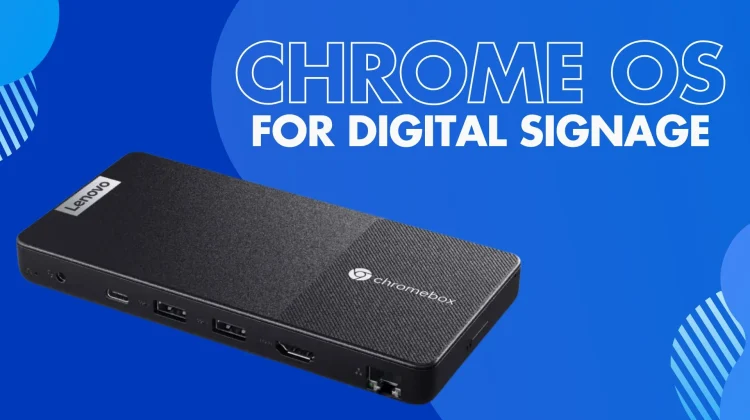
While you can certainly use ChromeOS Flex on existing compatible hardware (which is a great option for repurposing devices), we opted for a purpose-built device: the Lenovo Chromebox Micro. This is an interesting device that can actually be used for a variety of use cases, but at its core, it’s purpose-built for digital signage and interactive displays.
This compact box was literally announced at a digital signage expo (DSE 2023), so it’s really tailor-made for this application. It’s fanless, ventless, and dust-proof – perfect for tucking away and running constantly. Plus, it’s packed with ports: two USB-C, two USB-A, HDMI, Ethernet, and an audio jack, along with mounting options.
Other options for Digital Signage
While exploring digital signage solutions, we looked at several alternatives, but none quite matched the combination of simplicity, security, and cloud-native management we found with ChromeOS. Dedicated signage players, like those from BrightSign, are certainly built for reliability, but they often come with a higher price tag and can lock you into specific software ecosystems, potentially complicating integration compared to the flexibility within the Chrome ecosystem.
We also looked into Windows-based mini PCs, but there were several significant concerns here. Keeping Windows devices consistently updated, secured against threats (unlike ChromeOS’s zero-ransomware track record), and running 24/7 across multiple screens requires considerable IT effort. And these devices lack the built-in, seamless cloud management offered by the Google Admin Console without layering on more complex enterprise tools.
Generic Android digital signage players offer low hardware costs, but the ecosystem is fragmented, meaning hardware quality, long-term support, and security can be inconsistent. Achieving reliable remote management often means adding third-party solutions, increasing complexity.
Lastly, while Raspberry Pi setups are cost-effective for DIY projects, the setup, maintenance, and potential reliability issues for unattended, 24/7 business use felt like a step down from the polished, supported, and purpose-built ChromeOS devices available. For our goal of a simple, secure, stable, and remotely managed solution, ChromeOS remained the most compelling and straightforward path.
Real-World Proof: Domino’s runs on ChromeOS digital signage
And we’re clearly not alone in seeing the potential of ChromeOS for these types of deployments. Look no further than Domino’s Pizza, a massive global operation. They’ve deployed a staggering 50,000 ChromeOS devices across 10,000 locations specifically for tasks including digital signage. Their custom solution, built on ChromeOS, helps them connect customers within stores, streamline day-to-day operations, and ultimately improve the experience for both customers and employees. A key benefit they leverage is the ability to bring new stores online quickly while ensuring each location has the reliable tools needed – a powerful testament to the platform’s scalability, manageability, and reliability in a demanding, large-scale commercial environment.
The Clear Choice
Honestly, starting this process, I suspected ChromeOS would be the way to go, but doing the extra research just solidified it. The combination of a secure, stable, remotely manageable OS, dedicated management features via the Kiosk & Signage Upgrade, purpose-built hardware like the Lenovo Chromebox Micro, and a validated software ecosystem makes ChromeOS the clear and confident choice for getting our digital signage up and running at Proof Golf.
Join Chrome Unboxed Plus
Introducing Chrome Unboxed Plus – our revamped membership community. Join today at just $2 / month to get access to our private Discord, exclusive giveaways, AMAs, an ad-free website, ad-free podcast experience and more.
Plus Monthly
$2/mo. after 7-day free trial
Pay monthly to support our independent coverage and get access to exclusive benefits.
Plus Annual
$20/yr. after 7-day free trial
Pay yearly to support our independent coverage and get access to exclusive benefits.
Our newsletters are also a great way to get connected. Subscribe here!
Click here to learn more and for membership FAQ

