• Skip to main content
  • Skip to primary sidebar
  • Deals
  • Features
  • Guides
  • Chromebooks
  • Videos
  • Podcast
  • More +
    • Reviews
    • Unboxing
    • Upcoming Devices
    • Chromebook Plus
    • Chrome
    • ChromeOS
    • Chrome OS Flex
  • Search
  • Sign Up
  • Log In
Chrome Unboxed – The Latest Chrome OS News

Chrome Unboxed - The Latest Chrome OS News

A Space for All Things Chrome, Google, and More!

  • Deals
  • Features
  • Guides
  • Chromebooks
  • Videos
  • Podcast
  • More +
    • Reviews
    • Unboxing
    • Upcoming Devices
    • Chromebook Plus
    • Chrome
    • ChromeOS
    • Chrome OS Flex
  • Search
  • Sign Up
  • Log In

Google Tasks is getting a new Workspace-style logo, and I have mixed feelings

September 15, 2021 By Michael Perrigo View Comments

Support our independent tech coverage. Chrome Unboxed is written by real people, for real people—not search algorithms. Join Chrome Unboxed Plus for just $2 a month to get an ad-free experience, access to our private Discord, and more. Learn more about membership here.
START FREE TRIAL (MONTHLY)START FREE TRIAL (ANNUAL)

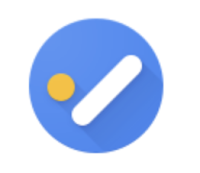
Over on the Google Workspace Updates blog this morning, Google revealed a new logo for its Tasks app. Ever since it was released, Tasks has had the same representation – a circle and a pill shape in the form of an abstract checkmark. However, with this update, which is due to roll out between September 23, 2021 and the two weeks following that date, a less clever and more straightforward version of the check mark in a circle will take its place across mobile, and the web.
  • Old Logo
  • New Logo

Check out the images above comparing the old and the new logos. The new Workspace-style logo is more inline with the other redesigns that Google has pushed out over the past year for most of its other core services that all look virtually identical, with one massive exception – its color. Obviously, Tasks will be easier to identify when placed in your Chromebook’s launcher or in your phone’s app drawer compared to all of the other uber-colorful Google icons.

Xremove ads

Users will no doubt appreciate this, but I do have two complaints. What would a Google update be without complaints though, right? Anyway, the new representation for Tasks looks indistinguishable from many other generic tasks apps on the Play Store. In fact, a quick search reveals that TickTick, Tasks & Notes rom UniqTec Inc., MeisterTask, When.Do, Todo Cloud, and countless other products in the same category have almost the same exact design and color scheme, with the exception of the overlapped paper design.

The old Tasks logo was very clever. Google combined two elements in order to give the impression that they were another, and left the rest up to the human brain to fill in. The entire psychology of the original was more involved and more well thought out, while the new one just seems lazy. Perhaps it’s just more utilitarian and simple, and I suppose that’s commendable, but still. I can appreciate that they’ve only used one color here, but the design is just uninspired.

Featured Videos

Xremove ads

Despite my gripes, Google Tasks has a bigger problem than its logo design. Tasks created in Google Chat remain separate from those in the standalone app itself, and there’s no way to import them into the company’s new Hangouts replacement. If you’re looking to make the switch, there’s some benefit to doing so, but still so many drawbacks that it’s hardly worth it at this time. Let me know in the comments what you think about the new logo for the Tasks app, and wether or not you’re still using it after its recent navigation update.

SUBSCRIBE TO UPSTREAM

Get Chrome Unboxed delivered straight to your inbox

Upstream is our flagship, curated newsletter with the top stories, most click-worthy deals, giveaways, and trending articles from Chrome Unboxed sent directly to your inbox a few times a week. Join 31,000+ subscribers.

SUBSCRIBE HERE!

Filed Under: Apps, Education, Enterprise, New & Upcoming Features, News, Updates, Workspace Sessions

About Michael Perrigo

Known as "Google Mike" to his customers, Michael worked at Best Buy as a Chromebook Expert who dedicated his time to understanding the user experience from a regular Chromebook owner's perspective. Having spent nearly 20 years meeting you face-to-face, he strives to help you understand your technology through carefully crafted guides and coverage, relentlessly seeking out the spark in what's new and exciting about ChromeOS.

Primary Sidebar

Xremove ads

Deals

Massive Deal Alert: The Acer Chromebook Plus Spin 714 just hit an all-time low $499

By Robby Payne
April 1, 2026

The best Chromebook deals today

By Robby Payne
March 30, 2026

The Acer Chromebook Plus Spin 714 hits a new all-time low at $270 off

By Robby Payne
March 25, 2026

You can score $40 off Google’s battery-powered Nest Doorbell right now

By Joseph Humphrey
March 20, 2026

The touchscreen Lenovo Chromebook Slim 3 is a steal at under $200

By Robby Payne
March 16, 2026

More Deals

Xremove ads

Reviews

Acer Chromebook Plus Spin 514 Review: Kompanio Ultra power in a convertible

By Robby Payne
December 24, 2025

My review after 6 weeks with the Lenovo Chromebook Plus 14 [VIDEO]

By Robby Payne
August 11, 2025

One week with the best small Android tablet you can buy, and I’m sold

By Robby Payne
May 9, 2025

Best Chromebooks of 2024 [VIDEO]

By Robby Payne
November 28, 2024

Samsung Galaxy Chromebook Plus Review: Samsung is back! [VIDEO]

By Robby Payne
October 28, 2024

More Reviews

Xremove ads

Guides

This Chromebook trackpad shortcut is definitely not new, but is blowing my mind

By Robby Payne
March 11, 2024

How to reduce broadcast delay on YouTube TV to stop live spoilers

By Robby Payne
December 8, 2023

Windows PC keyboard and Chromebook

How to use a Windows keyboard with a Chromebook

By Joseph Humphrey
December 8, 2023

How reset and revert your Chromebook to the previous version of Chrome OS

By Robby Payne
November 29, 2023

My Chromebook Plus features disappeared: here’s how I fixed it

By Robby Payne
November 24, 2023

More Guides

TWITTER · FACEBOOK · INSTAGRAM · YOUTUBE · EMAIL · ABOUT

Copyright © 2026 · Chrome Unboxed · Chrome is a registered trademark of Google Inc.
We are participants in various affiliate advertising programs designed to provide a means for us to earn fees by linking to affiliated sites.

PRIVACY POLICY