


Support our independent tech coverage. Chrome Unboxed is written by real people, for real people—not search algorithms. Join Chrome Unboxed Plus for just $2 a month to get an ad-free experience, access to our private Discord, and more. Learn more about membership here.
START FREE TRIAL (MONTHLY)START FREE TRIAL (ANNUAL)
With Google Tasks rolling out to more Workspace tiers, gaining inline editing on the web, and more importantly, adding landscape mode to its app on Chromebooks, you’d think Google would refrain from providing yet another task management solution to its users. Even though Chat has its own Google module now with no way to import from Google Tasks, it has yet to give up on its struggling Android app.
A new update finally rids you of the ridiculously unintuitive navigation drawer that you used to pull up from the hamburger menu on the bottom-left of the screen. In its place is a horizontal top bar navigation strip which is much more user-friendly! In the past, I’ve had to swap between lists quite frequently, and having to constantly pop open the bottom drawer was just insanely annoying!
You can see in the images below from XDA Developers APK Teardown that a new star icon is also present on the horizontal navigation. This ‘Starred’ section will allow you to see all entries that you’ve favorited for quick access. Of course, to do so, each task now has a star icon next to it that you can tap or click and it also shows in the individual task editing screen as well. Being able to star things is virtually a universal and expected feature across Google services nowadays, so the fact that it’s been missing from Tasks is one of those things I never really gave much thought to, but also think makes a lot of sense now that it’s being added.
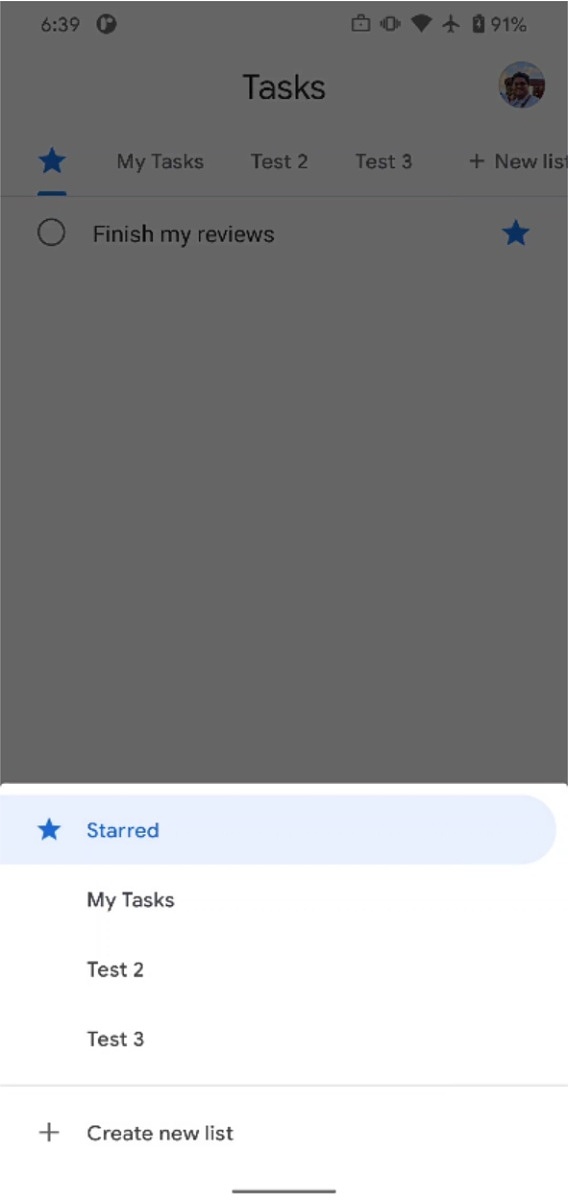
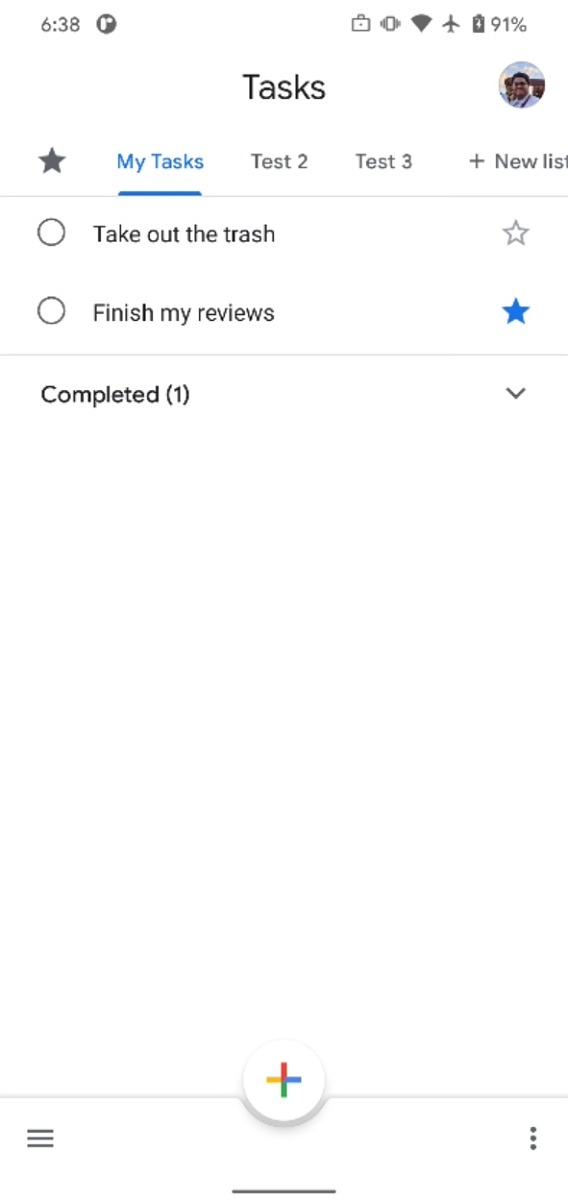

I don’t yet have this update on my Chromebook or on my phone, so I probably wouldn’t expect to see it right away, if I were you. APK Teardowns show off what’s to come, and there’s usually a waiting period before said features appear for most users. It’s also possible that these two items could get scrapped before release, but I highly doubt that. Navigation in the app has been a major point of contention for a long time, so it would be in Google’s best interest to follow through with this one.
SUBSCRIBE TO UPSTREAM
Get Chrome Unboxed delivered straight to your inbox
Upstream is our flagship, curated newsletter with the top stories, most click-worthy deals, giveaways, and trending articles from Chrome Unboxed sent directly to your inbox a few times a week. Join 31,000+ subscribers.


