


Support our independent tech coverage. Chrome Unboxed is written by real people, for real people—not search algorithms. Join Chrome Unboxed Plus for just $2 a month to get an ad-free experience, access to our private Discord, and more. Learn more about membership here.
START FREE TRIAL (MONTHLY)START FREE TRIAL (ANNUAL)
Lately, I’ve been heavily utilizing the new Google Tasks module that’s built into Google’s Hangouts replacement – Chat. I’ve found that it’s a fantastic way to collaborate digitally with my family in order to get things done around the house and in all areas of our lives together. However, the more I use it, the more I realize that the shift to Chat from a standalone Tasks app has fundamentally destroyed what made them useful to me, to begin with – the ability to rapidly log my thoughts throughout the day.
To many, this will seem trivial as Google Tasks remains available at the time of writing this, but to those who share in my incessant search for the perfect productivity system and who have found that it was right on the verge of being it for To-Dos thanks to its simplicity (if you exclude its terrible menu system, which recently got fixed), Google Chat has put a stake in the heart of my setup. I’ve all but switched from Tasks to using the tasks built into Chat in order to test them out, and instead of presenting me with a lightweight tool for hammering out my goals, Chat feels bulky and unnecessarily complicated.
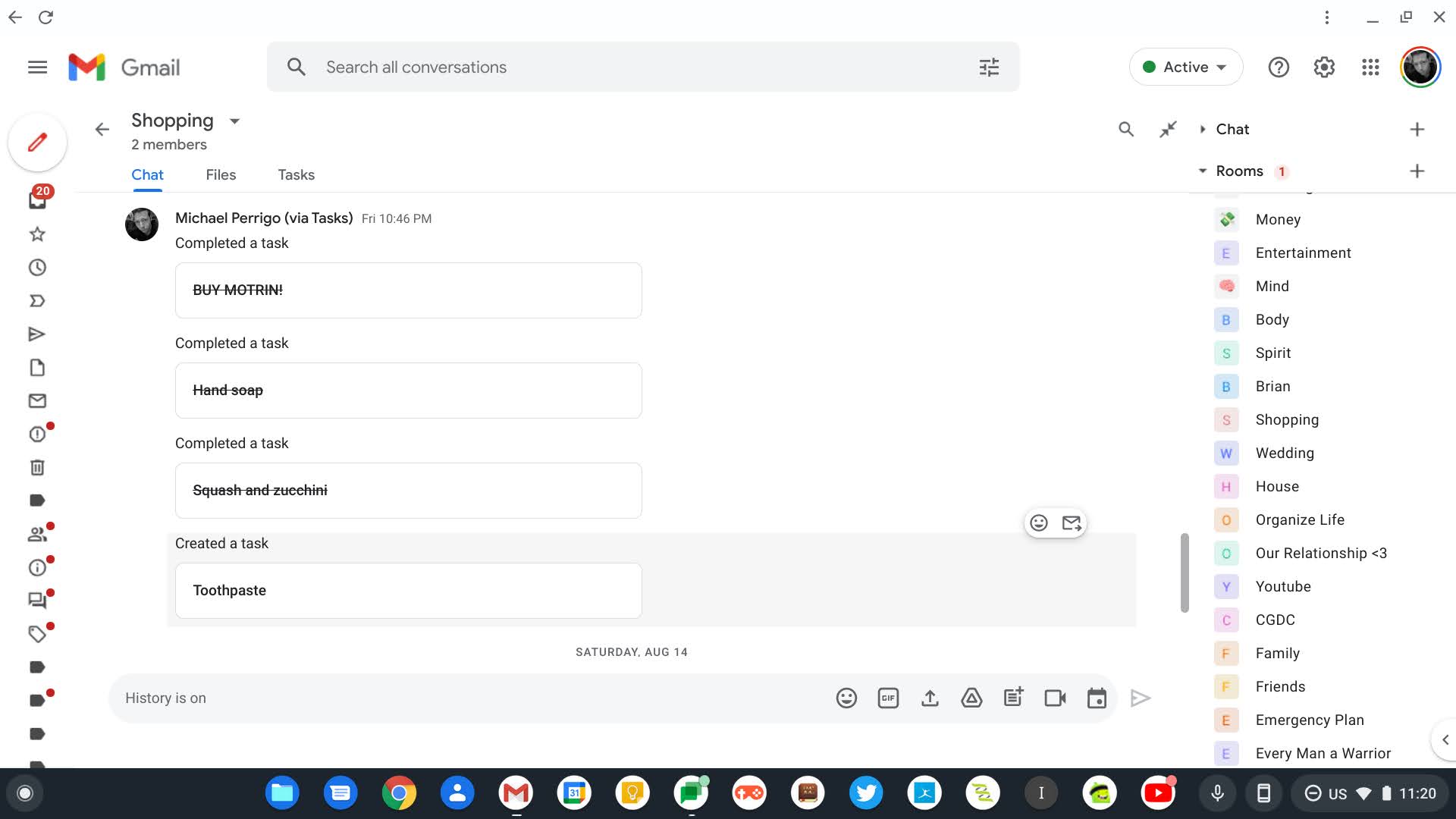
Let me give you an example. When you load up Chat, you’re met with, well, chat messages, naturally. However, Chat is doubling down as a productivity platform now that you can switch over to a Tasks tab. Doing so should be fast and fluid. Instead, users must wait for the Google Tasks logo to animate and pulsate across the screen. This seems harmless until you consider the fact that anyone making proper use of Chat will likely have more than a handful of rooms and many tasks for each. Having to wait for that animation every single time I swap to a new room is more than annoying, it temporarily halts my thought process – something task management should never do.
Add to this the fact that if you’re primarily using the app or site to manage your room tasks and only infrequently visit the chat section to discuss them for context and alignment, you have to click the tasks tab every single time. It would be great if Google added a way for users to either default to the tasks tab via the settings, or for the service to ‘remember’ which tab you were on last and take you straight there.
At this point, you’re either in full agreement, or you’re asking yourself why I’m complaining that an app meant for chatting is not acting like a better task manager. Well, let’s discuss that for a second. Google recently made Workspace, in all of its glory, available to standard free Google Account holders, and during this transition, it’s introduced everyday users to an enterprise suite of tools in place of their friendly consumer Google services. While they’re largely the same, Chat is one example of how people like you and I have been left out in the cold when it comes to using Google’s apps for personal use.
Hangouts was fun (and slightly annoying – I still have nightmares of the sound it made when you received a message), but the new service lacks any hint of what made its predecessor popular among casuals. It added GIF support today, which is great, but I still think it took a system meant for businesses and schools and dumped it into the laps of those who have no intention of using it in a similar capacity. I have to believe that eventually, despite its recent improvements, Google will kill off the rapid use Tasks app in favor of these new tasks built into Chat.
Before that happens, I think the company should consider making them faster and more friendly to use and including some way for us to automatically import our existing Tasks. Ultimately, it needs to think of a way to make its products and services work for all user groups simultaneously – something that’s probably impossible beyond some point, but I don’t think it means it shouldn’t try.
SUBSCRIBE TO UPSTREAM
Get Chrome Unboxed delivered straight to your inbox
Upstream is our flagship, curated newsletter with the top stories, most click-worthy deals, giveaways, and trending articles from Chrome Unboxed sent directly to your inbox a few times a week. Join 31,000+ subscribers.


