


Support our independent tech coverage. Chrome Unboxed is written by real people, for real people—not search algorithms. Join Chrome Unboxed Plus for just $2 a month to get an ad-free experience, access to our private Discord, and more. Learn more about membership here.
START FREE TRIAL (MONTHLY)START FREE TRIAL (ANNUAL)
I’ve become a huge advocate for Google’s Collections, even believing that automated user curation of content across the web is the future of the internet. We’ve spoken about how you can use them to inspire your 2021 goals, seen a custom Collections icon appear on hardware remotes for Google TV, and even hoped that articles in Chrome could be saved to them before the company decided to go the Reading List route. It’s been quite the journey, but one thing is for sure – Google isn’t backing down or killing Collections.
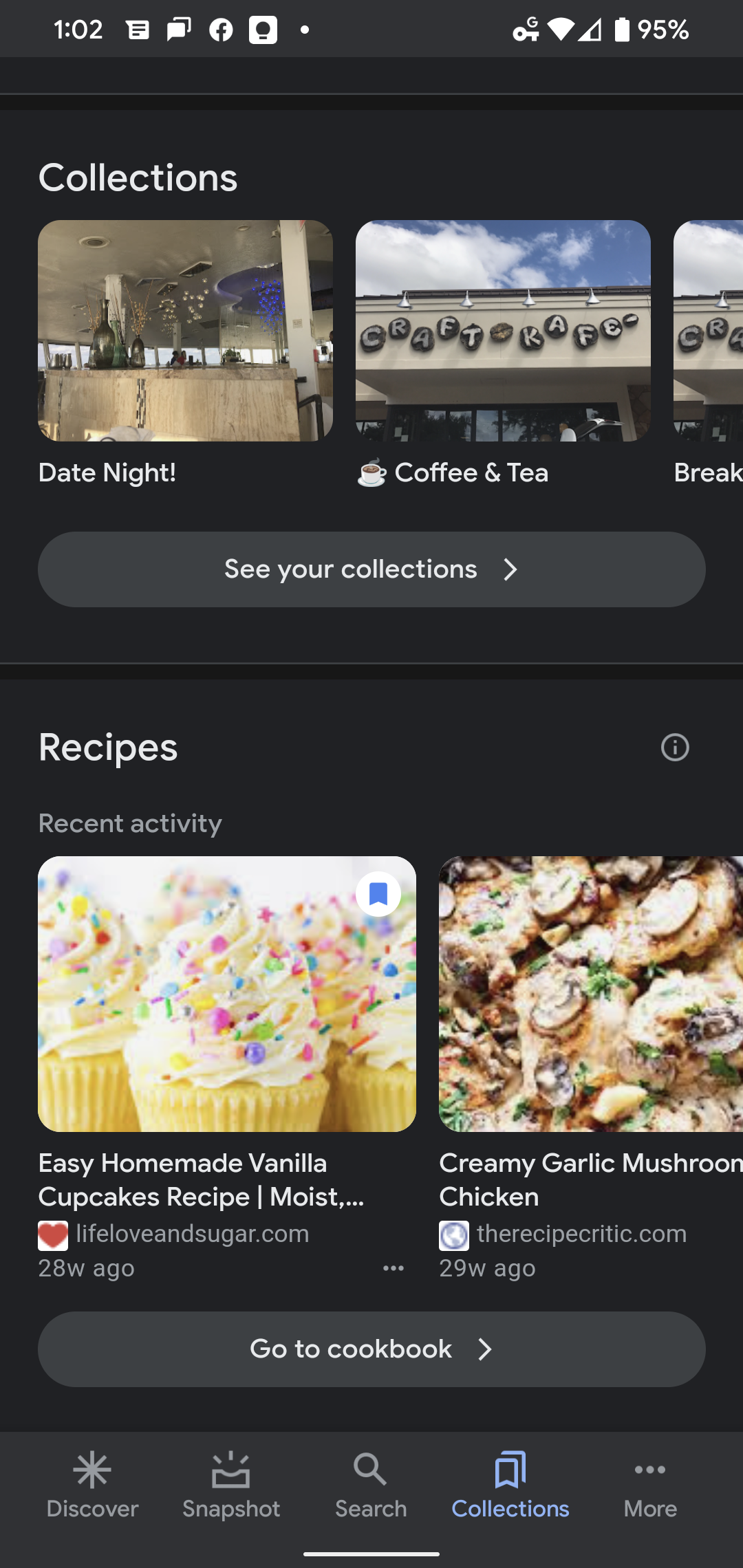
Instead, it’s leaning into it more than ever, even though updates are few and far between, they always seem to be meaningful. Today, as discovered by 9to5Google, the Collections tab in the Google Search app for Android has received a massive overhaul. Instead of simply featuring your custom-made collections in a list with suggestions across the top, it now shows several segments spotlighting Google-created Collections that are core to several of its services.

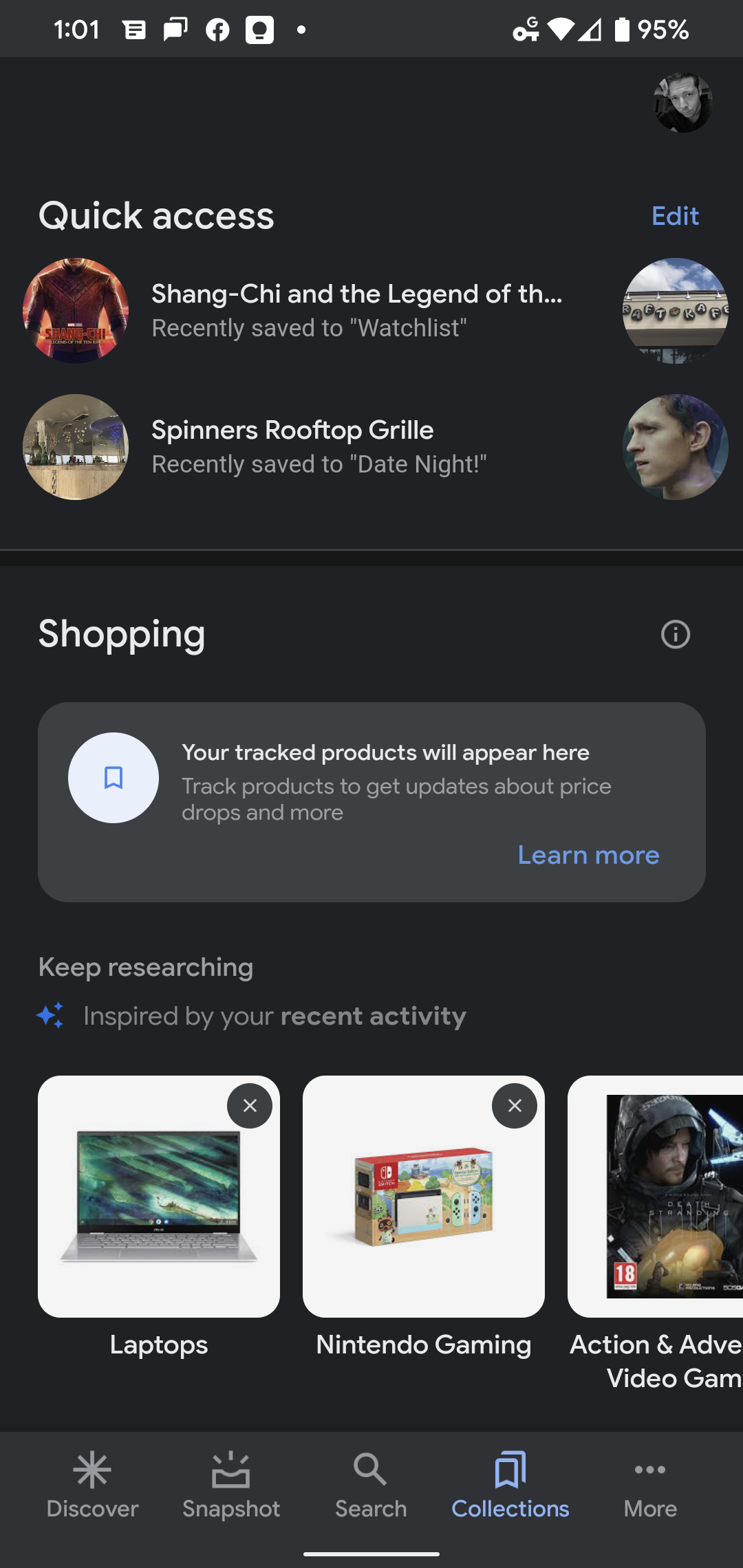
There’s a new ‘Quick access’ section across the top that can be edited (though currently busted), and will likely show you the last two things you’ve added as evidenced by Shang-Chi and the Legend of the Ten Rings which I just added to my Google TV Watchlist earlier this morning. Below that, a ‘Shopping’ section that shows items you’ve chosen to ‘track’ in Google Shopping, and just below that, a ‘Keep researching’ section that gives you suggestions based on recent Shopping search queries.
A new ‘Shows & movies’ segment shows items you’ve recently added to your Google TV Watchlist, and a link to go directly to the full list. Luckily, your hand-made Collections have their own section, though they are further down the page, and tapping the ‘See your collections’ button will bring you to a tiled layout showing them all.
Lastly, a ‘Recipes’ block near the bottom contains all of the delicious and fattening food you’ve bookmarked across the web, as well as a ‘Go to cookbook’ button that shows you each item you’ve previously been able to call up on your Nest Hub. I truly love the thoughtful layout of these elements because it shows that Google is attempting to put automated collections in the forefront and take the manual labor out of their use.
Overall, the Collections tab loads and navigates between pages much quicker, and as 9to5 pointed out, it does seem less like a web wrapper and more like a custom-built experience. I’m super stoked to see Google continue to develop this feature and make it more prominent across the web. Recently, the Collections ‘bookmark’ icon on Google image search results has gone from out in the open to being hidden behind the ‘more’ menu, which had me a bit disheartened, but this update renews my excitement! As of writing this, the web interface has not been updated to match the mobile experience, but we’ll see if that comes with time.
SUBSCRIBE TO UPSTREAM
Get Chrome Unboxed delivered straight to your inbox
Upstream is our flagship, curated newsletter with the top stories, most click-worthy deals, giveaways, and trending articles from Chrome Unboxed sent directly to your inbox a few times a week. Join 31,000+ subscribers.


