

Support our independent tech coverage. Chrome Unboxed is written by real people, for real people—not search algorithms. Join Chrome Unboxed Plus for just $2 a month to get an ad-free experience, access to our private Discord, and more. Learn more about membership here.
START FREE TRIAL (MONTHLY)START FREE TRIAL (ANNUAL)
Chromebooks will now begin receiving an update to Chrome OS 93. there is a focus on polish and streamlining the user experience. From downloads to scanning and even user interface tweaks, this update really goes the distance to making Chromebook owners feel more confident in their choice of device. Let’s break down some of the things you can expect to run into after receiving it.
Tote Previews
The new ‘Tote’, or shelf ‘holding space’ tool will now let you pin items from the Files app for quick access. Simply hover over any file or folder and right-click it. Then, select ‘pin’ to place it in your Tote. You can pin as many files as you’d like, and once you’re done with them, you can unpin them directly from the shelf with another right-click! Additionally, files held there will now show preview images or thumbnails so you can quickly identify what’s available to you at a glance.
Anytime you’re downloading a file, it will also now show in Tote, along with a progress circle around the preview image as well. This also goes for screenshots – snapping a quick screengrab will drop it into your Tote with a noticeable animation, so you’re aware of its presence. From there, you can share it, edit it, or delete it. Oh, and if you’re not a fan of these previews, you can turn them off with our tutorial, though an icon will remain in that spot.

Scanning improvements
The built-in Chromebook Scan app is receiving a few updates for convenience. First, Anytime you scan something, it will automatically appear in the aforementioned Tote as a file for quick access. On top of that, any settings you use in the Scan app will be remembered for the next time you launch it. These ‘Sticky’ settings are great for those who always scan directly to Google Drive, or use a specific color or page setting.
Launcher app management improvement
Next up, the app launcher found via the ‘Everything button’ is now much more visually appealing when moving icons around. Check out my short clip below – clicking or pressing and holding and dragging an app will cause it to appear to lift up, revealing a lighter colored background to help you distinguish it apart from its surroundings. This is what Android has done for years, so it’s a welcome addition here for user accessibility.
Android App window size presets
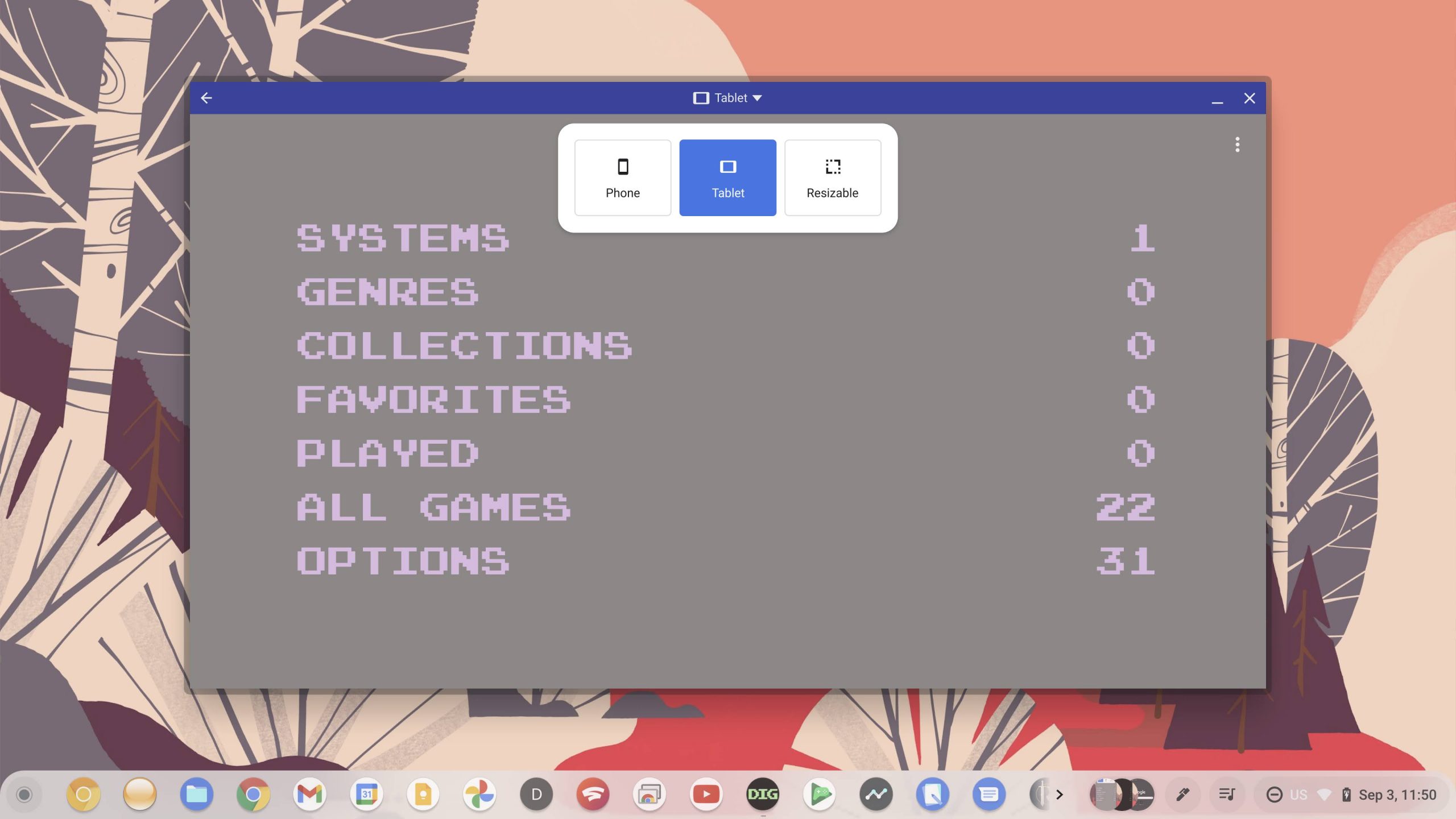
As we discovered a few days ago before its official launch, compatible Android apps (primarily games) will now have a top bar that will allow you to select between a few preset window sizes. Choosing ‘Phone’, ‘Tablet’, or ‘Resizable’ will change the bounds of the app window, scaling it appropriately to avoid any issues. This should help in instances where apps crashed when manually resized, and with the option still available as a preset, you’re issued a warning stating that it may still occur when used.
Other notable changes
While that about covers the big stuff, there are a number of smaller updates that are being pushed with Chrome OS 93 that we want you to be aware of as well. For instance, Picture-in-Picture mode for videos now has rounded edges, you can speed up playback on local video files up to 2x, Android apps will use less RAM while idling in the background (Android 10+), and more.
With updates to the UI for spelling, grammar, language, and inputs as well, all of this polish is sure to make Chromebooks more attractive to international, everyday users alike. Let us know in the comments if you’ve got a favorite update or something you hope to see in the future. Have fun!
SUBSCRIBE TO UPSTREAM
Get Chrome Unboxed delivered straight to your inbox
Upstream is our flagship, curated newsletter with the top stories, most click-worthy deals, giveaways, and trending articles from Chrome Unboxed sent directly to your inbox a few times a week. Join 31,000+ subscribers.


