Up next in 10



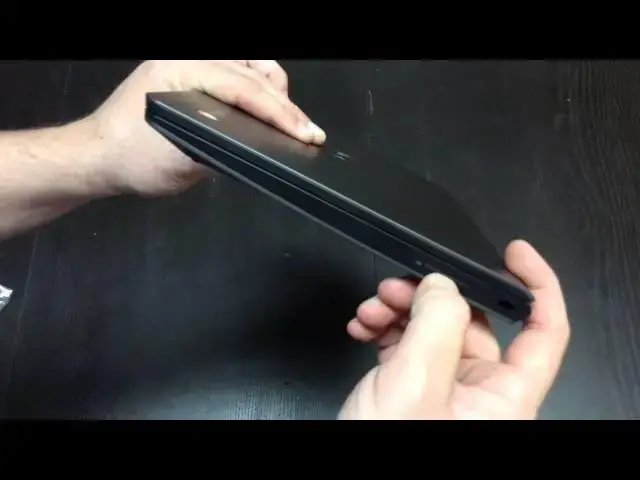
In this video I get my hands (finally!) on the Dell Chromebook 11. After all the reviews I've seen of this device, I'm pretty excited to put it through the paces over the next week. My plan is to make it my daily driver, but we'll see!
Show More Show Less View Video Transcript
0:04
hey folks Robby pay here with chrome
0:06
unbox coming at you today with an
0:08
unboxing of the Dell Chromebook 11 now
0:10
I've gotten a lot of messages about this
0:12
particular device and I've had some
0:14
issues trying to get my hands on it
0:16
mainly due to the fact that Dell uh
0:19
originally intended this device to be
0:20
used in schools and in in the education
0:23
sector um and then they opened it up to
0:26
the public briefly and the demand was
0:28
pretty high for it and so they couldn't
0:29
keep up so they put it back to the
0:31
education sector so you had to go
0:32
through either getting it off eBay from
0:34
somebody who's selling it um which I
0:37
didn't really want to do that because I
0:38
wanted to be able to return it if if
0:40
need be um or you could get it through
0:43
Adele rep which I obviously don't have
0:46
and so um it became an issue of getting
0:48
hold of it in a in a in a pretty
0:50
legitimate way from a retailer so that I
0:52
could return it upon reviewing it um
0:54
turns out after reading some reviews
0:56
there's part of me that's expecting I
0:58
might keep this as my Prime Chrome book
1:00
now um before we get in the Box what
1:02
we're looking at here is the uh the
1:04
Chromebook 11 so it's 11.6 in display uh
1:07
it is the 1366 X 768 it's rocking the
1:10
Haswell Celeron chip uh the 2955 U uh
1:14
it's also got uh 32 gigs of of storage
1:18
in the SSD and it's also got four gigs
1:20
of RAM so it's kind of pushing all those
1:21
spec points that that I like in a
1:23
Chromebook uh that I'm going to keep and
1:25
use on a daily basis for work uh
1:27
purposes so uh possibly might be
1:29
actually keeping this guy so and I got a
1:31
hold of it for 300 bucks from Mac Maul
1:34
so shout out to them thanks for for
1:36
keeping it in stock getting it to me
1:37
pretty
1:38
quickly and I was just going to kind of
1:40
let this Chromebook uh go by the wayside
1:42
and move on but I kept seeing things
1:44
online about how good it was and the
1:45
quality was so great and again the
1:47
display I'm not expecting much uh it's a
1:49
TN panel and they say that off angle
1:51
viewing is not great so uh I did read
1:54
some of the reviews that it's decently
1:55
bright so I've got my hopes up at least
1:57
there and just a quick tidbit some of
1:59
you catch this some of you won't and I'm
2:01
sure I'll get some questions about this
2:02
I'm looking into I'm not definitely
2:04
going to do it but if I do decide to
2:06
keep this as my device I'm looking into
2:07
the prospect of swapping out the display
2:10
on this device uh with the IPS panel
2:13
from the HP Chromebook 11 all the mounts
2:16
line up U the difference is you got a 30
2:18
pin versus a 40 pin connector and so I
2:20
found a uh I think that can adapt it I'm
2:23
not sure if I'm going to take that
2:24
plunge yet uh we'll see if I do
2:27
obviously I will I'll videotape it and
2:29
we'll put on here hopefully it's not an
2:31
epic failure if I do end up doing that
2:33
but for the time being let's just get
2:35
into this
2:41
guy and so the reviews that I've read
2:44
through pretty decent sized uh places
2:47
The Verge and Gadget uh those type of
2:50
places I think OMG Chrome did a review
2:52
as well I can't remember now but
2:54
everybody seemed to be relatively
2:56
pleased with the device um overall so I
3:00
kind of got my hopes up a little bit
3:02
maybe maybe I shouldn't do that I don't
3:05
know let's see here in the Box over on
3:08
the side let's take a guess charging
3:12
ports and stuff so pretty decent size
3:15
charger um nothing Tiny But unique
3:18
looking so it's kind of neat um that's
3:20
that's a really neat uh feature right
3:22
there the the cord coming out of it
3:24
actually is already in L shape so it's
3:27
flush and then can be wrapped
3:29
immediately so I don't know how crazy I
3:31
that's a pretty tight hug there but uh I
3:33
try to keep my cords from doing that
3:35
I've had a lot of uh laptops where the
3:37
cord comes out and I've bent it around
3:39
and wrapped it and over time that that
3:43
uh um connection there fails and so
3:45
that's really not a good thing uh it's
3:47
kind of nice to see a full-size adapter
3:49
here the little ones always make me
3:51
suspect that they're going to fall apart
3:53
so that's kind of cool you can wrap it
3:54
and then it's got the little
3:56
clip so I'm always a fan of uh charging
3:59
uh
4:00
peripherals being a little a little more
4:02
than just uh whatever they can throw
4:04
together um these parts obviously are
4:06
always the same so that's just your
4:08
generic charging
4:10
cable so let's get to the meat potatoes
4:15
here here it is see there's some
4:18
documentation in here yeah
4:21
whatever warranty uh getting started you
4:25
guys know how I feel about getting
4:26
started papers and Chromebooks really
4:30
need
4:31
them so open this guy up again this is
4:34
the first time I'm laying my eyes on
4:36
this device um it's I've never seen it
4:39
in the store or any in anybody's hands
4:41
or anything um weightwise it's it's got
4:45
some heft um it's not I I wouldn't
4:47
consider it light we'll say that um and
4:50
and it's not the thinnest Chromebook in
4:51
the world I mean you can kind of tell
4:53
that from the side there's USB um we
4:54
know how thick those are so this isn't
4:56
the thinnest thing in the world but it's
4:58
also not uh doesn't feel terribly chunky
5:01
uh in the review We I'll put it up next
5:03
to the c720p for instance and uh and I
5:08
don't have my hands on the Chromebook HP
5:10
14 I might be able to get get that back
5:12
um and then uh the the Chromebook 13 as
5:15
well um I'll try to at least get you
5:17
side by sides with those let's see here
5:19
we got an SD card slot that fits flush
5:21
which is nice a lot of times we don't
5:23
see that on the smaller ones Kensington
5:25
lock nothing across the back except the
5:27
hinge fulls size HDMI
5:30
two 3.0 uh USB ports which is awesome
5:33
combo headphone microphone Jack and full
5:35
size charging we have the speakers which
5:38
uh again I haven't heard these yet I've
5:40
seen some reviews that say that they're
5:41
not too bad uh speakers kind of being on
5:43
that slight tilt will probably help uh
5:46
them project especially if they're on
5:47
it's on your lap and You' kind of got
5:49
instead of the the nubbed feet you got
5:51
these kind of bars for feet so very
5:54
industrial um um but very nice look um
5:58
it just it looks good it
6:00
looks uh probably a little higher price
6:03
than it actually
6:07
is and inside same same kind of look too
6:11
not a lot of flex to the keyboard little
6:13
bit um kind of expect that across the
6:16
board um the bezel is a little bit large
6:20
um it almost looks like they could have
6:21
squeezed a 12-in screen in here uh with
6:23
the exact same form factor but because
6:25
of that it's got a really nice wide
6:27
keyboard Keys feel really really good
6:30
travel feels really good real
6:33
clicky a lot of times on these smaller
6:35
ones you get a little bit of mushiness
6:36
to the keyboard or the keys you don't
6:38
feel that click and then release um is
6:41
kind of what I'm talking about there and
6:42
these have a very nice travel um they
6:45
feel very good trackpad has a slight bit
6:48
of texture to it as does the inside of
6:50
the body almost a rubberized plastic so
6:53
it has a soft touch feel to it uh that's
6:56
kind of continued from the outside the
6:57
outside's not as rubberized it's the
7:00
kind of a matte finish plastic back here
7:03
whereas inside here on the palm rest
7:04
it's definitely rubberized um which
7:06
feels real nice uh the track pad
7:08
actually feels very similar to the
7:10
material used on the outside so very
7:12
slight texture to it but it doesn't feel
7:15
uh it doesn't it's not trying to feel
7:17
like glass um or anything like
7:19
that uh click is nice solid sounding
7:23
which is always good it's annoying when
7:25
the trackpad has really Hollow clicks to
7:28
it very good so as always we'll plug
7:33
this guy in real quick get
7:37
you just some first
7:40
uh first thoughts on the screen first
7:44
thoughts maybe on some audio we'll see
7:45
if it's got to update Chrome or anything
7:47
like that I'm not going to put you
7:49
through looking at
7:52
that just a second
8:03
kind of a fun touch there is an LED
8:05
around here that when it's giving power
8:07
it's actually lit up
8:11
so nice little touch
8:13
there it's going to go and start up for
8:15
me screen is very reflective you can Pro
8:18
yeah you can see that on the camera very
8:21
reflective um I mean it's just part of
8:24
TN panels you know um it doesn't bother
8:28
me I don't mind
8:30
um reflective screens because I really
8:32
don't care for
8:35
um I don't care for the reflective or
8:38
anti- glare on the
8:41
screen uh mainly because it makes uh po
8:44
resolution look even worse so I'm not a
8:46
fan of that at
8:48
all let's get in here and see if we're
8:50
going to have to upgrade if it's going
8:51
to have to upgrade I'm not going to do
8:52
that on camera right now uh let's crank
8:55
the brightness up while it's doing
8:57
it uh and in the brightness honestly is
9:00
fighting off that glare a little bit um
9:04
again yeah it's a TM
9:07
panel what are you going to
9:09
say they're not
9:14
great uh viewing angles left to right
9:17
not too bad see if you can kind of get
9:22
that but obviously when we go top to
9:25
bottom completely polarized there and
9:28
polarized a little bit there so not
9:30
great um but honestly it's it's
9:35
serviceable um I guess for me
9:40
it I end up uh plugging into a monitor
9:44
all the time so it doesn't bother me
9:46
that bad but like I said before I'm
9:48
going to attempt to replace this monitor
9:50
if I can we'll see we'll see if I get
9:52
brave enough to to try that uh but
9:55
overall like I said the the feel it just
9:57
it feels solid I mean that the device
9:59
just feels really good um and it looks
10:02
really good it looks really clean the
10:04
lines are nice uh the trackpad uh is not
10:08
jittery feels very
10:10
good um in performance obviously um
10:14
we're going to see very similar
10:17
performance to uh
10:19
hp14 um we're going to see similar
10:22
performance to the Acer C720 with the 4
10:24
gigs of RAM so I'm I'm not really that
10:27
uh that concerned about how it's going
10:28
to perform I'm sure it's going to
10:29
perform quite nicely
10:32
um it's interesting still waiting for
10:35
things to sink up um anyway that's kind
10:38
of first blush good looking device um
10:41
and based on performance and and
10:43
honestly if I can get that screen
10:45
replaced I will be uh I'll be pretty
10:48
excited about this device because it's
10:51
everything other than the screen looks
10:52
like it's uh pretty
10:54
good
10:57
um let's take it's time sinking
11:00
everything up here comes some stuff let
11:02
me give you a sample of Music real quick
11:04
if I can get it to load up hear how loud
11:07
these speakers are
11:44
[Music]
11:48
that was much go on was
11:57
it St
12:05
granted it's updating everything else
12:06
right now so probably getting
12:09
[Music]
12:12
bumped man that's not what I meant to
12:18
[Music]
12:27
do yeah they're loud not going to win
12:29
any awards for sound quality um but I
12:31
don't I I can't remember a laptop that
12:34
I've expected that from in the last few
12:37
years um it's not what I buy laptops for
12:40
but uh they're loud so like conference
12:43
call hangout kind of stuff you're not
12:44
going have to worry about volume so
12:45
that's a good thing so again um here we
12:47
are with a Chromebook that seems to
12:49
check almost everything off the
12:51
list uh and we kind of have a subpar
12:55
display but like I said I'm doing some
12:56
more research I'm going to grab some
12:58
parts and and I'm going to attempt I
13:01
think uh to change that the display cuz
13:03
I think this device with a nice IPS
13:06
panel like the HP has on it would really
13:09
be a nice package especially the
13:11
displays cost about 60 to 70 bucks so uh
13:14
if I can get that to work out you're
13:16
talking under $400 in this thing and you
13:19
pretty much have all the things ticked
13:20
off probably until the next generation
13:22
of Chromebook start to come out with
13:23
core M processor so I've talked enough
13:25
about it um that's that's kind of First
13:28
Look first uh impression questions hands
13:29
on I will be back with a review within a
13:31
week to 10 days or so let you know if
13:34
I'm going to keep this guy and he's
13:35
going to stick around or if it's a if
13:37
it's going to go back in the mail so
13:40
until next time guys thanks if you like
13:41
this video and want to see more like it
13:43
hit the thumbs up subscribe the more
13:45
subscribers The more likes I get the
13:46
more chance I'm going to get to continue
13:49
doing these kind of reviews and these
13:50
kind of unboxings and so I enjoy doing
13:52
it I hope you enjoy watching it guys
13:54
have a great day see you next time
#Computer Hardware
#Laptops & Notebooks
#Consumer Electronics