Up next in 10



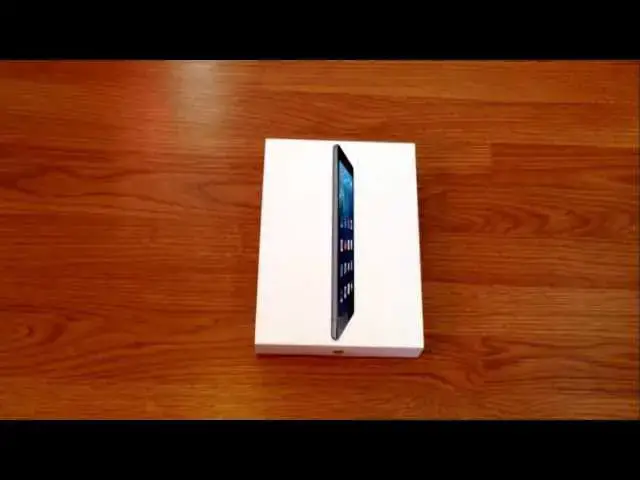
In this video I unbox the new iPad Air that just released on Friday, November 1st. A full review will be coming in the next week.
Enjoy!
(Sorry for the slight blur in the beginning. The camera was being stubborn and I honestly didn't realize it until after posting the video!)
If you like what you are seeing, please subscribe for future reviews and unboxings!
Show More Show Less View Video Transcript
0:00
hey folks Robbie Payne here again with
0:02
an unboxing this time of the iPad Air
0:05
the space gray black version 16 gig uh
0:09
it is LTE and I was able to snag this
0:11
this morning first thing from uh
0:13
T-mobile and for those of you who don't
0:15
know T-Mobile is offering 200 Megs for
0:18
free and they're going to do it across
0:19
multiple tablets iPad just being the
0:21
first one um you walk in no down payment
0:24
uh spread your spread the cost of the
0:27
device uh with no finance charges
0:29
nothing over the course of 24 months
0:31
which shakes out with this guy to be
0:32
about 26 and some change uh per month uh
0:35
so if you don't have the money to go in
0:37
and drop $600 $500 whatever whatever
0:40
model you're looking at on an iPad but
0:42
we really like to try one um and would
0:44
like a little bit of data or the
0:46
possibility of adding data down the road
0:48
this is a great option uh and it makes a
0:51
an easy case for saying Hey I want to
0:53
try the iPad out and so I was able to do
0:55
that this morning T-Mobile no no real
0:58
hassles I do know that you have to have
1:00
Credit in order to get it so keep that
1:01
in mind uh you're also going to have to
1:03
pay your tax up front uh which uh I
1:06
think was $40 something do uh for this
1:09
guy um and and for whatever reason they
1:12
had to put uh the 2 gig option on mine
1:17
in order to get it activated and then
1:18
said hey you you can turn around and
1:20
take this right back off if you call
1:21
customer care that's kind of annoying a
1:24
little bit um not a huge deal I'll call
1:27
here in just a little bit and get that
1:28
taken off but um just know those kind of
1:31
things up front before you go in and I
1:33
didn't have an account set up uh really
1:35
and so the whole thing took like 20
1:37
minutes which wasn't bad and I was the
1:38
first one you know first person in this
1:41
store doing this you know free 200 make
1:43
plan so I'm sure they're going to have
1:45
to work out the Kinks but overall it's a
1:47
great deal um and like a lot of the
1:49
things that that team we doing right now
1:51
um just for their customers it's it's
1:53
pretty cool anyway so I got my hands on
1:55
this wanted to do a quick unboxing get
1:57
you some uh initial thoughts about the
2:00
feel and the weight and the look and all
2:01
that kind of stuff I mean under all of
2:02
it it's still an iPad but what really
2:05
caught my attention with this guy was uh
2:08
I really I really enjoyed the iPad Mini
2:10
last year I just hated the display and
2:12
as someone who reads a lot um display is
2:15
is pretty important to me and that that
2:16
can sound like a first world problem
2:18
probably is but uh reading books reading
2:21
articles and that kind of stuff on that
2:22
older um what was it uh 1024x 768
2:26
display it wasn't terrible but it was it
2:29
was pretty bad bad and without font
2:31
being reasonably sized um it was really
2:34
difficult to read so really looking
2:36
forward to re a display on the iPad mini
2:38
but this kind of caught my caught my
2:40
attention because now they've packaged
2:42
the full-size iPad with much smaller
2:44
bezels much lighter much thinner um and
2:48
uh we're we're talking a quarter of a
2:50
pound I believe heavier than the iPad
2:52
Mini so um you're getting a lot more
2:54
screen real estate without much more
2:56
bulk so that's a that's a pretty cool
2:58
thing um so I wanted to check it out and
3:01
uh spend a little time and as as those
3:04
who subscribe to the channel know um you
3:07
know I review whatever I can get my
3:08
hands on and so if it's something I'm
3:10
going to use or I'm interested in
3:12
personally I'm going to review it I'm
3:14
going to unbox it I'm going to do all
3:15
that kind of stuff so as I get it I'll
3:17
review it uh which means there's going
3:19
to be a lot of stuff I don't review
3:21
because I'm not going to spend the money
3:22
and time uh to get my hands on stuff
3:24
until hopefully I get enough subscribers
3:26
and enough viewers that like these
3:28
reviews uh hopefully I'll start getting
3:29
some free stuff to actually review from
3:31
companies but until that time comes um
3:34
I'll review what I can um and so today
3:38
we're looking again at the iPad Air I
3:40
will also be doing uh Nexus 7 um uh kind
3:44
of a few months in review maybe more
3:46
thoughts less about the hardware and and
3:49
and showing you around and more about
3:51
hey here are some of the cool things
3:52
I've seen with the Nexus 7 here are the
3:54
things I like here the things I dislike
3:56
and um give you a couple months review
3:59
which You Don't See a whole lot usually
4:00
you get a couple week a weekend or
4:02
something like that and then the review
4:04
units have to be sent back so you don't
4:05
get these long um uh longer longer
4:08
thought out kind of reviews very often
4:10
so I want to do that with the Nexus 7
4:12
cuz obviously with this I'll be sending
4:14
it back so you get basic iPod or I iPad
4:19
packaging here um nothing really amazing
4:22
uh pretty blank on the back um set him
4:26
aside for just a second um the main
4:29
manual that kind of stuff in here
4:32
charging cable lightning um and then a
4:34
block that's that's it that's pretty
4:36
standard Fair uh Apple's not known for
4:39
changing things up too much and so here
4:42
it is uh we're going to take it out of
4:45
its plastic sheath real
4:46
[Music]
4:50
quick and set that to the side and I
4:53
must say just touching it like just now
4:57
holding it here I mean it's is
5:00
substantially lighter uh and uh and
5:05
thinner than previous IP iPads I keep
5:08
saying iPods I'm not sure why
5:11
um and design wise I mean it absolutely
5:15
takes all its cues from the iPad Mini so
5:17
if you've held an iPad mini um this is
5:19
going to look extremely similar um the
5:22
way things are rounded The chamford Edge
5:25
on the side um the
5:27
thinness uh the speaker light out with
5:30
the lightning Port here uh the volume
5:32
rocker buttons uh being separate and
5:34
metal as well uh with the um dual mode
5:39
switch there you can either use it to
5:40
silence or lock rotation nothing on this
5:43
side earphone jack microphone jack up
5:46
top the plastic sheath because we're LTE
5:48
here um camera on the back power button
5:52
I mean this is all standard Fair um
5:54
surely to goodness most of you have
5:55
probably seen an IP an iPad um by now
5:59
and so so if you've if you've dealt with
6:01
an iPad mini um you're you're going to
6:04
be in very familiar territory here
6:06
what's not familiar is how light this
6:08
thing is compared to a normal iPad the
6:12
experience is way more uh the way I felt
6:14
when I picked up and iPad Mini for the
6:16
first time and thought man this is
6:18
really light um it it's just incredibly
6:21
light so we got the hello screen we need
6:23
to I need to go through the setup
6:25
process real quick um so we'll take a
6:27
we'll take a break really fast let me
6:29
set this guy up and I'll be right back
6:31
all right guys we're back um got
6:34
everything signed in and um apps are all
6:37
downloading I will say um just having
6:41
used it for just a minute just to get
6:42
everything signed in and moved around uh
6:44
the slightly narrower uh form factor
6:47
does help with portrait typing um so
6:50
that's been nicer and I forced myself to
6:51
hold it in one hand uh during all the
6:53
sign in and setup and all that kind of
6:55
stuff just to see if the fatigue is
6:57
there um the way it is with the regular
7:00
I iPad and it actually wasn't um it felt
7:03
way more reminiscent of holding an iPad
7:06
Mini so um those two things very good uh
7:09
the device is incredibly light
7:13
um and you see my thing I'll take that
7:16
off probably um part of the setup
7:19
process but um very light screen looks
7:23
gorgeous I mean it's a retina display um
7:26
looks great uh viewing angles are
7:28
awesome um performance is really Snappy
7:31
and that's impressive because you can
7:33
see all of these are darked out um so
7:36
it's it's still got a lot of stuff I was
7:38
able to restore from a previous iPad
7:40
Mini uh backup that was done back in
7:42
April so you know I have to tweak that a
7:45
little bit but um it's at least I don't
7:47
have to go hunt and Peck for all my apps
7:48
and it's in the process of doing that
7:50
and really just not even having any
7:52
issue whatsoever um getting in and out
7:55
of things
7:58
um yeah he want update I'm just going to
8:00
back out of
8:06
this we'll just jump in a couple things
8:09
here just so you can kind of see like I
8:12
said it's it's
8:13
installing you know 30 40 apps in the
8:17
background right now and just really not
8:18
having any issue whatsoever we'll open
8:21
this Samsung tablets rank highest in JD
8:24
Power owner satisfaction on my
8:27
iPad um you can see just
8:31
top-notch performance here so the the A7
8:33
chip is not disappointing the written
8:36
display looks great form factor is great
8:38
device is light um so really positive
8:42
thus far um don't have don't have
8:44
anything really negative to say about it
8:47
um we'll do a real quick we'll jump into
8:50
the
8:52
camera
8:56
and just take a picture of the Box how
8:59
about
9:01
that so as most of you probably know
9:03
already you're not going to get any of
9:05
the fancy um uh features on the iPhone
9:08
5S camera unfortunately but it's just
9:11
part of it it's a tablet probably
9:13
shouldn't be taking pictures with it
9:14
anyway but in a
9:16
pinch focus is pretty good pretty
9:19
quick shutters instant which is awesome
9:22
you got the square option for
9:25
Instagram and then obviously we got
9:28
video as well so
9:30
um nothing mind-blowing here we can turn
9:32
hdr on and off so we'll do one in HDR
9:36
just
9:38
kicks so we'll go into that real
9:41
quick um and there's your HDR
9:46
shot and regular shot now we're in
9:49
really bright light so I don't see any
9:51
difference
9:52
really and the regular and the HD
9:56
HDR but you can see textures really good
9:59
uh this camera would be way more than
10:01
passable uh in a situation where this is
10:04
what you had in your hand and you need
10:05
to take a picture of something um it's
10:07
going to work it's going to work quite
10:08
well for that so I would not worry one
10:11
bit about the camera um but I think it
10:13
is the exact same module that's been on
10:15
the iPod or iPads uh for the last little
10:18
bit so um again nothing groundbreaking
10:20
here as far as the camera goes but it
10:22
works it's passable thinks fast it's
10:24
light it's thin uh and the screen looks
10:27
great on it and then after that I mean
10:29
it's an iPad um so you kind of know
10:31
largely what to expect the device
10:33
hopefully gets out of the way and lets
10:34
the apps and and all the functionality
10:36
to the device shine through all that
10:38
stuff and so I'm going to spend a few
10:40
more days with it and then I'll kind of
10:41
give a better uh more overall review of
10:45
things I like things I don't like um see
10:47
if it's going to stick around for a
10:48
while or not um until then thanks for
10:51
watching and see you later
#People & Society
#Gadgets & Portable Electronics