

Support our independent tech coverage. Chrome Unboxed is written by real people, for real people—not search algorithms. Join Chrome Unboxed Plus for just $2 a month to get an ad-free experience, access to our private Discord, and more. Learn more about membership here.
START FREE TRIAL (MONTHLY)START FREE TRIAL (ANNUAL)
Just yesterday, I wrote a candid critique detailing the growing pains holding Googlebook OS back. The missing virtual desk maturity, the current omissions in Chrome, and the lack of a folder hierarchy in the Files app left me genuinely aggravated that so much hard-earned ChromeOS utility was missing from a lineup of $1,000 laptops.
To clear my head and reset my baseline yesterday afternoon, I picked up our Lenovo Chromebook Duet 11″ and decided to tackle most of my daily workload from it. The Duet 11″ remains an exceptional, ultra-portable machine that I recommend all the time. Opening it up felt like visiting an old friend.
Then reality set in. Within an hour of settling into my daily tasks, I found myself repeatedly reaching for hardware perks and software features that either do not exist on ChromeOS or simply aren’t as good as they are on Googlebook. For all the legitimate frustrations I aired yesterday, stepping backward for a day made me realize that Googlebook has quietly grown on me in ways I didn’t fully appreciate stepping away from it for a bit.
Hardware that spoils your senses immediately
The sensory shock hit me first with the screen. Stepping down from a high-refresh 120Hz 3K OLED panel back to a more-standard display is immediately jarring. The ink-black contrast, matte anti-glare coatings, and buttery motion on these launch Googlebooks elevate every single thing you look at throughout the workday, making standard screens feel instantly less compelling.
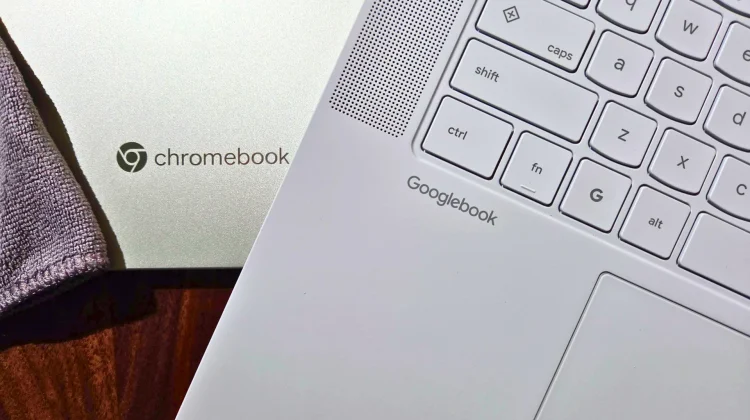
That physical polish carries directly into how you interact with the machine. Long work sessions on a Googlebook are fantastic thanks to smooth, glass (some haptic) trackpads and excellent keyboards that make longer writing sessions incredibly enjoyable.
Listening to any sort of media, the rich, upward-firing speakers on machines like the Lenovo Googlebook 15 pump out full, punchy audio that doesn’t force you to hunt for headphones. And last but not least, the biometrics are awesome across the board. On devices like the Lenovo Googlebook 15, lifting the lid triggers seamless IR Face Unlock that lets me get straight to the desktop with no fuss.
- Top-Tier Inputs: The tactile click of a massive glass haptic trackpad and deep, dampened laptop keyboards make long writing sessions effortless.
- Room-Filling Audio: Upward-firing speakers on machines like the Lenovo 15 deliver rich, punchy sound that makes listening to music while typing an absolute joy without needing headphones.
- Instant Biometrics: Having seamless IR Face Unlock paired with corner fingerprint sensors means you are into your workstation the millisecond you lift the lid.
A real desktop with widgets and frictionless APK sideloading
Once you look past the physical chassis, the actual desktop on Googlebook OS feels fundamentally more alive than the static wallpaper ChromeOS has clung to for years. On Chromebooks, the desktop is essentially decorative dead space, whereas Googlebook treats that real estate like a dynamic workspace.
Between customizable desktop folders, quick app shortcuts, and glanceable widgets (my favorite is the gorgeous Pixel Weather widget), my home screen actually serves a daily purpose. Hitting G key + V to quickly peek at live info and snap straight back into full-screen writing is a muscle-memory reflex that hurts to give up.
And the entire environment moves with a high-framerate fluidity; window snapping, launcher scrolling, and general navigation all feel so buttery that moving back to ChromeOS suddenly feels a bit mechanical by comparison.
Then there is the sheer freedom of managing software and peripherals. Yesterday, I spent time installing native desktop-style APKs from the controversial ArtCraft suite, and sideloading them on Googlebook was as effortless as installing an APK on a Pixel phone: download in Chrome, toggle the permission, and install.
On ChromeOS, that same task turns into a headache involving Developer Mode and a full device reset. Pair that frictionless app testing with a rock-solid modern Bluetooth stack that links up headphones, mice, and phone handshakes instantly without the dropped packets or stutter that have occasionally plagued ChromeOS, and the software foundation feels elevated in some important ways.
Phone synergy that makes classic ChromeOS feel disconnected
Where the divide truly widened, however, was during my midday workflow with my Samsung Galaxy Z Fold 8.
On Googlebook OS, cross-device integration is practically second nature now. My phone’s entire photo library and file system sit right inside the native Files app sidebar, so grabbing a mobile screenshot or document takes a single drag-and-drop.
On ChromeOS, I was suddenly forced back into Quick Share handshakes or Google Photos upload/download workarounds. When lunch time arrived, I instinctively looked for App Casting to triage my food order status directly on my laptop screen, only to remember that the feature doesn’t exist on Chromebooks.
Add in Rambler’s transformative, context-aware speech-to-text dictation and built-in Gemini tools in Chrome, and it becomes pretty clear that while I have some grumbles and frustrations with Google’s new OS, there are some things they’ve added here that are truly useful to the end user.
My criticisms from yesterday still stand: Google absolutely needs to fix virtual desks, quickly get to feature parity in Chrome, and give us a few more grown-up features in the Files app. But going back to ChromeOS proved that Googlebook isn’t just a sidestep. Underneath those version 1.0 quirks sits an operating system with an incredibly high ceiling, running on hardware that makes going back incredibly difficult. Here’s hoping the fixes for those things come swiftly.
SUBSCRIBE TO UPSTREAM
Get Chrome Unboxed delivered straight to your inbox
Upstream is our flagship, curated newsletter with the top stories, most click-worthy deals, giveaways, and trending articles from Chrome Unboxed sent directly to your inbox a few times a week. Join 31,000+ subscribers.

