

Support our independent tech coverage. Chrome Unboxed is written by real people, for real people—not search algorithms. Join Chrome Unboxed Plus for just $2 a month to get an ad-free experience, access to our private Discord, and more. Learn more about membership here.
START FREE TRIAL (MONTHLY)START FREE TRIAL (ANNUAL)
If you’ve spent any time reading or watching our coverage of Googlebook OS over the past few weeks, you know we’ve had plenty of conversations about where the new desktop experience shines and where it still feels a bit sparse. Moving from ChromeOS to a dedicated desktop platform built on Android 17 brings a lot of promise, but power users have definitely noticed missing polish when it comes to window launchers, status bar tweaks, and deep file management.
That’s why a recent post over on r/Googlebook by Mishaal Rahman caught my eye. It turns out that some of the highest-level folks running Google’s laptop and tablet hardware efforts aren’t just waiting around for the next OS update cycle; and they’ve been sitting down at their own Googlebooks and using Antigravity (Google’s agent-assisted developer environment in the built-in Terminal) alongside Gemini and Claude to build native solutions themselves.
Specifically, Alexander Kuscher (VP, Laptops & Tablets at Google) and Prajakta Gudadhe (VP, Engineering on Laptops & Tablets) have authored three distinct, open utilities that tackle some of the platform’s biggest daily friction points: BentoBar, Booklight, and Wayfinder. And honestly? They add some serious functionality that is currently missing in Googlebook OS.
BentoBar cleans up and supercharges your status bar
We’ve talked about BentoBar a bit around here already, but seeing it highlighted directly alongside Google’s hardware team gives it a whole new level of context. Built by Alexander Kuscher, BentoBar takes the wide, mostly empty real estate on a Googlebook laptop status bar and turns it into a modular, responsive dashboard.
For instance, instead of opening Quick Settings every time you want to nudge your audio, BentoBar lets you drop an inline sound slider directly next to your system clock that you can scroll over to adjust.
It also adds dynamic conditional widgets like a network monitor that only appears when bandwidth is actively flowing, or pinned one-click Pomodoro timers and “Keep Awake” toggles that tuck neatly behind collapsible chevron compartments (like a bento box). If you want granular status items that match Googlebook OS’s native font and color palette without cluttering the screen, it’s practically a must-install from Google Play or GitHub.
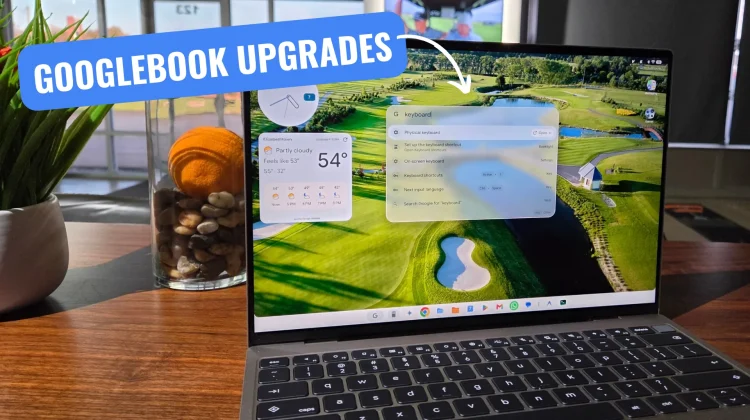
Booklight brings keyboard-first command launcher speed
The second app from Kuscher is called Booklight: Delightful Launcher, and if you’re someone who hates breaking hand position on the keyboard to hunt through app drawers or swipe open browser tabs, this one’s for you.
Hitting a quick shortcut pops up a translucent floating command bar right over your desktop. From there, you get:
- Quick web and site search: Type a query or punch in a site keyword (like weather today) and jump straight to the results page without touching the trackpad.
- Natural-language capture: Type something like “Add dinner with Sam tomorrow at 7pm” or a quick mail command, and Booklight parses the date and opens Google Calendar or Gmail with the details pre-filled.
- Window snapping and app actions: Type simple placement commands like
chrome leftto snap windows immediately into place. - Inline utilities and Gemini ties: Quick inline math calculations, clipboard translation via on-device models, emoji lookups, and the ability to route longer prompts directly into the Gemini app.
It learns your shorthand over time, meaning two keystrokes are usually enough to launch whatever workflow you have in mind.
Wayfinder delivers a desktop-grade file manager Googlebook needs
Perhaps the biggest standout of the trio is Wayfinder, built by Google’s VP of Engineering for Laptops & Tablets, Prajakta Gudadhe. If there’s been one consistent complaint from power users testing Googlebook OS out of the gate, it’s that the default Files experience can feel a bit too mobile-centric.
Wayfinder tackles that head-on with desktop-grade file handling that feels right at home on a laptop:
- True desktop view modes: Beyond simple grids and lists, it features full Miller columns (the cascading hierarchy navigation Mac users love in Finder) and a Dual-Pane Commander mode (Ctrl+4 / F3) with classic function-key file copying and moving.
- Tabbed navigation and archive browsing: You can run multiple folder tabs in the title bar and inspect compressed zip archives natively without having to extract them first.
- Network storage support: It includes built-in support for SMB, WebDAV, and FTP shares, meaning you can mount your home NAS box or server directly inside a tabbed window.
All three apps are available to grab on Google Play or inspect as open projects on GitHub. More than anything, seeing Google’s own leadership leverage Antigravity on physical Googlebook hardware to solve these everyday desktop needs shows just how nimble local Android development can be on this platform. We’re going to keep spending time with all three around here, and I’m very curious to see which of these concepts eventually make their way into the core OS itself.
SUBSCRIBE TO UPSTREAM
Get Chrome Unboxed delivered straight to your inbox
Upstream is our flagship, curated newsletter with the top stories, most click-worthy deals, giveaways, and trending articles from Chrome Unboxed sent directly to your inbox a few times a week. Join 31,000+ subscribers.

