

Support our independent tech coverage. Chrome Unboxed is written by real people, for real people—not search algorithms. Join Chrome Unboxed Plus for just $2 a month to get an ad-free experience, access to our private Discord, and more. Learn more about membership here.
START FREE TRIAL (MONTHLY)START FREE TRIAL (ANNUAL)
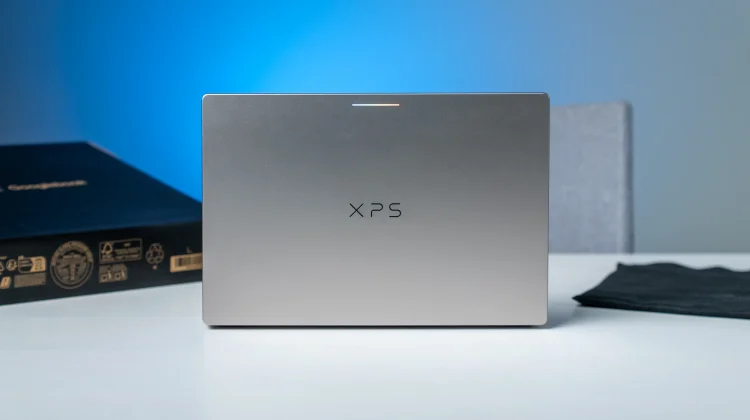
I have spent a good part of the past couple of weeks really putting the new Dell XPS Googlebook through its paces. Between the fantastic keyboard/trackpad combo, the gorgeous display, and the overall premium fit and finish, it’s easily one of the sleekest hardware entries in the first wave of Googlebook OS machines. But yesterday afternoon, while catching up on some video content and streaming music at my desk, I ran into an audio quirk that genuinely made me question my own hearing.
Without touching a single volume slider or keyboard shortcut, the built-in speakers began slowly fading down to well below where I had it set and then crept all the way up to what felt like full blast. It didn’t matter whether I had the master volume set relatively low around 20% or cranked up past 75%, the sound level kept undulating on its own for no discernible reason.
As it turns out, I’m far from alone on this one. A report over at GbookHub highlighted that multiple Dell XPS Googlebook owners have taken to Reddit and support forums describing the exact same ghost in the machine.
A software tuning bug, not broken speakers
Whenever internal laptop speakers start behaving erratically, your immediate gut reaction is to worry about hardware failures like a blown driver, a loose ribbon cable, or an amplifier throttling under load. Thankfully, that does not appear to be what is happening here.
According to documentation and user reports, the issue is strictly isolated to the built-in speaker array on the XPS. If you plug in USB-C earbuds or connect a pair of Bluetooth headphones, the audio level remains rock solid. Furthermore, other Snapdragon-powered devices hitting the market like the HP Googlebook 14 aren’t exhibiting this volume swing at all.
The divergence comes down to the underlying audio processing stack. While HP leaned on Poly Studio integration for their audio profile, Dell implemented Qualcomm Fluence processing on the XPS. Between dynamic range compression, automatic gain control, and background voice isolation trying to manage levels in real time, the tuning parameters appear to be overcompensating during continuous playback.
What Dell is doing and how to handle it right now
The good news is that Dell is already tracking the problem internally under support documentation for the DX13267. Their engineering team has acknowledged that the unintended volume fluctuations are being resolved via updated audio tuning parameters, which will roll out in an upcoming over-the-air (OTA) Googlebook OS update.
In the meantime, if you’re working on an XPS Googlebook and the speaker fluctuation is driving you up the wall during meetings or media sessions, tossing on a pair of headphones completely bypasses the bug.
Early adopter hardware rollouts always come with a few software gremlins to squash, and Google and Dell have generally been quick to push initial system patches. We’ll be keeping an eye on upcoming maintenance builds to verify when the updated audio stack officially lands on our unit.
SUBSCRIBE TO UPSTREAM
Get Chrome Unboxed delivered straight to your inbox
Upstream is our flagship, curated newsletter with the top stories, most click-worthy deals, giveaways, and trending articles from Chrome Unboxed sent directly to your inbox a few times a week. Join 31,000+ subscribers.

