

• Skip to main content
  • Skip to primary sidebar
  • Deals
  • Features
  • Guides
  • Chromebooks
  • Videos
  • Podcast
  • More +
    • Reviews
    • Unboxing
    • Upcoming Devices
    • Chromebook Plus
    • Chrome
    • ChromeOS
    • Chrome OS Flex
  • Search
  • Sign Up
  • Log In
Chrome Unboxed – The Latest Chrome OS News

Chrome Unboxed - The Latest Chrome OS News

A Space for All Things Chrome, Google, and More!

  • Deals
  • Features
  • Guides
  • Chromebooks
  • Videos
  • Podcast
  • More +
    • Reviews
    • Unboxing
    • Upcoming Devices
    • Chromebook Plus
    • Chrome
    • ChromeOS
    • Chrome OS Flex
  • Search
  • Sign Up
  • Log In

Google Photos’ incredible conversational AI editor is no longer a Pixel 10 exclusive

September 23, 2025 By Robby Payne View Comments

Support our independent tech coverage. Chrome Unboxed is written by real people, for real people—not search algorithms. Join Chrome Unboxed Plus for just $2 a month to get an ad-free experience, access to our private Discord, and more. Learn more about membership here.
START FREE TRIAL (MONTHLY)START FREE TRIAL (ANNUAL)

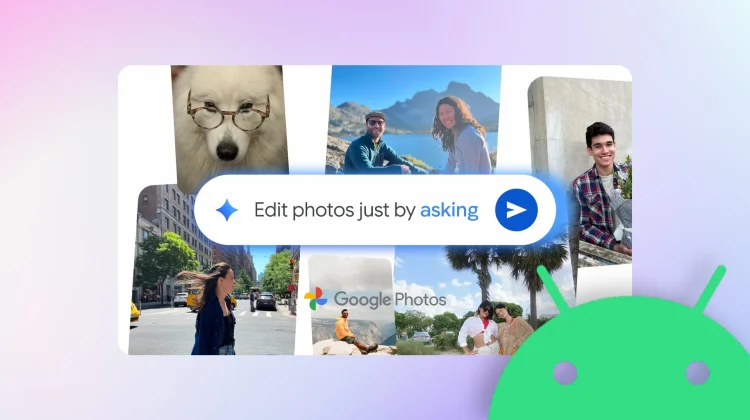
When the Pixel 10 launched, one of its standout software exclusives was the new “conversational editing” feature in Google Photos. The ability to simply describe the edits you want and watch them appear seems like an almost magical experience. We were hoping it wouldn’t stay locked to the newest Pixel for long; and that is exactly what is happening right now.

In a new blog post, Google has announced that it is now starting to roll out this powerful “Help me edit” feature to all eligible Android users in the U.S.

Xremove ads

A quick recap of how it works

For those who missed the initial announcement, this new feature completely changes how you edit photos. Instead of needing to switch between different tools and manually adjust sliders for things like brightness, contrast, or object removal, you can now simply tell Google Photos what you want to do.

You just tap the “Help me edit” button in the editor and then describe your desired changes using your voice or text. You can ask for simple fixes like “make it better,” or get wildly creative with out-of-this-world edits like transporting an alpaca from a petting zoo to a beach in Waikiki. It’s a fun, intuitive, and incredibly powerful way to bring your creative vision to life, all powered by advanced Gemini capabilities.

Featured Videos

Xremove ads

It is fantastic to see Google bringing one of its best and most impressive AI features to the broader Android ecosystem so quickly. The rollout is starting today, so be sure to keep an eye on your Google Photos app for the new “Help me edit” button to appear in your editor.

SUBSCRIBE TO UPSTREAM

Get Chrome Unboxed delivered straight to your inbox

Upstream is our flagship, curated newsletter with the top stories, most click-worthy deals, giveaways, and trending articles from Chrome Unboxed sent directly to your inbox a few times a week. Join 31,000+ subscribers.

SUBSCRIBE HERE!

Filed Under: AI, Gemini, News

About Robby Payne

As the founder of Chrome Unboxed, Robby has been reviewing Chromebooks for over a decade. His passion for ChromeOS and the devices it runs on drives his relentless pursuit to find the best Chromebooks, best services, and best tips for those looking to adopt ChromeOS and those who've already made the switch.

Primary Sidebar

Googlebook

New leaked renders reveal our first clean look at the Acer Googlebook 14

By Robby Payne
September 18, 2026

Android 17 adds new ‘Continue activity’ settings hub ahead of Googlebook launch

By Robby Payne
September 17, 2026

Lenovo Vantage app for Googlebook hits the Play Store with custom RGB and shortcuts

By Robby Payne
September 17, 2026

Google is throwing an ‘Opening Night’ party to celebrate the Googlebook launch

By Joseph Humphrey
September 17, 2026

Leaked Dell document confirms the ‘XPS Googlebook’ name and more specs

By Robby Payne
September 17, 2026

More Googlebook

Xremove ads

Deals

The best Chromebook deals today

By Robby Payne
September 2, 2026

The best Chromebook ever made is $350 off at Best Buy right now

By Robby Payne
August 21, 2026

The excellent, powerful Acer Chromebook Plus Spin 514 is $150 off right now

By Robby Payne
August 12, 2026

Acer’s new Chromebook 315 is wildly affordable and points to the real future of Chromebooks

By Robby Payne
August 11, 2026

You can score the massively upgraded ASUS CX54 Chromebook Plus for just $599 right now

By Joseph Humphrey
July 28, 2026

More Deals

Xremove ads

Reviews

Acer Chromebook Plus Spin 514 Review: the best convertible you can buy [VIDEO]

By Robby Payne
July 1, 2026

Lenovo Chromebook Plus 2-in-1 Review: pretty great in a vacuum

By Robby Payne
April 23, 2026

My review after 6 weeks with the Lenovo Chromebook Plus 14 [VIDEO]

By Robby Payne
August 11, 2025

One week with the best small Android tablet you can buy, and I’m sold

By Robby Payne
May 9, 2025

Best Chromebooks of 2024 [VIDEO]

By Robby Payne
November 28, 2024

More Reviews

Xremove ads

TWITTER · FACEBOOK · INSTAGRAM · YOUTUBE · EMAIL · ABOUT

Copyright © 2026 · Chrome Unboxed · Chrome is a registered trademark of Google Inc.
We are participants in various affiliate advertising programs designed to provide a means for us to earn fees by linking to affiliated sites.

PRIVACY POLICY