

Support our independent tech coverage. Chrome Unboxed is written by real people, for real people—not search algorithms. Join Chrome Unboxed Plus for just $2 a month to get an ad-free experience, access to our private Discord, and more. Learn more about membership here.
START FREE TRIAL (MONTHLY)START FREE TRIAL (ANNUAL)
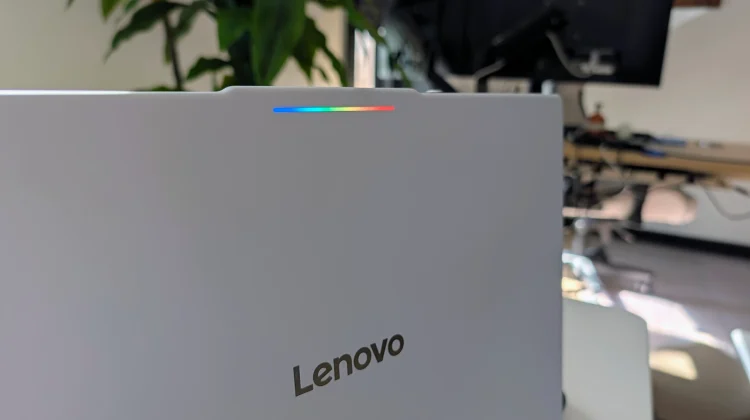
When Google introduced Googlebook OS, the sleek, illuminated Glowbar on the lid of these laptops immediately stood out as a signature hardware feature. While it serves as a functional status indicator, it turns out Google’s engineers couldn’t resist having a little fun with it.
Tucked away deep inside the system settings of every new Googlebook is a secret, purposefully hidden app called Glowbar Disco. During the initial Googlebook preview event, Google’s Alex Kuscher actually let us in on a fantastic behind-the-scenes fact: one of the team members built this app by “vibe coding” it directly on a Googlebook.
Now that these laptops are getting into people’s hands, users have been hunting for this hidden party trick. Since it doesn’t show up in your standard app launcher, here is exactly how to find it, open it, and start customizing your Glowbar.
How to unlock Glowbar Disco
Because Google categorized this as a system application, you have to dig through the settings menu to launch it. Just follow these steps on your Googlebook:
- Open Settings.
- Navigate to Apps, then click See all apps.
- Click the 3-dot menu in the top corner and select Show System.
- In the search section up top, type “Glowbar Disco”.
- Click on the Glowbar Disco result.
- Finally, click the Open icon in the top-right corner of the app info screen to launch it.
What the app actually does
Once you have Glowbar Disco open, you get a clean, simple, easy-to-understand control panel for the LED strip on the lid. As you can see in the image above, the app is broken down into three main customization sections:
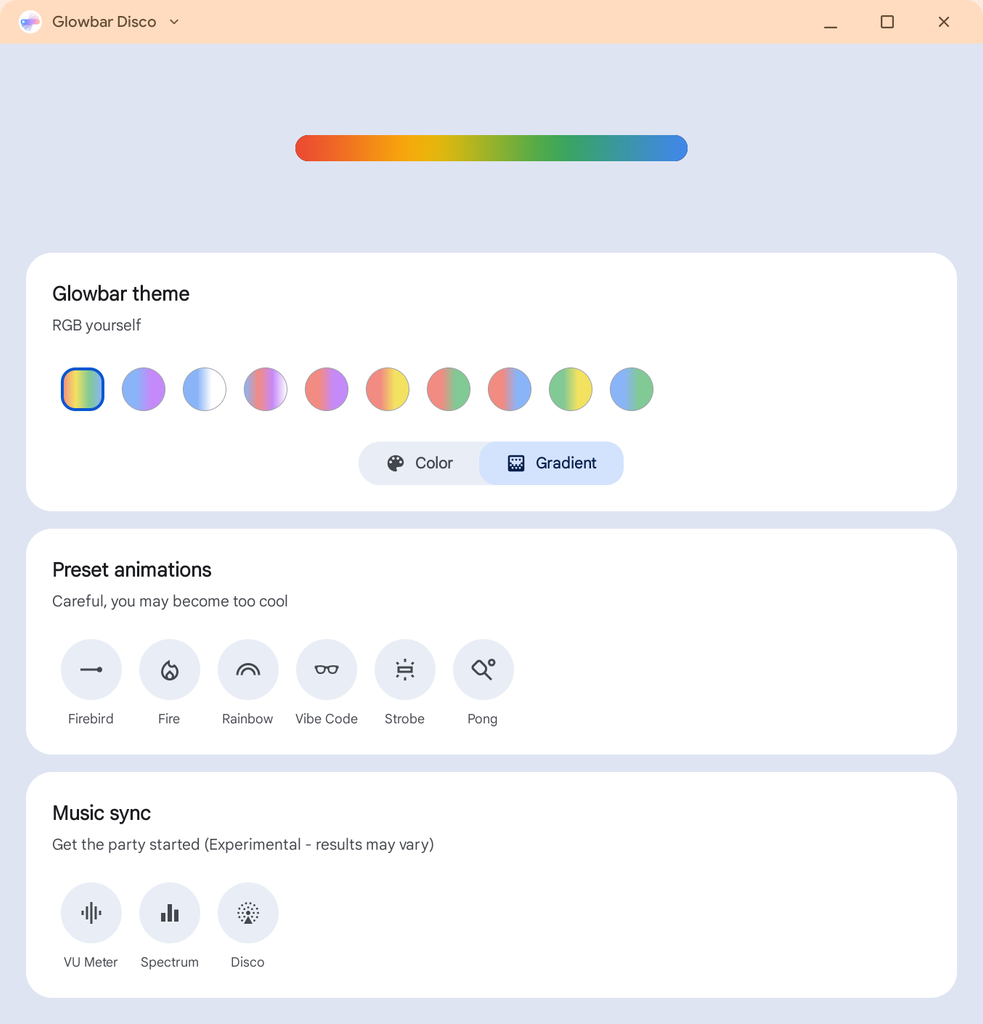
- Glowbar Theme: This section tells you to “RGB yourself” and lets you pick from a palette of pastel colors (white, grey, coral, yellow, green, blue, purple). You can also toggle the strip between a solid color and a gradient wash.
- Preset Animations: Accompanied by the cheeky warning, “Careful, you may become too cool,” this section offers a half-dozen animated patterns. You can choose between Firebird, Fire, Rainbow, Vibe Code, Strobe, and Pong.
- Music Sync: This is where the disco really happens. Billed as an experimental feature where “results may vary,” these settings sync the Glowbar to system audio to create a real-time light show. You can set the lights to act as a VU Meter, an audio Spectrum analyzer, or a full-blown Disco pulse.
While it might just be a fun Easter egg for early adopters right now, it shows how much potential the Glowbar has as a canvas for future customization. Give the steps above a try, sync up some music, and have a little fun with your new hardware.
SUBSCRIBE TO UPSTREAM
Get Chrome Unboxed delivered straight to your inbox
Upstream is our flagship, curated newsletter with the top stories, most click-worthy deals, giveaways, and trending articles from Chrome Unboxed sent directly to your inbox a few times a week. Join 31,000+ subscribers.

