

Support our independent tech coverage. Chrome Unboxed is written by real people, for real people—not search algorithms. Join Chrome Unboxed Plus for just $2 a month to get an ad-free experience, access to our private Discord, and more. Learn more about membership here.
START FREE TRIAL (MONTHLY)START FREE TRIAL (ANNUAL)
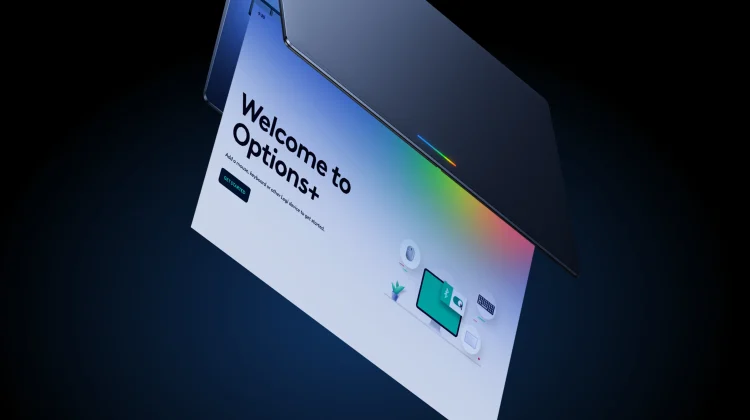
When you think about premium third-party accessories for your laptop, Logitech is almost always the first name that comes to mind. If you are unboxing a brand-new Googlebook anytime soon, you’ll be thrilled to know that Logitech has officially brought its Logi Options+ software directly to the platform, bringing a host of deep customizations and dedicated AI features right out of the gate.
According to a newly published landing page from Logitech, the app has been designed specifically for Googlebook, giving users far more control over their mice and keyboards to optimize their pointing and scrolling experiences.
Bringing Gemini to your fingertips
One of the most exciting aspects of this release is how deeply Logitech is leaning into Googlebook’s intelligence capabilities. Using the Options+ app, you can map specific AI features directly to the buttons on your mouse or keyboard:
- Magic Pointer: You can assign Google’s Magic Pointer to a supported mouse button or keyboard key. This lets you simply point at and select objects on your screen to ask questions, compare items, or create content with Gemini effortlessly.
- Circle to Search: Similar to the mobile experience, you can map Circle to Search to a hardware button. Just click, circle an image or block of text (even inside a video), and get answers instantly without having to switch apps.
- Gemini Shortcuts: Beyond specific tools, you can tailor your hardware keys to instantly summon Gemini to speed up your everyday workflow.
Deep hardware customization
Beyond the AI integrations, Logi Options+ brings the expected customization features that power users rely on to get work done, including:
- Pointer & Scroller Optimization: You can dial in your exact pointer speed, calibrate the scrolling force of your mouse wheel, and toggle SmartShift to seamlessly jump between precise, line-by-line scrolling and hyper-fast free-spin modes.
- Enhanced Easy Switch: If you juggle multiple devices, Options+ lets you pair your mouse or keyboard to up to three devices. You can even configure it to switch both your supported mouse and keyboard simultaneously with a single key press.
- Status Monitoring: The app provides a clean dashboard to keep an eye on battery levels and connection status so your gear doesn’t unexpectedly die in the middle of a workday.
Supported devices
Logitech’s landing page highlights a solid lineup of its most popular and premium hardware that is already recommended for the Googlebook experience:
- MX Master 4: High-performance wireless mouse with haptic feedback
- MX Anywhere 3S: Compact wireless performance mouse
- MX Keys S: Advanced wireless illuminated keyboard
- MX Keys Mini: Minimalist wireless illuminated keyboard
- Mobi Fold: Ultra-portable wireless mouse
- Keys-To-Go 2: Ultra-portable keyboard with cover
If you are picking up a new Googlebook this week and already own some of Logitech’s higher-end gear, downloading the Logi Options+ app should be one of the very first things you do during setup. I’ve been eyeballing the Logitech Mobi Fold as an on-the-go mouse for a bit now, so maybe now is the time to pull the trigger one one for sure!
SUBSCRIBE TO UPSTREAM
Get Chrome Unboxed delivered straight to your inbox
Upstream is our flagship, curated newsletter with the top stories, most click-worthy deals, giveaways, and trending articles from Chrome Unboxed sent directly to your inbox a few times a week. Join 31,000+ subscribers.

