

• Skip to main content
  • Skip to primary sidebar
  • Deals
  • Features
  • Guides
  • Chromebooks
  • Videos
  • Podcast
  • More +
    • Reviews
    • Unboxing
    • Upcoming Devices
    • Chromebook Plus
    • Chrome
    • ChromeOS
    • Chrome OS Flex
  • Search
  • Sign Up
  • Log In
Chrome Unboxed – The Latest Chrome OS News

Chrome Unboxed - The Latest Chrome OS News

A Space for All Things Chrome, Google, and More!

  • Deals
  • Features
  • Guides
  • Chromebooks
  • Videos
  • Podcast
  • More +
    • Reviews
    • Unboxing
    • Upcoming Devices
    • Chromebook Plus
    • Chrome
    • ChromeOS
    • Chrome OS Flex
  • Search
  • Sign Up
  • Log In

Google Cursive users can now manually rename notes and enable “Scroll lock” to prevent zooming

July 27, 2022 By Michael Perrigo View Comments

Support our independent tech coverage. Chrome Unboxed is written by real people, for real people—not search algorithms. Join Chrome Unboxed Plus for just $2 a month to get an ad-free experience, access to our private Discord, and more. Learn more about membership here.
START FREE TRIAL (MONTHLY)START FREE TRIAL (ANNUAL)

Artificial intelligence and machine learning have all sorts of incredible applications across Google’s apps and services. One such instance is text automatically being grabbed from the first line of a Google Doc in order to magically name the file if a user does not specify one ahead of time. Google’s new notetaking app Cursive did this as well until recently.

While this was an interesting feature for the fledgling digital bullet journal alternative, it actually turned out to be one of the things I disliked the most. If I’m creating a bunch of notes, I would prefer to rename them to something more identifiable. Add to that the fact that the progressive web app also had trouble accurately grabbing text, so note names ended up looking very strange, and you can see why it’s not really ideal for most people – especially those coming from Google Keep.

Xremove ads

That problem has been solved though, as you can now tap the three dots “more” menu on any note and choose a “Rename” option to input your own text. Although I’m not sure when this feature update rolled out as web apps are updated automatically since they require no download, I’m super glad to see it introduced.

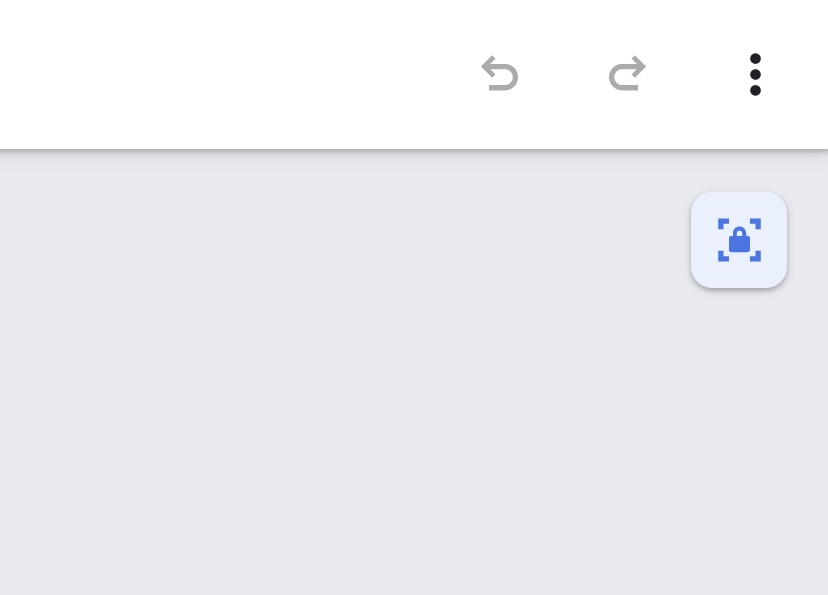
There’s something else too – Cursive just received something pretty indispensable for those of us jotting notes down on a Chromebook with terrible palm rejection. Tapping the three dots menu at the top-right of an open and active note will reveal a new “Scroll Lock” option! This means that you can lock the page in place so you won’t zoom or pan around with your wrist as you naturally rest it on the screen.
Featured Videos

Xremove ads
Cursive’s new “Scroll Lock” option rocks!

Again, I’m not sure how long ago this was added either, but it certainly wasn’t present when I last used the site to write out some game design ideas. In all honesty, if Google Keep adopted a scroll lock option such as this, it would be so much more worth using for sketching and notetaking, but alas, it’s busy receiving its markdown support updates. Hopefully, we’ll get this and more Cursive features in Keep in the future. My ultimate desire is to see Keep gobble up Cursive entirely and gain all of its tools and awesomeness, especially turning labels into journal icons that scroll horizontally across the top.

SUBSCRIBE TO UPSTREAM

Get Chrome Unboxed delivered straight to your inbox

Upstream is our flagship, curated newsletter with the top stories, most click-worthy deals, giveaways, and trending articles from Chrome Unboxed sent directly to your inbox a few times a week. Join 31,000+ subscribers.

SUBSCRIBE HERE!

Filed Under: Apps, Education, Enterprise, New & Upcoming Features, News, Updates, Workspace

About Michael Perrigo

Known as "Google Mike" to his customers, Michael worked at Best Buy as a Chromebook Expert who dedicated his time to understanding the user experience from a regular Chromebook owner's perspective. Having spent nearly 20 years meeting you face-to-face, he strives to help you understand your technology through carefully crafted guides and coverage, relentlessly seeking out the spark in what's new and exciting about ChromeOS.

Primary Sidebar

Googlebook

Google’s classic ‘Text’ app is now an Android app for Googlebook on the Play Store

By Robby Payne
September 24, 2026

Why we can now rule out hardware or software bugs for the missing Lenovo Duet m

By Robby Payne
September 24, 2026

Best Buy is giving away free Pixel Buds 2a with any Googlebook pre-order

By Robby Payne
September 23, 2026

Every new Googlebook includes nearly $600 in free software perks

By Robby Payne
September 23, 2026

Our first real look at Googlebook OS in the wild features CapCut, Figma, offline downloads, and games

By Robby Payne
September 23, 2026

More Googlebook

Xremove ads

Deals

The best Chromebook deals today

By Robby Payne
September 2, 2026

The best Chromebook ever made is $350 off at Best Buy right now

By Robby Payne
August 21, 2026

The excellent, powerful Acer Chromebook Plus Spin 514 is $150 off right now

By Robby Payne
August 12, 2026

Acer’s new Chromebook 315 is wildly affordable and points to the real future of Chromebooks

By Robby Payne
August 11, 2026

You can score the massively upgraded ASUS CX54 Chromebook Plus for just $599 right now

By Joseph Humphrey
July 28, 2026

More Deals

Xremove ads

Reviews

Acer Chromebook Plus Spin 514 Review: the best convertible you can buy [VIDEO]

By Robby Payne
July 1, 2026

Lenovo Chromebook Plus 2-in-1 Review: pretty great in a vacuum

By Robby Payne
April 23, 2026

My review after 6 weeks with the Lenovo Chromebook Plus 14 [VIDEO]

By Robby Payne
August 11, 2025

One week with the best small Android tablet you can buy, and I’m sold

By Robby Payne
May 9, 2025

Best Chromebooks of 2024 [VIDEO]

By Robby Payne
November 28, 2024

More Reviews

Xremove ads

TWITTER · FACEBOOK · INSTAGRAM · YOUTUBE · EMAIL · ABOUT

Copyright © 2026 · Chrome Unboxed · Chrome is a registered trademark of Google Inc.
We are participants in various affiliate advertising programs designed to provide a means for us to earn fees by linking to affiliated sites.

PRIVACY POLICY