Support our independent tech coverage. Chrome Unboxed is written by real people, for real people—not search algorithms. Join Chrome Unboxed Plus for just $2 a month to get an ad-free experience, access to our private Discord, and more. Learn more about membership here.
START FREE TRIAL (MONTHLY)START FREE TRIAL (ANNUAL)
Full Restore is a feature first introduced at the end of last year to Chromebook users. It allows you the option to automatically restore all of your existing apps and browser tabs after a reboot or if your device crashes under load. While quite possibly the one thing that I so desperately needed over the years, it’s not without its faults. Most users probably won’t face the issue I’m going to discuss today, but for those that do, it’s something that I hope Google resolves, and something that I truly feel would have an easy fix.
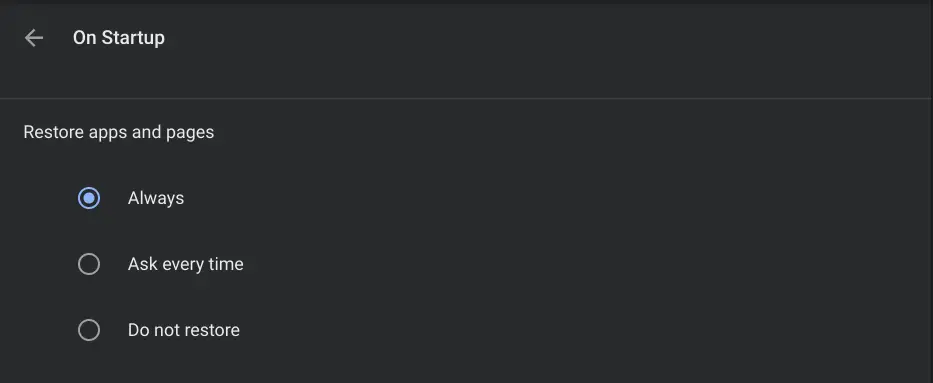
After rebooting my device and restoring all of my previous processes, I usually have the audio from four to five Youtube videos begin playing all at once. Now, you may say that I should only be running one Youtube video at once, but I do tend to pause one and look for another for a different purpose. Yes, yes, I could simply save it to my Watch Later or a playlist, but outside of being horribly inconvenient, that’s beside the point. When I turn my Chromebook on in the morning or update it and get things back up and running, it sounds like a high school cafeteria in my office!
Luckily, the new global media controls on the shelf of my device allow me to quickly locate and pause the audio from each video source as opposed to seeking out every Chrome tab where they may reside and pausing them manually. The problem is that I feel like Google could simply force all tabs with audio and video to be restored upon reboot and then immediately freeze them on behalf of the user.
Tab freezing was officially rolled out with Chrome 91 this week, but this only functions when the user collapses tab groups. I would love to see the aforementioned implementation of tab freezing for tabs that contain audio and video sources, even if they are not in tab groups. Generally, when someone (me) wants to begin playing a Youtube video, it’s an intentional choice and I am perfectly okay with visiting that tab and pressing the play button. I definitely don’t see any reason why even one of these videos should begin playing automatically upon loading after a restart from a user experience perspective, but Youtube operates this way by default because, well, that’s how it was meant to be.
With that being said, my feature request doesn’t seem out of the realm of possibility altogether. In January, we caught wind of a new trick Chrome would use where the new tab page would not open up after a full restore if the device the browser was installed on was a Chromebook. This contradicts the natural functionality of the software in a way that is specific to Chrome OS, and the fact that this is even possible is incredible. I imagine that the Chromium development team can make other exceptions to the rules if it means improving the experience for Chromebook users, and I hope that they do.
SUBSCRIBE TO UPSTREAM
Get Chrome Unboxed delivered straight to your inbox
Upstream is our flagship, curated newsletter with the top stories, most click-worthy deals, giveaways, and trending articles from Chrome Unboxed sent directly to your inbox a few times a week. Join 31,000+ subscribers.