


Support our independent tech coverage. Chrome Unboxed is written by real people, for real people—not search algorithms. Join Chrome Unboxed Plus for just $2 a month to get an ad-free experience, access to our private Discord, and more. Learn more about membership here.
START FREE TRIAL (MONTHLY)START FREE TRIAL (ANNUAL)
The “Full Restore” feature for Chrome OS restores a user’s applications and browser tabs after their Chromebook crashes or shuts down abruptly. It’s relatively new, but we’re already seeing a significant development that could make it all the more useful and could possibly solve an age-old annoyance with Google’s laptops.
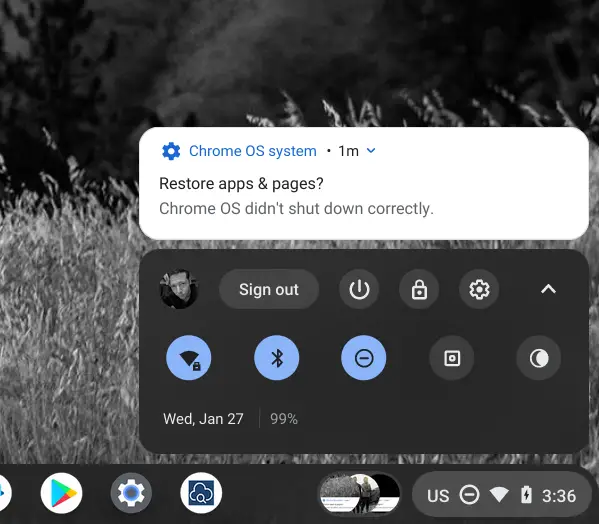
A new Commit in the Chromium Repositories points to development efforts that will prevent the browser’s new tab page from launching without reason prior to the full restore option being selected from its notification card!
Don’t launch the browser when Chrome OS starts up.
When the full restore feature is enabled, before the user chooses restore and the full restore data is fetched, don’t launch the browser during the OS startup phase.
Chromium Repositories
This is significant because, since its inception, Chrome OS has always launched the Chrome browser when it starts up. In order to understand why this is, we have to understand that Chrome OS, while using slightly different code than the Chrome browser on Windows or macOS, is effectively still just a browser. In order to get Chrome OS to boot, you need to ‘launch’ a session of the browser. If they stripped this code out, then not only would your Chromebook just not start, but those using Chrome on other operating systems would not be able to launch the browser either.
This is just a guess, and I’m no expert on the way Chrome OS operates internally, but what it looks like is happening here is that the Chrome OS team is researching ways to split the boot process from the browser’s new tab page and present Chromebook users with only the former. If this is true, then it will certainly make for a much better experience.
It’s become second nature for me to turn my Chromebook on and close the new tab page as the first order of business and it’s super annoying. It’s great for those who wish to search for something right away, but since Chromebooks are more than just a browser nowadays, it makes sense to prevent its launch and allow users to choose an action by themselves. They can always press the Everything button on their keyboard if they want to Google something, right?
So long as you have the full restore feature enabled on your Chromebook, (by enabling chrome://flags/#full-restore in OS 88) you should see options for it under ‘On Startup’ in your Settings app (seen below). Upon choosing ‘Always’, your Chromebook will begin restoring your apps and browsing session to their former glory after each restart. At this time, the browser’s new tab page still launches alongside the restored apps and tabs, but it may just be a matter of time before this commit is implemented to prevent that.

The only reason why this could present problems is if a user shuts down their Chromebook to get out of a ransomware web page or has a problem extension firing off. If they choose to always restore their session after a reboot, they could potentially get stuck in a boot loop. In such a case, it may be a good idea for the Chrome team to consider creating a Safe mode option for the full restore feature. Yes, the ‘Ask every time’ option does exist, but it’s not going to help someone who chose ‘Always’.
I personally think that keeping the browser out of sight upon starting or restarting a Chromebook is long, long overdue, but I’m still glad to see that it could become a reality, nonetheless. As a worst-case scenario, this commit points to preventing the new tab page from launching prior to a full restore but still launches it after. This would make little to no sense, so we’re pretty sure our theory holds water for now. So long as it doesn’t get canned in development like Kaleidoscope did, I think we have something exciting to look forward to and we’ll let you know if anything changes!
SUBSCRIBE TO UPSTREAM
Get Chrome Unboxed delivered straight to your inbox
Upstream is our flagship, curated newsletter with the top stories, most click-worthy deals, giveaways, and trending articles from Chrome Unboxed sent directly to your inbox a few times a week. Join 31,000+ subscribers.

