

Support our independent tech coverage. Chrome Unboxed is written by real people, for real people—not search algorithms. Join Chrome Unboxed Plus for just $2 a month to get an ad-free experience, access to our private Discord, and more. Learn more about membership here.
START FREE TRIAL (MONTHLY)START FREE TRIAL (ANNUAL)
Stadia’s impending shutdown has caused a lot of headaches not only for gamers but developers alike. Despite this, many have found ways to help players avoid losing all of their saved progress on titles offered on Google’s soon-to-be-dead cloud gaming platform. This includes the likes of IO Interactive, Ubisoft, and Bungie.
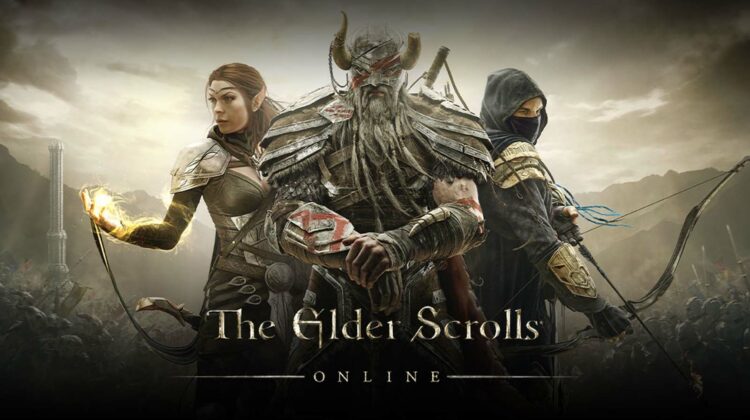
Today, both Bethesda and Rockstar stepped up to the plate to join the fight against data loss by announcing efforts to let you transfer your Elder Scrolls Online and Red Dead Redemption save files to the PC version of each game!
With the impending shutdown of Stadia’s online service on January 18, 2023, we have granted your Elder Scrolls Online account the option to access the game on the PC/Mac platform. To play on the PC/Mac platform, log in to your account on our official website with your ESO credentials and download the game client.
Contents of an email going out to users
It gets better though – Bethesda has announced on Twitter that it will give a free copy of ESO to all Stadia account holders who owned a copy of the ambitious MMORPG in Google’s ecosystem prior to the depressing news that it would find a headstone in the graveyard.
The reason for this is that ZeniMax and Bethesda already hosted Stadia players on their internal PC servers, so in an effort to retain their player base, giving them a way to access the game without having to spend another $60 USD or more was a small sacrifice on their behalf.
What’s more is that all of your existing characters, purchased items, achievements, and even your inventory will come along to their new home on your new Windows PC version of the game! At this time, the company has not revealed the process for claiming your free copy of ESO for Windows, nor how to transfer all of your Stadia stuff, but be sure to grab your Stadia Google Takeout file in the meantime as it could involve importing that specific data, though they could also just snag a copy of your information from their own servers for the transfer.
For those looking for a way to play ESO in the cloud as they did with Stadia, there’s currently no mention of the title joining the Nvidia GeForce NOW lineup, so don’t get your hopes up. This means you’ll have to deal with a huge download, updates, and wait times just like the good old days.
Regarding Rockstar and Red Dead Redemption for Stadia players, the company is allowing those who have played RDO within 30 days of Google’s Stadia shutdown announcement to transfer their RDO$, Gold Bars, XP, Role XP, and Role Tokens to another existing account on PC, Xbox One, or PlayStation 4. To do this, you’ll just need a target account linked to your Rockstar Social Club account before visiting rsg.ms/stadiax for help with the transfer.
SUBSCRIBE TO UPSTREAM
Get Chrome Unboxed delivered straight to your inbox
Upstream is our flagship, curated newsletter with the top stories, most click-worthy deals, giveaways, and trending articles from Chrome Unboxed sent directly to your inbox a few times a week. Join 31,000+ subscribers.

