


Support our independent tech coverage. Chrome Unboxed is written by real people, for real people—not search algorithms. Join Chrome Unboxed Plus for just $2 a month to get an ad-free experience, access to our private Discord, and more. Learn more about membership here.
START FREE TRIAL (MONTHLY)START FREE TRIAL (ANNUAL)
Google has a training center set up using a learning management system called Exceed – it’s something I used a lot back when I was a Chromebook Expert in big box stores. It allowed me to brush up on the basics, train store employees to better sell Chromebooks with confidence, and crush misconceptions about Google’s laptops with customers. Now, you and your family can use it via this new Chromebook Training Game to learn or brush up on the basics of Chrome OS!
This is a hands on, interactive, and gamified Chromebook training that will give you a quick overview and practical keyboard shortcuts to ramp up quickly on a Chromebook. Whether you’re a new user that’s looking to get started or an existing user that’s looking to brush up on your Chromebook knowledge, this game has got you covered.
Chromebook Gamified Training
The “game”, which is more so just a quiz full of activities and minigames, will take you about 30 minutes to complete, and wraps up with a survey so Google can get your feedback on its effectiveness at conveying learning concepts. Before getting started, you’ll have to sign in with your Google account and create a profile with Intellum – the company Google’s partnered with in order to make this possible. A profile also allows you to take other similar on-the-go eLearning on Google products, gain certifications proving your knowledge and newly acquired skillsets, and to earn and share achievements.
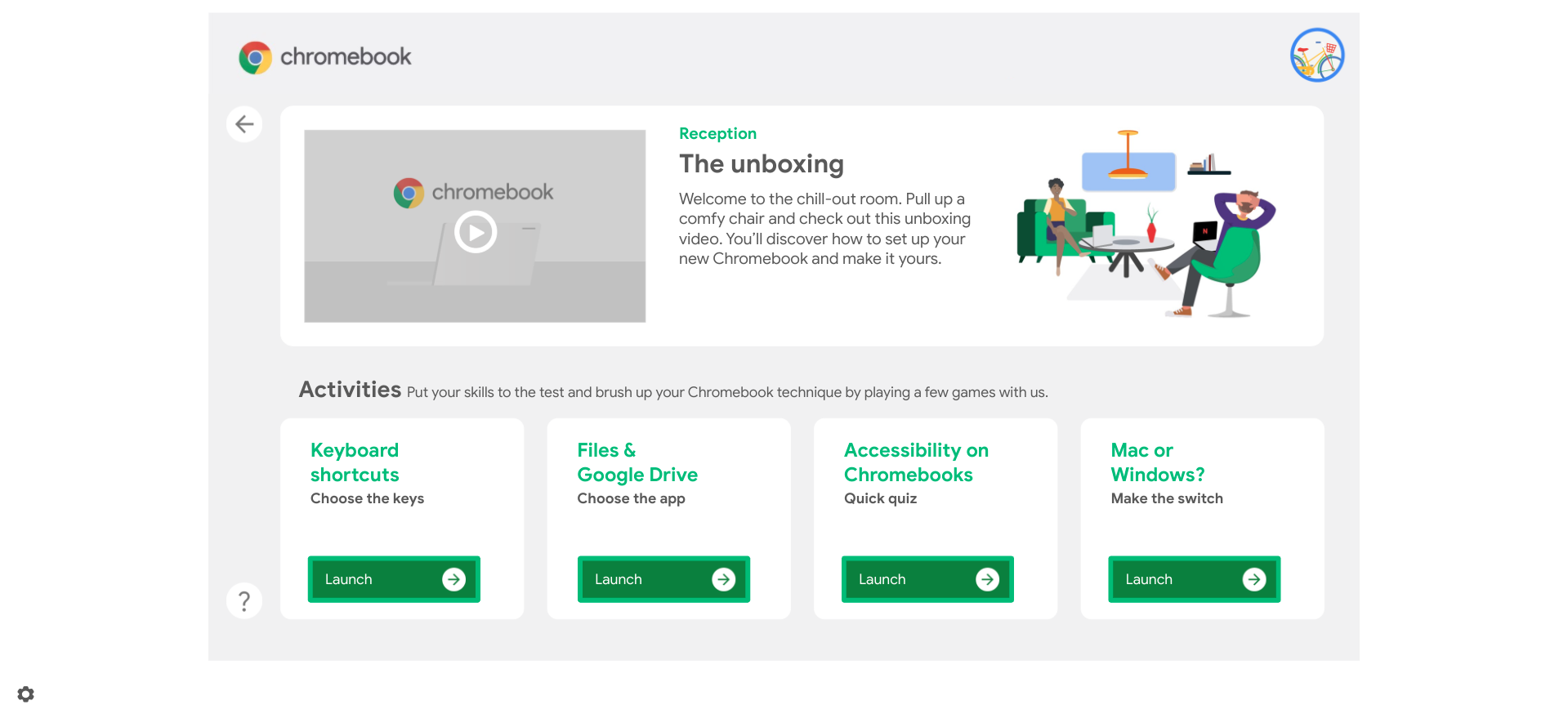
The activities you’ll find after you’re all set up include a trivia game that requires you to shoot a basketball into hoops labeled Windows, Mac, and Chrome OS based on the feature or benefit, games for understanding Chromebook keyboard shortcuts, file management, accessibility and even switching from device competitors like Windows.
Everything is split up into five segments – ‘At your desk’, ‘On the shuttle’, ‘Reception’, ‘Meeting room’, and ‘Micro kitchen’ – which can all be found on a world map style graphic. Each area shows relevant activities that help familiarize you with what your Chromebook can do for you in each room of your house. For example, ‘Micro kitchen’ teaches you how to watch Netflix, use Google Assistant to ask for help cooking, play music with various apps, and more.
It’s all tied together with a nice set of cute animations and graphics to help make the experience more fun or approachable, and while I’m no stranger to this sort of learning style with Google, I know it will be new and exciting for some of you to try out! Head on over and get started, but don’t forget to let me know what you think. Are you going to let your parents, grandparents, or kids take this course – ahem – I mean “game”? If you’ve played it already, did you find anything of value, or is it all the same old stuff you already knew?
SUBSCRIBE TO UPSTREAM
Get Chrome Unboxed delivered straight to your inbox
Upstream is our flagship, curated newsletter with the top stories, most click-worthy deals, giveaways, and trending articles from Chrome Unboxed sent directly to your inbox a few times a week. Join 31,000+ subscribers.


