


Support our independent tech coverage. Chrome Unboxed is written by real people, for real people—not search algorithms. Join Chrome Unboxed Plus for just $2 a month to get an ad-free experience, access to our private Discord, and more. Learn more about membership here.
START FREE TRIAL (MONTHLY)START FREE TRIAL (ANNUAL)
Alright, today, I’m going to complain about something again – I seem to be good at that. Truly though, I’m complaining about something that many of my customers did when I used to work with Chromebooks in big box stores, and I think it really does need to be addressed. After setting up a new Chrome OS device or powerwashing an existing one, users are often left with a ton of ugly, generic grey icons for web applications or “shortcuts” that features only the first letter of its name.
Google has a habit of representing things this way – if you look in Gmail, Contacts, or the company’s other services any recipient without a photo will appear in the same way – a colored circle with the first letter of their name and nothing more. For people, this makes sense – Google has no place to pull a photo from, not since Google+ shut down, anyway.
One reason this occurs for Chromebook owners is because web applications – or websites that they turn into a shortcut for quick access via their launcher – are not the same thing as “Progressive” web apps and developers who make their web apps progressive tend to take greater care to upload all of the appropriate .ico images. Chrome OS then pulls from these in order to place an icon on the device’s shelf or in its launcher.
Most people who create their own website, and even many who hold the official title of web dev for corporations tend to either be unaware of the need for icon images or are too lazy to upload them. Even when they do, they’re usually low resolution, defeating the purpose and destroying the experience of saving these to your Chromebook (I’m lookin’ at you Suntrust bank – your icon looks like a blurry porcupine!)
If you look at the images below, you’ll notice that I have zero Google Play Android apps installed. Instead, I have a mix of standard and progressive web apps – all of which had icons prior to a powerwash. While many of them have retained theirs and they feel like traditional apps sitting right there in my collection, many others suffer from the aforementioned generic icon issue. I just powerwashed this Pixelbook Go and placed it back in Chrome OS Stable. I’ve seen intermittent instances where this did not happen after a new device set up, but I think it was a while back and only on Chrome OS Canary.
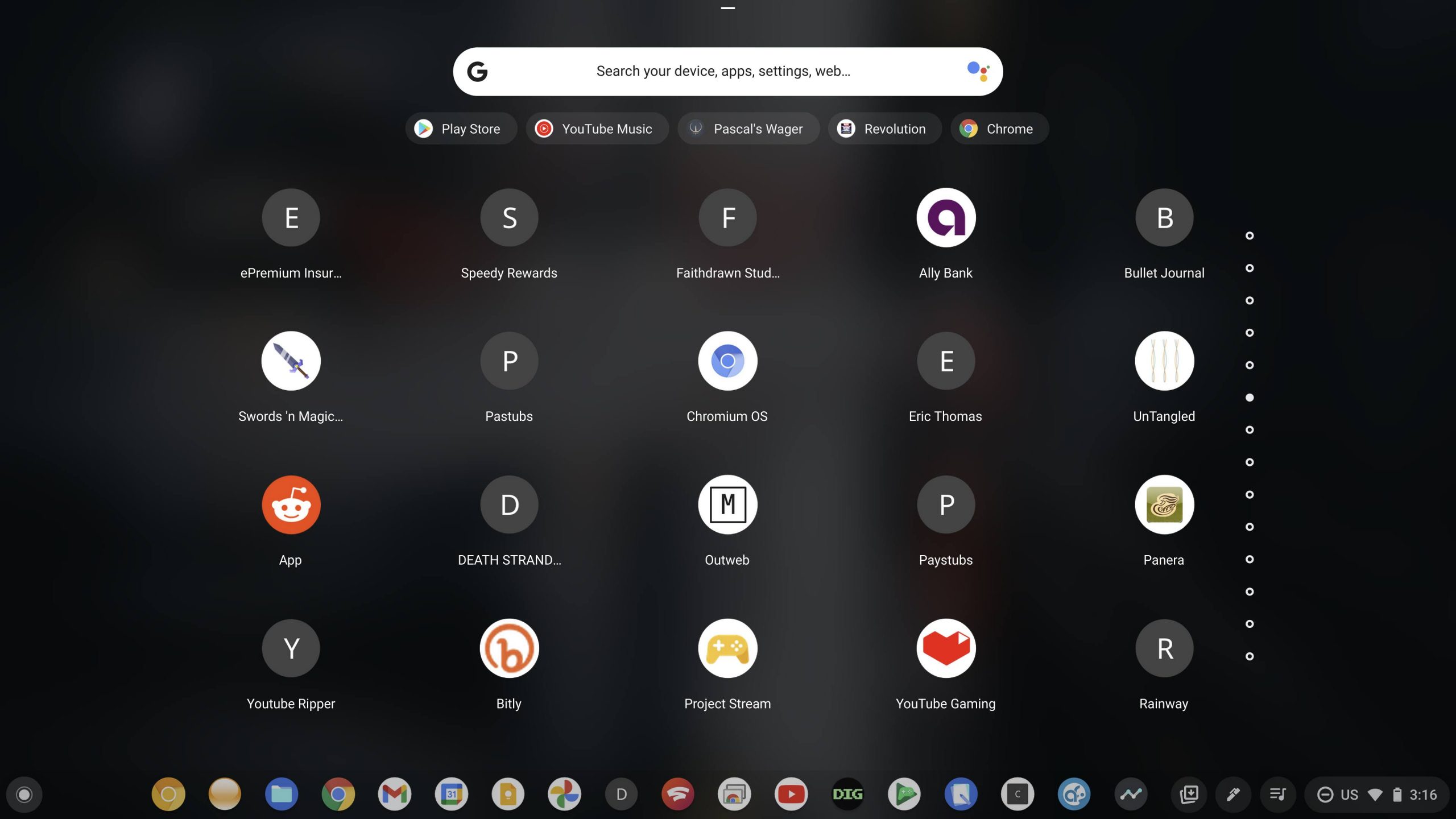
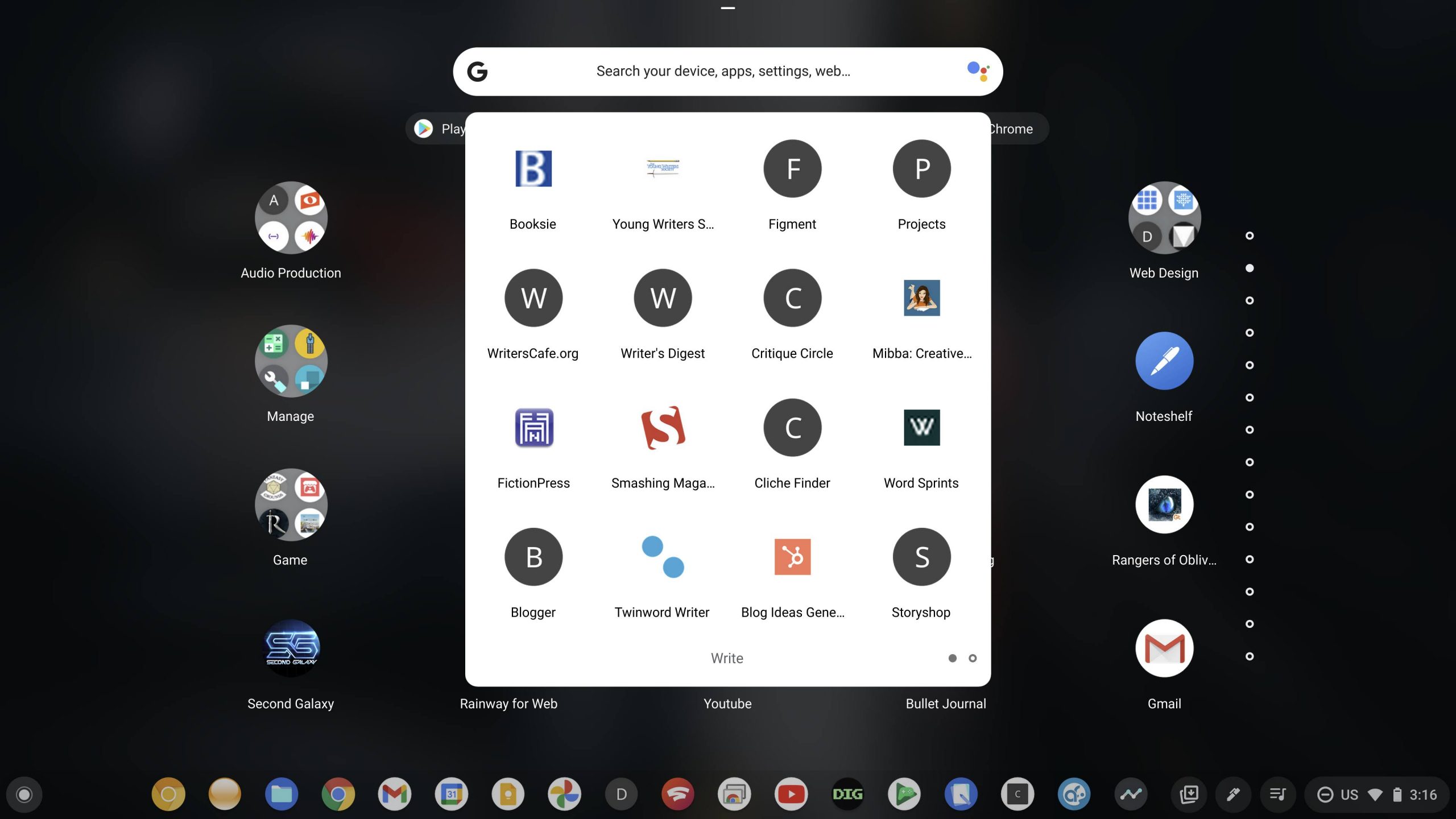
I’m not entirely certain which icon image these developers are failing to upload to their websites, and if you do know, please tell me in the comments, but it’s hideous, and it needs to stop. I’m sure Google is working on a fix for this, but I think the solution could be simple. I say simple, but I know it wouldn’t come to fruition without some hard work.
If the company dug into Google image search and crawled for icon images using the websites, and in instances where they didn’t exist – keywords, it could potentially fill these out automatically for the user and for the developers across Chrome and Chrome OS. It shouldn’t be Google’s responsibility to pick up the slack for lazy devs, but if it makes the Chromebook experience better, I say they should consider it. If this is a case of Google pulling a specific icon image file that most leave out of their workflow, then perhaps they can pull a different image file that a higher percentage of developers tend to include out of habit.
After it yanks these icon files from the web, it could then store them in your Google Drive Chromebook backup as a part of the ‘Personas’ I mentioned yesterday. This is all wishful thinking, of course, but I mainly wanted to draw more attention to the fact that it’s 2021, and Chromebooks have become immensely popular, yet still suffer from some basic user experience issues. I think it’s ridiculous, and I hope we see a fix for it soon! let me know below if you agree, or if you’re even experiencing this.
SUBSCRIBE TO UPSTREAM
Get Chrome Unboxed delivered straight to your inbox
Upstream is our flagship, curated newsletter with the top stories, most click-worthy deals, giveaways, and trending articles from Chrome Unboxed sent directly to your inbox a few times a week. Join 31,000+ subscribers.


