


Support our independent tech coverage. Chrome Unboxed is written by real people, for real people—not search algorithms. Join Chrome Unboxed Plus for just $2 a month to get an ad-free experience, access to our private Discord, and more. Learn more about membership here.
START FREE TRIAL (MONTHLY)START FREE TRIAL (ANNUAL)
A new update to Chrome Beta is rolling out now, and with it, new and exciting features to try out! Google has detailed its efforts with three prominent tools that we’ve covered already, but today, they’re officially launching them for you to test and give feedback on. Continuous Search and Stylized Web Notes are available on Chrome Beta for Android, and New Tab Page Cards are available for Chrome Beta Desktop. Let’s take a look at each feature in a bit more detail, shall we?
Continuous Search
Back in July, Google began testing ‘Continuous Search’ suggestion chips under the browser’s Omnibox on Android which would allow you to continue navigating through pages without having to constantly hit the ‘back’ button to return to Google Search. Now, you can check them out for yourself by enabling the #continuous-search flag on your Android phone. These chips show the rest of the search results from the initial query, so just tap on each one to load up a new page!

New Tab Page Cards
We’ve spoken a ton about the New Tab Page Modules that Google has been experimenting with since last October. In addition to the upcoming Google Photos module that wasn’t announced today, cards for Recipes, Shopping, and Google Drive will now grace your browser’s new tab page so you can quickly get back to relevant meal ideas, shopping discounts, deals, and recently accessed documents.
The idea here is to keep you from having to open the Chrome History and sift through tons of text links. Even with a search function, it’s just less user-friendly than these cards. Of course, in order to take advantage of these, you’ll need to be signed into Chrome. Just enable the #ntp-modules flag on your Chromebook or desktop and then enable one or all of the following.
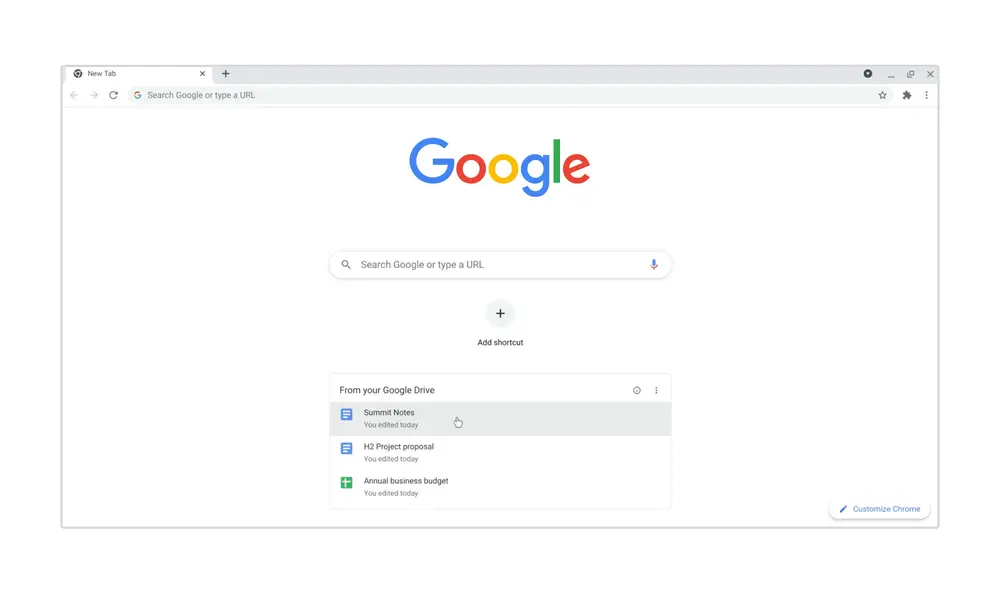
– Recipes (#ntp-recipe-tasks-module): Find recently-visited and related recipes when you open a new tab, so you can rediscover that delicious-looking marinara recipe, and others like it.
– Shopping Cart (#ntp-chrome-cart-module): Don’t lose that deal — pick up on your shopping right where you left off. When you step away or browse on other sites, you can jump back into your open carts just by opening a new tab.
– Docs (#ntp-drive-module): Cards on the New Tab Page can help you find your way back to recent documents you’ve opened in Google Drive. They can also help you find relevant docs recently edited by collaborators, so it’s easy to cross things off your to-do list.
The Keyword
Stylized Web Notes
As an extension of the ‘Link to Highlight’ feature that was announced back in April, Chrome Beta for Android users can now highlight text, tap the share button and then select a new ‘Create card’ option that appears. Doing so will present them with 10 choices of stylized sticky note style cards on which their highlighted text will appear in addition to the source URL. Choose between ‘Classic’, ‘Friendly’, ‘Fresh’, ‘Powerful’, ‘Impactful’, ‘Lovely’, ‘Groovy’, ‘Monochrome’, ‘Bold’, and ‘Dreamy’ by sliding your finger left and right on the cards.
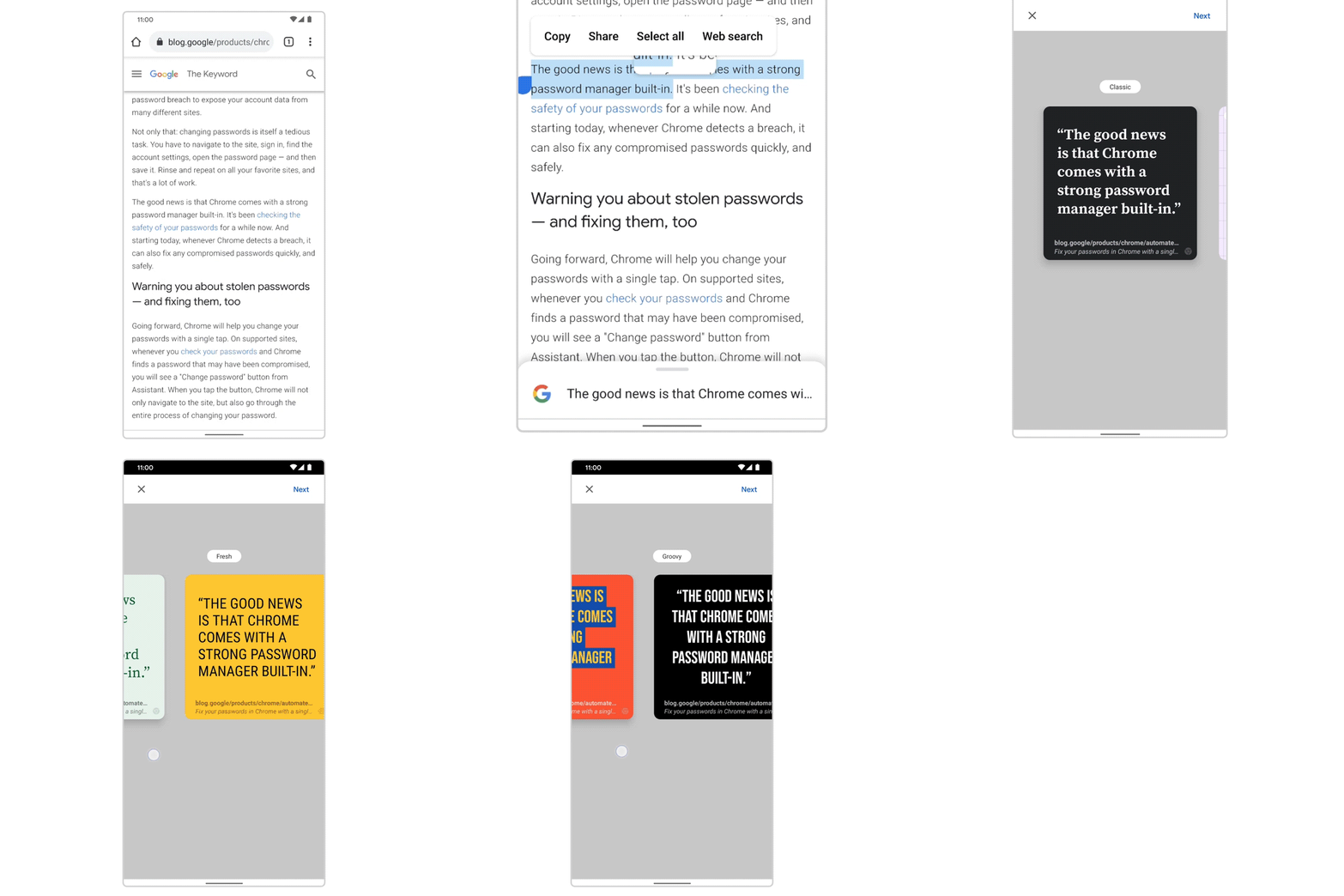
Then, click ‘Next’ at the top right to be shown a share sheet. Sharing these stylized cards with your friends, family, or colleagues will attach the image and insert the linked highlight URL. My only complaint is that linked highlights – which are basically anchor links – are super long. It reminds me of how painful it is to share a URL for a Google Search without first running it through Bit.ly or any similar service. Shorten these, Google!
To get started with Stylized Web Notes, just enable the #webnotes-stylize flag and relaunch Chrome Beta on your phone or tablet. Needless to say, these features are really quite cool and show considerable promise in improving user productivity. As always, be sure to share your thoughts and feedback with Google so they can get these tools ready for everyday users on Stable, and let me know your favorite feature in the comments below!
SUBSCRIBE TO UPSTREAM
Get Chrome Unboxed delivered straight to your inbox
Upstream is our flagship, curated newsletter with the top stories, most click-worthy deals, giveaways, and trending articles from Chrome Unboxed sent directly to your inbox a few times a week. Join 31,000+ subscribers.


