


Support our independent tech coverage. Chrome Unboxed is written by real people, for real people—not search algorithms. Join Chrome Unboxed Plus for just $2 a month to get an ad-free experience, access to our private Discord, and more. Learn more about membership here.
START FREE TRIAL (MONTHLY)START FREE TRIAL (ANNUAL)
Chipolo has been a solid player in the Bluetooth tracker space, offering several alternatives to Tile and AirTags, but their lineup could be a bit confusing. You had to choose between the Chipolo One (using Chipolo’s app), the One Spot (for Apple Find My), or the One Point (for Google’s Find My Device network). Thankfully, Chipolo is simplifying things significantly with their brand new tracker, the Chipolo Pop, that now works with both Apple Find My and Google’s Find My Device networks!
This dual compatibility is a huge deal for usability! Previously, you had to know precisely which ecosystem you (or the person you were gifting to) lived in. The Pop eliminates that guesswork. While you still choose which network (Apple or Google) to use during setup, you no longer need to buy a platform-specific version.
This convenience comes with a tiny price bump to $29 (up from $28 for the platform-specific models), a trade-off that seems well worth it for the flexibility and simplified shopping experience. It also underscores Chipolo’s smart strategy of leveraging the massive existing networks built by Apple and Google, rather than trying to build their own user network like Tile.
Beyond the network smarts, Chipolo gave the Pop some welcome hardware improvements compared to its predecessors:
- Extended Bluetooth Range: Now reaches up to 300 feet (90 meters), a nice jump from the previous 200 feet, potentially making local finding easier.
- Improved Durability: Features an IP55 rating. This means it’s protected against dust and can handle water or rain. While not fully waterproof (so don’t take it swimming), it adds peace of mind if clipped to a backpack or a pet’s collar that might get caught in the rain.
Otherwise, the Pop retains the familiar helpful features: a loud 120dB alarm for audible finding, a user-replaceable CR2032 coin cell battery lasting up to a year, and the classic disc shape (1.53″ diameter) with a keychain hole, available in a variety of bright colors (blue, black, green, red, white, and yellow).
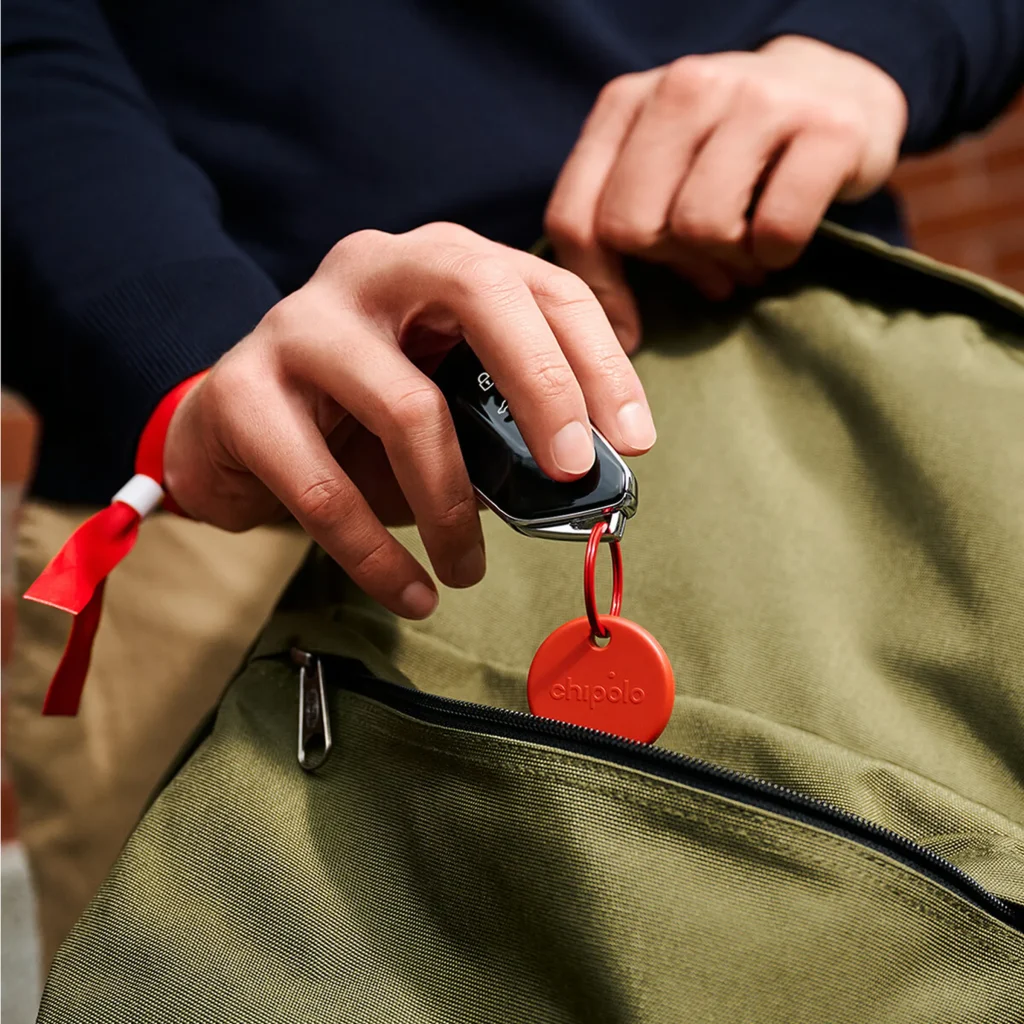


While designed primarily for integration with the Apple and Google Find My apps, it’s important to note that the Pop also retains compatibility with Chipolo’s own application. And using their app does also unlocks a few extra neat features, like changing the tracker’s ringtone, using the Pop as a remote camera shutter, and ringing your misplaced phone by double-pressing the Pop (even if your phone is on silent).
A key question you might be wondering is whether the Chipolo Pop can tap into both Apple’s Find My network and Google’s Find My Device network at the same time. The short answer is no. The Pop is designed to work with one network or the other, which you select during the initial setup process.
While simultaneous tracking isn’t possible – largely due to platform policies and the inherent incompatibility between the two separate networks – you still benefit from the massive reach of whichever network you choose, as both rely on millions of devices to help locate your items. If you ever need to switch ecosystems, Chipolo says you can reset the tracker (by removing it from the associated Find My/Find My Device app or the Chipolo app) and then re-pair it with the other network.
Another practical point, especially if you’re thinking about gifting or buying for multiple people, is how these trackers are packaged. Chipolo confirmed that even when you buy a multi-pack, each Chipolo Pop still comes individually boxed. This is great because it means you can easily split up a pack, maybe keeping one for yourself to use with your Android, giving one to your partner who might have an iPhone, then handing out the others as separate gifts.
Overall, the Chipolo Pop feels like a smart evolution, consolidating the lineup and adding a few tangible hardware improvements. For $29 for a single tracker or $89 for a 4-pack, you get a versatile, loud, and more durable tracker that plays nicely with whichever major phone platform you use. The Chipolo Pop is available now on Chipolo’s website and Amazon.
SUBSCRIBE TO UPSTREAM
Get Chrome Unboxed delivered straight to your inbox
Upstream is our flagship, curated newsletter with the top stories, most click-worthy deals, giveaways, and trending articles from Chrome Unboxed sent directly to your inbox a few times a week. Join 31,000+ subscribers.

