

Support our independent tech coverage. Chrome Unboxed is written by real people, for real people—not search algorithms. Join Chrome Unboxed Plus for just $2 a month to get an ad-free experience, access to our private Discord, and more. Learn more about membership here.
START FREE TRIAL (MONTHLY)START FREE TRIAL (ANNUAL)
With just under two weeks until Google takes the stage in New York City to unveil Googlebook, the software ecosystem around the new platform continues to show up in plain sight. Over the last few months, we’ve tracked early sightings of dedicated desktop tools like Magic Pointer and the native Desktop Camera app. Now, another key piece of Googlebook’s productivity plan has emerged.
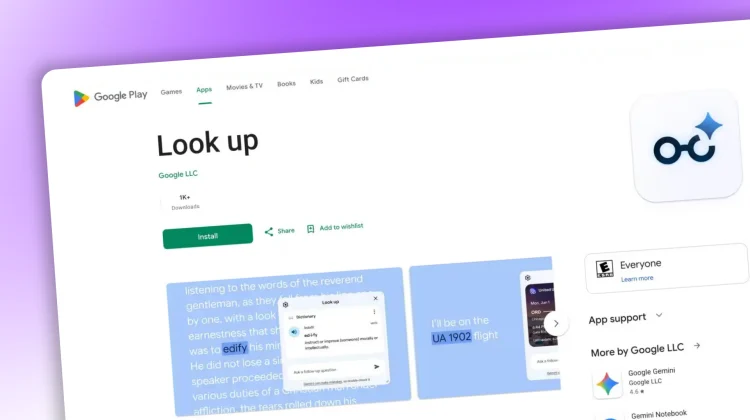
According to a new post over at 9to5Google, Google has published a brand-new “Look up” app to the Google Play Store under the package name com.google.android.desktop.contextualtools. While the listing seems to have accidentally gone live for standard Android phones (and has since been scrubbed of any actual details), the package name and UI clearly reveal it as an integrated contextual search utility built specifically for Googlebook.
What is Googlebook’s ‘Look up’?
If you’ve used the native “Look Up” feature on macOS when right-clicking a highlighted phrase, Google’s implementation will feel immediately familiar, but with a much heavier dose of proactive AI intelligence.
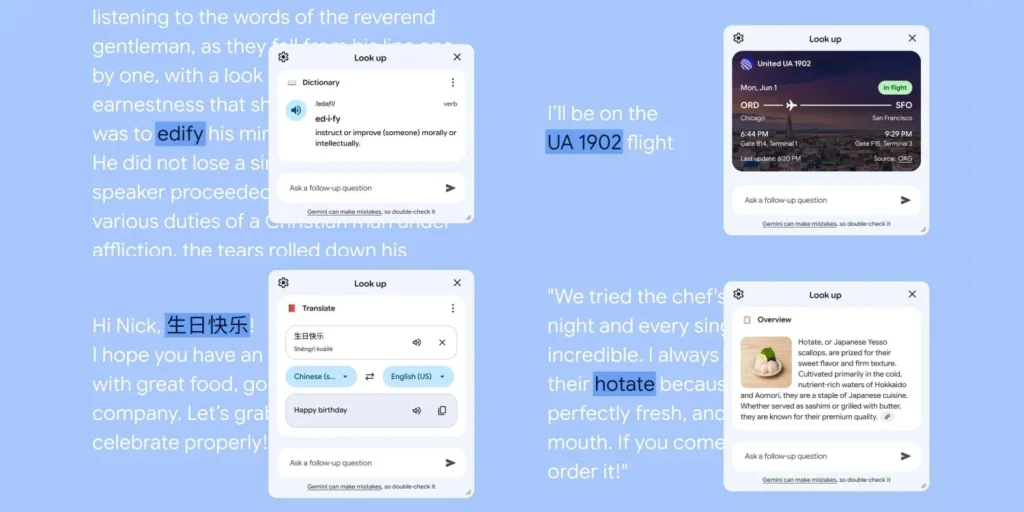
According to Google’s app description, Look up is designed to let you highlight any word, phrase, or concept across your workflow to trigger a floating contextual window. Rather than kicking you out of your current app into a separate browser tab, Look up pulls information directly from Google Search, Maps, Flights, and Translate into an actionable floating card, offering up:
- Definitions & Translations: Instantly surface dictionary definitions, pronunciation guides, and inline language translations.
- Smart Travel & Flight Tracking: Highlighting a flight number (like
UA 1902) automatically pulls live flight status, departure terminals, and arrival gates. - Contextual Overviews: Highlighting a historical figure, location, or technical term brings up an AI Overview snapshot summarizing key facts.
- Conversational Gemini Follow-ups: At the bottom of the floating Look up card sits an “Ask a follow-up question” prompt bar. If the initial summary doesn’t give you everything you need, you can seamlessly jump into a conversational thread with Gemini right there without losing your place.
Why this matters for the desktop experience
On traditional Chromebooks, right-clicking highlighted text has long provided quick shortcuts like “Search Google for…” or basic definition lookups, but it has always had room for a bit more proactive improvement.
With Look up on Googlebook, Google is treating contextual research as a fluid, OS-wide layer. Because the utility operates as a lightweight, floating overlay, you can inspect details, track logistics, or question Gemini about what you’re reading whether you are working inside the desktop Chrome browser, reviewing a PDF, or using a native Android app.
It pairs naturally with what Google is building with Magic Pointer, reinforcing that Googlebook’s software philosophy isn’t just about bolting Android apps onto a laptop screen. It’s about building proactive, frictionless intelligence into the baseline desktop interface.
Accidental phone release
While the Play Store listing allowed installation on select Android phones running Android 17 builds for a short period (it has since been adjusted), the interface is clearly built for larger desktop canvases and will almost certainly be locked down to Googlebook hardware once the platform officially launches. We’ll know for sure soon!
SUBSCRIBE TO UPSTREAM
Get Chrome Unboxed delivered straight to your inbox
Upstream is our flagship, curated newsletter with the top stories, most click-worthy deals, giveaways, and trending articles from Chrome Unboxed sent directly to your inbox a few times a week. Join 31,000+ subscribers.

