


Navigating Gmail on the web with your Chromebook just got a bit easier, thanks to the new icons Google is adding to its overflow menu. Previously, the only options in the three dots 'more' options menu on an email you'd see were 'Reply' and 'Forward'. Now, every action in that menu is now … [Read more...] about Google takes an ‘iconic’ step toward making Gmail more accessible and glanceable
Apps
There are multiple different channels that apps find themselves making their way onto your Chrome OS device. At one time it was via the Chrome Web Store. In that store, you can find dedicated Chrome OS apps alongside Extensions that expand the usability of Chrome. Now that Android has come on the scene, this section of the site will expand incredibly.
Support our independent tech coverage. Chrome Unboxed is written by real people, for real people—not search algorithms. Join Chrome Unboxed Plus for just $2 a month to get an ad-free experience, access to our private Discord, and more. Learn more about membership here.
START FREE TRIAL (MONTHLY)START FREE TRIAL (ANNUAL)
This handy addition to Google Messages is quietly brilliant

Google Messages is constantly being worked on now that Google has decided to go all-in and made it their messenger of choice. There's still a long road ahead to get people to use it for more than just a glorified text message client, but as Google continues to add more and more cool, thoughtful … [Read more...] about This handy addition to Google Messages is quietly brilliant
Google Play will now scan apps at the code level before you install them to make sure they’re safe

"Google Play Protect" is a malware scanning service provided by Google that works so seamlessly in the background of your phone and Chromebook that you likely have never heard of it. Essentially, it's like a guard that constantly checks your home for invaders. I know that sounds like a stupid … [Read more...] about Google Play will now scan apps at the code level before you install them to make sure they’re safe
Google’s Camera app now ‘Pixel Camera’, features new options for low-vision users

This week, Google Play Store users witnessed a subtle yet significant change as the beloved "Google Camera" was renamed to read "Pixel Camera." While this rebranding may have gone unnoticed by some, it coincides with a paradigm shift for the tech giant, particularly regarding the launch of its Pixel … [Read more...] about Google’s Camera app now ‘Pixel Camera’, features new options for low-vision users
Google Wallet Photo Pass feature now rolling out, lets you add passes by snapping a picture

Google Wallet has long been a champion of reducing the bulk of physical wallets, making it possible to store essential cards securely on your smartphone, thus reducing keyring clutter and scoliosis. Now, it's introducing a feature that simplifies this process even further. First noticed back in … [Read more...] about Google Wallet Photo Pass feature now rolling out, lets you add passes by snapping a picture
How to install the Google Play Store on your Chromebook to unlock millions of apps and games
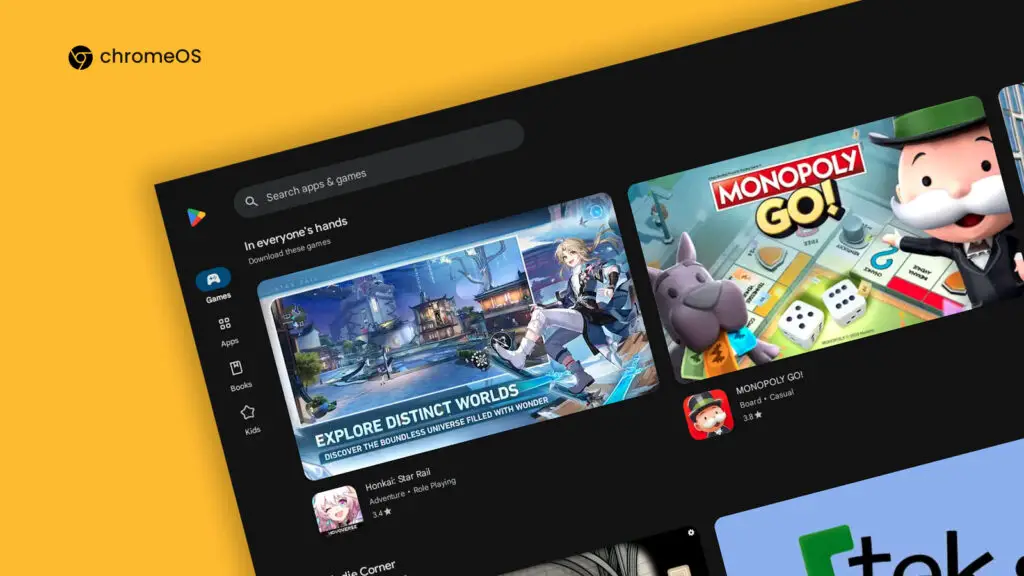
Back when Chromebooks first entered the scene, they were considered a "web browser in a box" - an insult meant to sting, and though times have certainly changed and the web is capable of well, practically everything now including running apps and AAA gaming, there's no shame in wanting something a … [Read more...] about How to install the Google Play Store on your Chromebook to unlock millions of apps and games
Google has quietly launched a Pixel Buds PWA for Chromebooks in the Play Store

Basically by accident today, I found a new Pixel Buds PWA in the Google Play Store that looks to be meant for Chromebooks. It all started as I was sitting down to write while on this cruise ship (fall break vacation) and wanted to adjust my earbuds a bit. You may wonder why I didn't just do this … [Read more...] about Google has quietly launched a Pixel Buds PWA for Chromebooks in the Play Store
Google Shopping kills Saves and Price Tracking, wants you to use Collections and the web instead
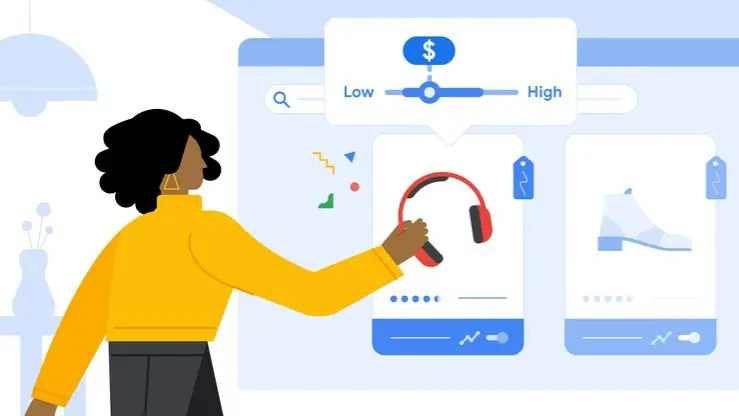
I was browsing Google Shopping on the web from my phone yesterday when I realized a new banner was showing at the top of the page. It read, "We're making changes to saves and price tracking. Learn how you can still access these features." However, upon further inspection, I was pleasantly surprised … [Read more...] about Google Shopping kills Saves and Price Tracking, wants you to use Collections and the web instead
How to use Adobe Photoshop on your Chromebook

A lot of Chromebook users, myself included, have been dying to get hands on Adobe Photoshop on Google's laptop OS, but it was never possible before. The traditional desktop application was leagues out of a web browser's capabilities, but as the years passed, Chrome and other browsers became so much … [Read more...] about How to use Adobe Photoshop on your Chromebook
Google Calendar’s long overdue event sharing feature is beginning to roll out now

Google Calendar is just about to let you start sharing your Calendar events with others via a public URL. Of course, this is only possible if you click share next to an event, and certainly only if you want said event to be accessible by others. I covered this all the way back in July of this … [Read more...] about Google Calendar’s long overdue event sharing feature is beginning to roll out now
Google Messages takes hamburger off of the menu with its latest update
For the past six months or so, Google has been testing a new home screen design that takes the hamburger off the menu. No, literally, it's getting rid of the hamburger menu on the left side of the app. Now, this change seems to be rolling out, according to 9to5Google. In its place, archived … [Read more...] about Google Messages takes hamburger off of the menu with its latest update
Why I’m ditching Pixlr for Photoshop Web on my Chromebook and why you may soon follow
As a preface to my thoughts, I want to state that there's nothing wrong with Pixlr, and I love the web app. However, while it's long been the go-to for web-based graphics work, especially for Chromebook users, Photoshop's leap to the browser changes the game. That's right, just yesterday, Adobe … [Read more...] about Why I’m ditching Pixlr for Photoshop Web on my Chromebook and why you may soon follow
