

Support our independent tech coverage. Chrome Unboxed is written by real people, for real people—not search algorithms. Join Chrome Unboxed Plus for just $2 a month to get an ad-free experience, access to our private Discord, and more. Learn more about membership here.
START FREE TRIAL (MONTHLY)START FREE TRIAL (ANNUAL)
If you have spent any real time in the ChromeOS ecosystem over the last decade, you probably have a soft spot for Google’s original “Text” app. Tucked away in the ChromeOS app tray, it has always been an unassuming, zero-frills, tabbed text editor that simply worked when you needed to jot down quick notes, tweak an HTML snippet, or edit a configuration file offline.
With Google’s monumental shift toward Googlebook OS and native Android application integration, I’m sure many have wondered how Google planned to handle lightweight desktop utilities like the humble Text app going forward.
Now we have our answer: as first spotted by GbookHub, Google has quietly published a modern successor – the “Text” editor app tailored for Googlebook – directly on the Google Play Store.
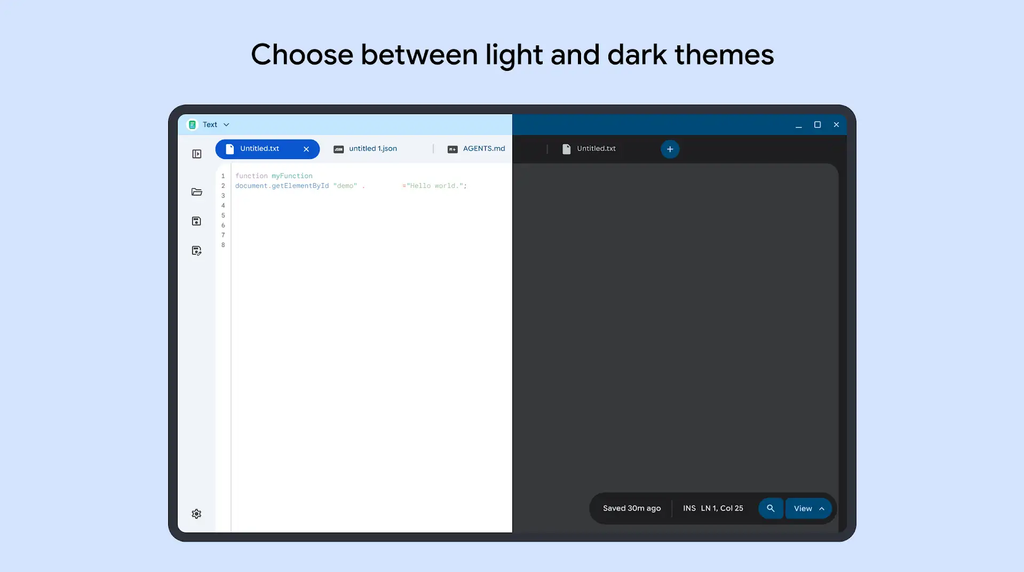
Modern developer features in a lightweight shell
While the classic Chrome app was beloved for its minimalism, this new Android-based incarnation appears to bring serious developer polish right out of the gate.
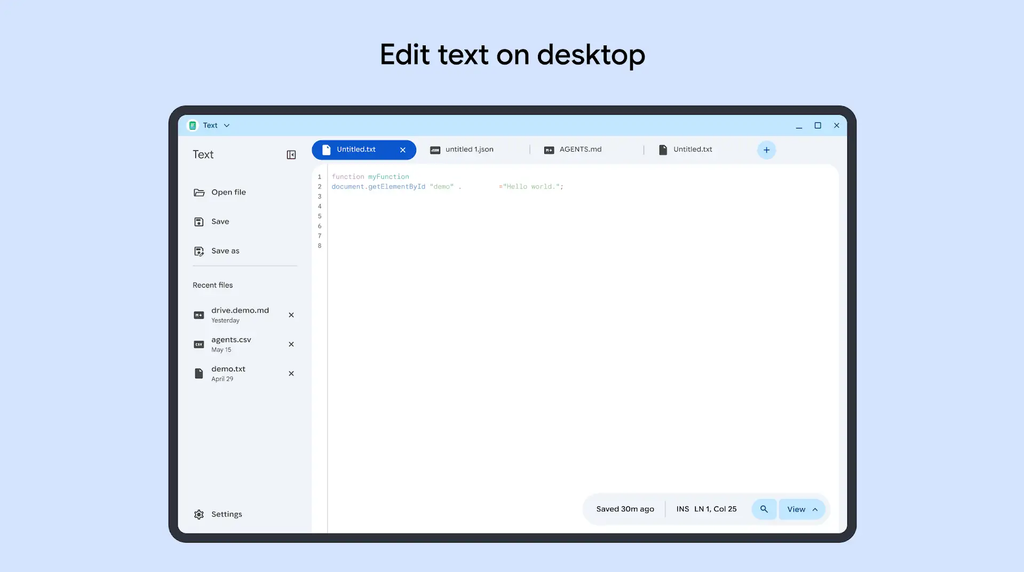
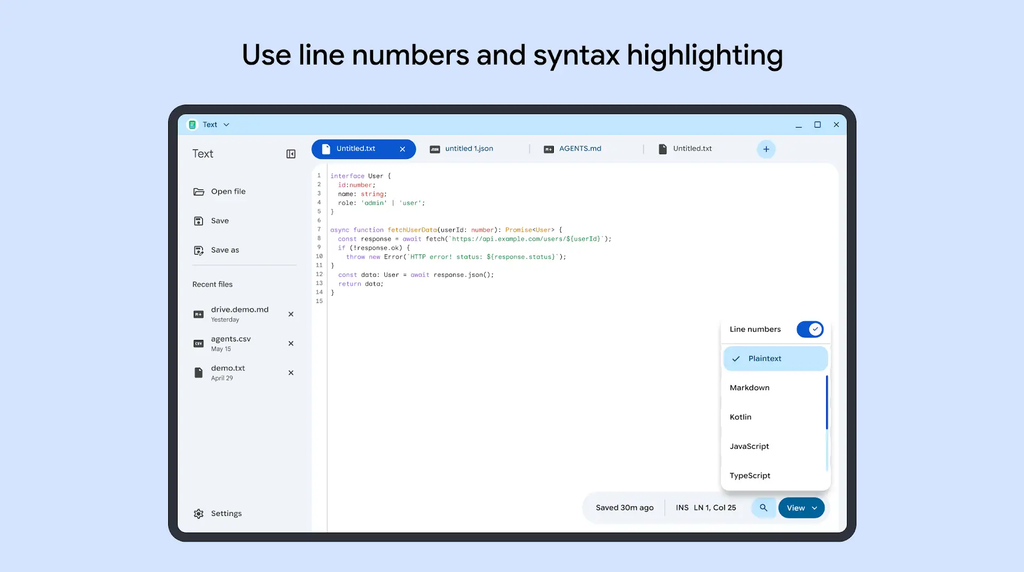
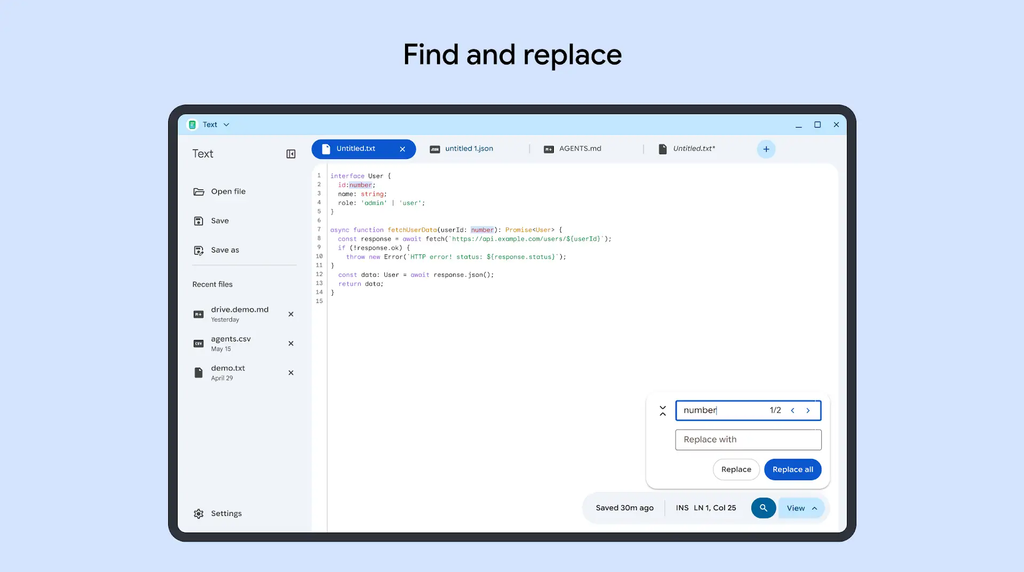
According to the Play Store listing details and screenshots, the new Text app retains a fast, clean footprint while incorporating modern code-editing essentials:
- Broad Syntax Highlighting & Line Numbers: The editor supports syntax highlighting across an extensive roster of languages and formats, including Plaintext, Markdown, HTML, CSS, JavaScript, TypeScript, JSON, Python, Kotlin, Java, C++, Go, and Rust.
- Multi-File Tabbed Interface: You can keep multiple files open simultaneously in a clean top tab strip, making cross-referencing and rapid editing effortless.
- Large-Screen Desktop Navigation: On desktop and tablet viewports, the app utilizes a collapsible left sidebar offering instant access to “Open,” “Save,” and “Recent files.”
- Everyday Code Tools: Includes standard search-and-replace functionality alongside dedicated Light and Dark theme toggles.
The classic ChromeOS philosophy reborn on Android
Because Googlebook OS runs Android apps natively on top of the system stack, users already have access to heavy-duty code editors, full Linux IDEs like VS Code, and browser-based developer environments.
However, there is always a crucial place for a fast, native, distraction-free text editor that opens in milliseconds and doesn’t bring along any of the overhead of a full-blown IDE.
Seeing Google take the time to rebuild Text as a proper large-screen Android experience proves that the Googlebook team is paying close attention to the small day-to-day utility gaps that power users care about.
While the initial Play Store sighting highlights Googlebook compatibility, the user interface appears responsive and dynamically optimized across multiple screen sizes, including foldable and smartphone layouts. That suggests Google could eventually expand this lightweight editor to the broader Android ecosystem in the future.
SUBSCRIBE TO UPSTREAM
Get Chrome Unboxed delivered straight to your inbox
Upstream is our flagship, curated newsletter with the top stories, most click-worthy deals, giveaways, and trending articles from Chrome Unboxed sent directly to your inbox a few times a week. Join 31,000+ subscribers.

