

Support our independent tech coverage. Chrome Unboxed is written by real people, for real people—not search algorithms. Join Chrome Unboxed Plus for just $2 a month to get an ad-free experience, access to our private Discord, and more. Learn more about membership here.
START FREE TRIAL (MONTHLY)START FREE TRIAL (ANNUAL)
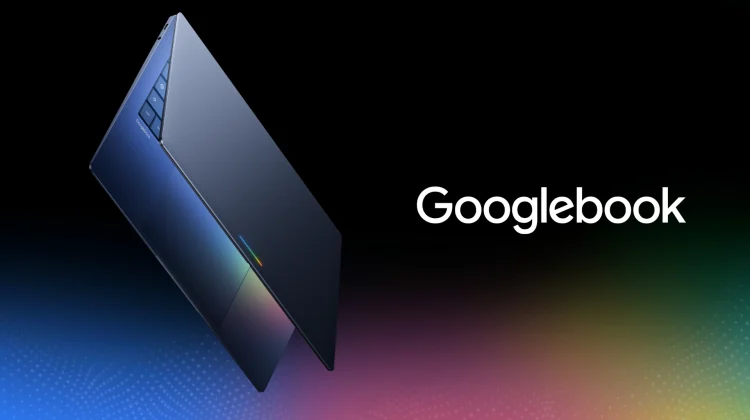
With Googlebook pre-orders officially set to open on September 21, Google is quietly flipping the server-side switches on Android smartphones to ensure the hardware and software talk to each other seamlessly on day one.
Over the past month, we’ve talked about early backend additions across various Google Play Services updates, from app streaming hooks in v26.33 to wireless phone mouse capabilities.
Now, Google is tying all of those features into a single, cohesive user interface right on your phone. As spotted by Android Authority (via GbookHub), a brand-new “Continue activity” hub has begun rolling out to Pixel and Android 17 devices. Tucked inside the system’s Cross-Device Services menu, this new panel acts as the master control center for how your phone will interact with upcoming Googlebook models.
The master control center inside Cross-Device Services
If your phone is running Android 17 and has received the latest Play Services update, you can find this new interface by heading to Settings > Google > All services > Cross-device services > Continue activity (or under Connected devices on certain builds).
Instead of forcing users to hunt down individual toggle switches scattered across different app menus, Google has consolidated the entire cross-device suite into one unified dashboard. Toggling the feature on triggers a single system permission prompt that requests access to screen mirroring, app streaming, notification listening, and local media.
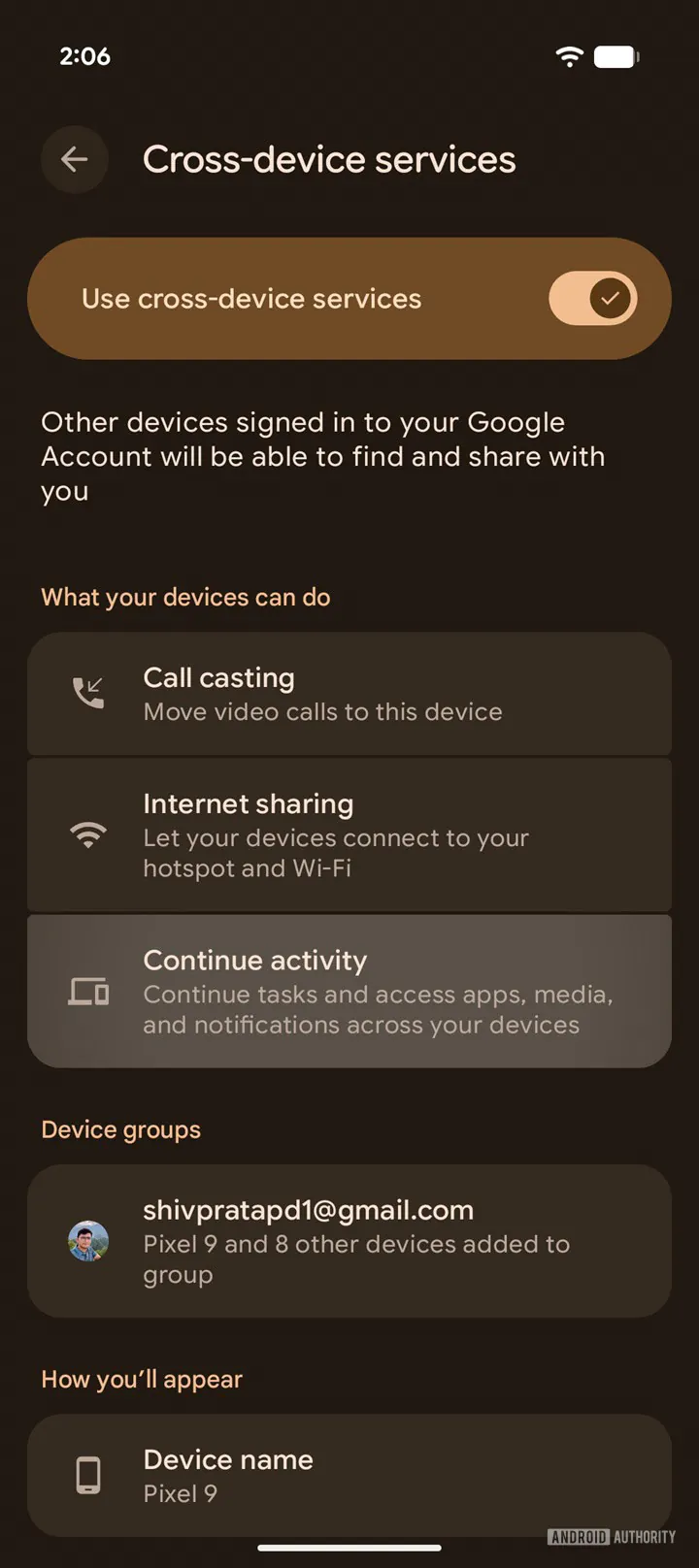
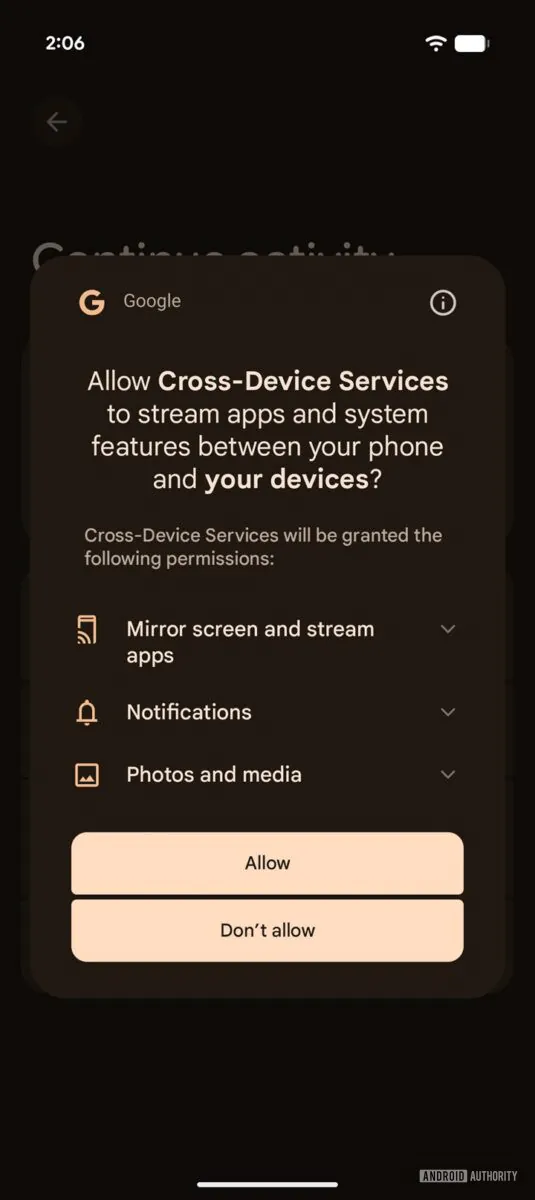
This is a massive usability improvement over the old ChromeOS Phone Hub setup, which often required confusing multi-step Bluetooth handshakes and separate permissions for notifications and Wi-Fi tethering. Once granted, your phone is primed to communicate with any Googlebook signed into the same Google account.
How the five toggles power your desktop workflow
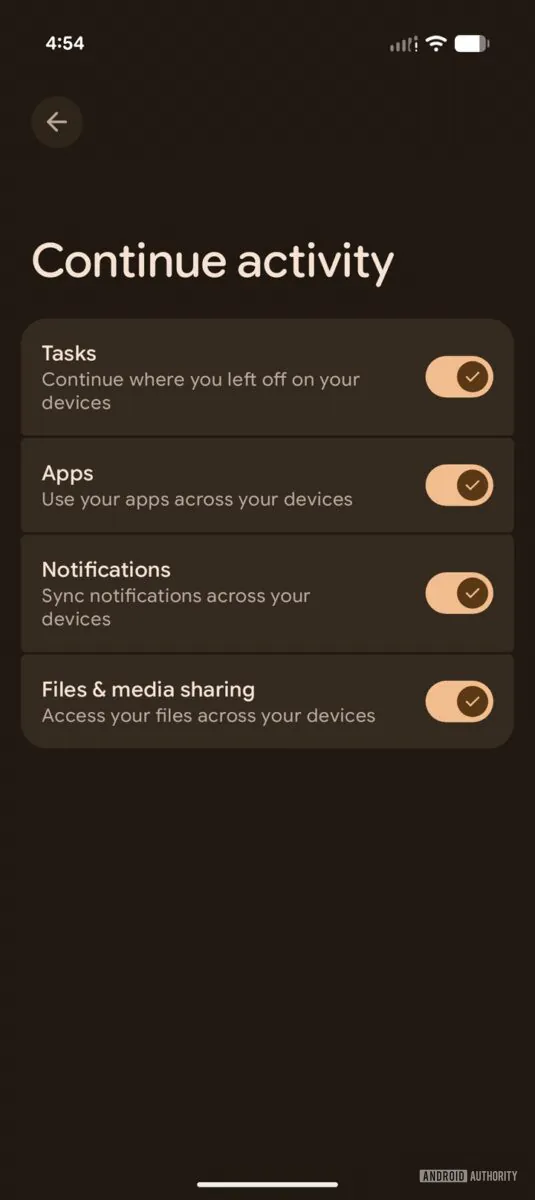
Inside the new Continue activity menu, Google provides five independent toggles, giving you granular control over exactly which data streams you want shared between your devices.
The first toggle, labeled Tasks, is the official consumer home for the ‘Continue On’ dock feature we covered earlier this summer. When enabled, supported apps like Google Docs, Gmail, or Chrome can hand off active sessions between your phone and laptop, allowing you to pick up writing or reading right where you left off.
Right below that sits Apps, which powers Google’s “Cast My Apps” protocol. This allows you to launch mobile-exclusive applications installed on your phone directly into floating desktop windows on your laptop without any virtualization lag.
The remaining three toggles round out the practical everyday desktop experience. Notifications provides instant bi-directional alert syncing, while Files and media sharing activates the “Quick Access” feature that mounts your phone’s camera roll and download folders wirelessly inside the desktop Files app. Finally, a Do Not Disturb toggle syncs focus modes across devices, ensuring that muting alerts on your laptop keeps your phone quiet as well.
The final plumbing falls into place before September 21
Seeing this interface go live on stable Android 17 smartphones proves that Google’s cross-device ecosystem is completely finished and ready for retail hardware. Rather than launching Googlebook and playing catch-up with phone integration later, Google has ensured that millions of existing Android handsets will be ready to link up the second new Googlebook devices arrive on doorsteps.
Between seamless task handoff, low-latency app casting, and wireless storage access, Google has assembled a multi-device continuity stack that rivals Apple’s iPhone-and-Mac pairing right out of the gate.
Pre-orders kick off this coming Monday, September 21 at 9:00 AM ET, and I know I can’t wait to test this full phone-to-laptop handshake in a real daily workflow very soon. We’ll share all we know from the press event on Monday, and after that, we’re just waiting for review units to arrive in the office to go in-depth on all this new OS is primed to deliver. Stay tuned!
SUBSCRIBE TO UPSTREAM
Get Chrome Unboxed delivered straight to your inbox
Upstream is our flagship, curated newsletter with the top stories, most click-worthy deals, giveaways, and trending articles from Chrome Unboxed sent directly to your inbox a few times a week. Join 31,000+ subscribers.

