

Support our independent tech coverage. Chrome Unboxed is written by real people, for real people—not search algorithms. Join Chrome Unboxed Plus for just $2 a month to get an ad-free experience, access to our private Discord, and more. Learn more about membership here.
START FREE TRIAL (MONTHLY)START FREE TRIAL (ANNUAL)
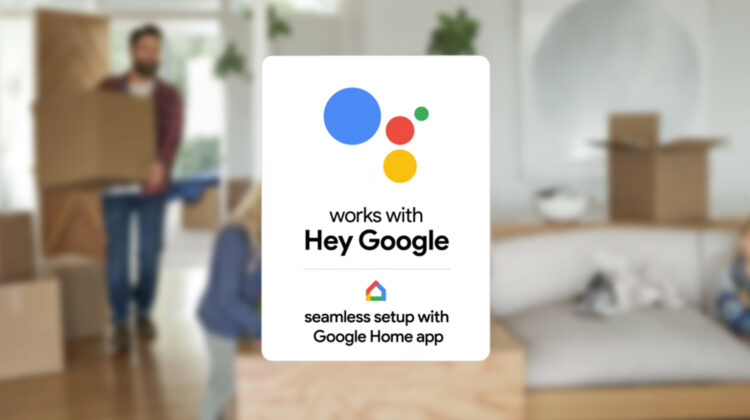
Google wants to make its hardware ecosystem as approachable as its software services. In order to do so, they’ve launched several initiatives to clearly mark boxes with a badge to indicate that a specific accessory or product works best with their own as with their Works with Chromebook program. They also created the Works with Google Assistant program to indicate which smart home devices would be able to be activated with the ‘Okay Google’ phrase. Doing so allowed them to move away from the ‘Works with Nest’ branding and expand their offerings (eventually). Now, they’re going a step further and changing the branding badge on boxes from ‘Works with Google Assistant’ to ‘Works with Hey Google’.
The new badge is meant to clarify exactly what a customer should expect when they buy a product marked with it. You can say ‘Hey Google’ to invoke Google Assistant with it, sure, but it’s deeper than that. For a while now, certain devices were capable of what is called ‘Seamless setup‘. Instead of needing to leave the Google Home app and finish the setup process in a third-party app, you’re able to go from start to finish all within the former.
The Seamless setup process allows you to set up compatible devices from start to finish in the Google Home app. When you choose devices that are supported for Seamless setup, you will not need a bridge or hub or the device maker’s app.
Google Support
If you think about it, this is huge! Google’s efforts to consolidate this process within their own ecosystem helps simplify the smart home, which by its very nature can be confusing to those who are unfamiliar or new to it. Being that the company needs to partner with smart home product manufacturers in order to provide Seamless setup, the list of compatible devices is relatively small at this time. You will, of course, get a seamless setup with all Google Home hardware, because, well, it’s theirs.
- C by GE
- LEDVANCE/Sylvania SMART+
- Nanoleaf
- Philips Hue Bluetooth
- Yeelight Smart LED Bulb M2 (Multicolor)
- Google Home
- Google Nest Mini (2nd gen)
- Google Home Mini (1st gen)
- Google Home Max
- Google Nest Audio
- Google Nest Hub
- Google Nest Hub Max
- Google Nest Wifi point
With Works with ‘Hey Google’, Works with Chromebook, the new Phone Hub interface, and more, Google really seems to be grasping that customers want a simple to use and set up software experience for their hardware devices and unparalleled synergy between the two. Apple has been pretty darn good at this for years, so it’s refreshing to see Google going the same route in this regard.
With a much more cohesive and polished ecosystem over the past few years, many users have voiced their concerns that Google would also inherit the ‘walled garden’ approach to software and hardware that Apple is infamous for, but being that they are much more focused on their partners and work better with third-parties than Apple (historically by necessity), we’re hoping there remain more checks and balances here as they develop their new identity.
SUBSCRIBE TO UPSTREAM
Get Chrome Unboxed delivered straight to your inbox
Upstream is our flagship, curated newsletter with the top stories, most click-worthy deals, giveaways, and trending articles from Chrome Unboxed sent directly to your inbox a few times a week. Join 31,000+ subscribers.

