

Support our independent tech coverage. Chrome Unboxed is written by real people, for real people—not search algorithms. Join Chrome Unboxed Plus for just $2 a month to get an ad-free experience, access to our private Discord, and more. Learn more about membership here.
START FREE TRIAL (MONTHLY)START FREE TRIAL (ANNUAL)
When you take an over-arching view of your options in the consumer laptop space right now, you are generally forced to choose between two completely opposing product philosophies when we talk about full-featured OS options. As much as I love ChromeOS and Chromebooks, there are indefensible arguments against that ecosystem when it comes to app compatibility and the overall capability of a device that relies so heavily on web-based applications. They work fantastic for me, but not for everyone, and that leaves us with Macbooks vs. Windows laptops.
Macbooks and vertical integration
On one side of the aisle, you have Apple’s MacBook ecosystem. It is a beautiful, buttoned-up, completely vertically integrated experience. The software and hardware are tightly bound, the performance is stellar, and everything feels incredibly polished.
But as a consumer, you are completely starved for choice. If you want that operating system, you have to buy Apple’s hardware, accept their design choices, and pay their price premium. There is zero room for outside hardware innovation.
Wild West Windows
On the other side, you have Windows. It is a massive, choice-heavy, beautiful mess of an open ecosystem. You can buy a laptop in literally any shape, size, or budget imaginable. Want an aggressive gaming rig with mechanical switches, a modular repairable chassis, or a dual-screen foldout setup? Windows has it.
But because it is so wide open, it often feels a bit all over the place. Fragmentation is a constant battle, hardware optimization can be wildly inconsistent, and the end-user experience can vary dramatically from one manufacturer to the next.
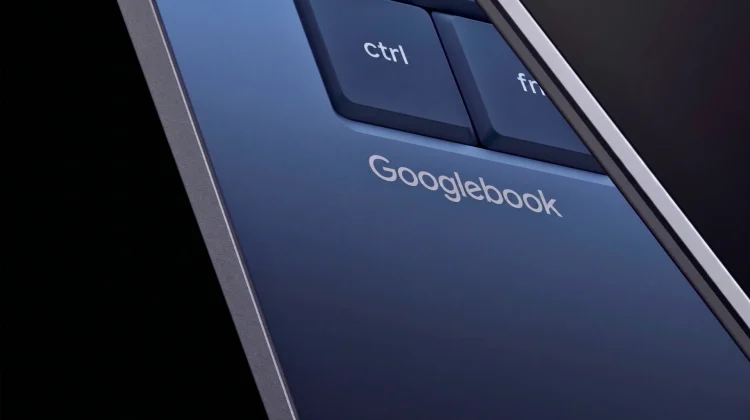
For years, I know I’ve not been alone in waiting for a personal computing category to step into the void and find the elusive sweet spot between those two extremes. Over the years, I’d hoped that OS would be ChromeOS, but that reality never quite materialized. But as we barrel toward the official launch of the Googlebook category this fall, it’s becoming very clear that Google has engineered the exact solution the market needs.
Googlebook will deliver variation with guardrails
The brilliant stroke of the Googlebook model comes down to the fact that it will sit in an unoccupied space between what we see from Windows and MacOS. Google isn’t taking the Apple route and locking this platform behind its own first-party hardware gates, nor are they taking the Windows route and letting the ecosystem turn into a total wild west.
Instead, Google is opening the doors to the industry’s heaviest hitters. Day-one launch partners like Acer, ASUS, HP, Lenovo, and even Dell (who is making an exciting return to the consumer Google hardware space) are actively building unique Googlebook models. Manufacturers are being given the green light to inject their own flagship design languages, materials, and form factors into the mix. We are going to see traditional clamshells, versatile convertibles, and modular detachables like Lenovo’s ‘Sapphire’.
But here is the kicker: every single one of those unique ideas has to be strictly signed off on by Google. During our exclusive virtual Q&A sit-down with Google VP John Maletis, he detailed that Google is enforcing incredibly rigid hardware and software specifications under the hood. To wear the official Googlebook badge, a device must hit a strict bar of quality and polish across the processor, neural processing units (NPUs), memory layout, and even keyboard configurations.
“We want that consistent look and feel,” Maletis told us during the interview, “but we also want our partners to be able to shine as well.”
The best of both worlds
From a consumer standpoint, this structural balance is an absolutely massive win. It gives us the exact hardware diversity we love about the Windows ecosystem, but wraps it in the rock-solid stability, optimization, and polish we admire from MacOS.
Because Google has the final say and is mandating a unified, native Android tech stack across all partners, the software layer remains entirely unfragmented. When a developer builds an app or optimizes a service for Googlebook, they are targeting a single, cohesive framework. Features like the new Gemini-powered Magic Pointer, advanced system-wide widgets, and the iconic, interactive hardware Glow Bar will function with the exact same fluid precision whether you buy your laptop from Dell or ASUS.
More importantly, this shared structural DNA means our cross-device ecosystem is finally going to get the stability it deserves. By aligning the laptop’s core plumbing directly with our mobile devices, the traditional Bluetooth handoff and connection quirks we’ve wrestled with on ChromeOS should completely evaporate. Maletis openly pointed out that premium Android users have historically lacked a true, seamless laptop companion option akin to the MacBook-to-iPhone relationship. Googlebook is explicitly designed to answer that call.
We’ve spent over a decade watching the laptop market bounce between choice-deficient walled gardens and chaotic, unoptimized openness. By striking this precise, calculated balance of strict guardrails and targeted brand flexibility, Googlebook is positioned to completely rewrite the rulebook for personal computing when it lands this fall. And quite frankly, I can’t wait to watch it all play out.
SUBSCRIBE TO UPSTREAM
Get Chrome Unboxed delivered straight to your inbox
Upstream is our flagship, curated newsletter with the top stories, most click-worthy deals, giveaways, and trending articles from Chrome Unboxed sent directly to your inbox a few times a week. Join 31,000+ subscribers.

