

Support our independent tech coverage. Chrome Unboxed is written by real people, for real people—not search algorithms. Join Chrome Unboxed Plus for just $2 a month to get an ad-free experience, access to our private Discord, and more. Learn more about membership here.
START FREE TRIAL (MONTHLY)START FREE TRIAL (ANNUAL)
If you spend enough time working out of a backpack, you quickly learn to rely heavily on cross-device continuity. Features in Google’s Better Together suite are supposed to really help users when it comes to mobile productivity. In theory, your Chromebook and your Android smartphone should operate like a team: sharing files, streaming notifications, and instantly sharing internet connections when you’re away from reliable Wi-Fi.
But if I’m being completely honest, the actual reality of using these features on a Chromebook today can be an exercise in absolute frustration.
Just today, I found myself working remotely and needed to fire up my phone’s hotspot. I clicked into the ChromeOS Phone Hub, and right on cue, it flat-out refused to connect. After the usual dance of flipping Bluetooth on and off again on both my phone and my laptop, the status bar finally attempted connection.
However, like it does literally every single time, I was given a notification that the connection failed and a link to click to the spot in settings where I could re-attemtp the connection. After trying again, it thought about it for a few seconds, failed one more time, and then after one more try, I was connected. And this was with a Google-made Pixel 9 Pro XL.
It’s actually become so unstable that I usually just turn on my phone’s hotspot, wait for it to show up as an eligible connection point, and hook up to it just like I would any other Wi-Fi router. It makes Better Together feel a bit like a joke.
The emulation roadblock on ChromeOS
To understand why our current cross-device features feel so brittle under the hood, you have to look at the structural divide between the two operating systems.
Right now, your Android phone runs on the native Android tech stack. Your Chromebook, however, runs on the ChromeOS Linux kernel. When you use a feature like Phone Hub, cross-device tethering, or app streaming, ChromeOS has to bridge that gap by running communication protocols through translation layers and secure containers.
Because the two devices are essentially speaking different languages behind the scenes, maintaining a rock-solid, persistent Bluetooth handoff is incredibly difficult. Any minor hiccup in the background emulation layer causes the entire connection to drop, resulting in the exact authentication failures and endless loading spinners we’ve all grown to tolerate.
Same tech stack, seamless connection
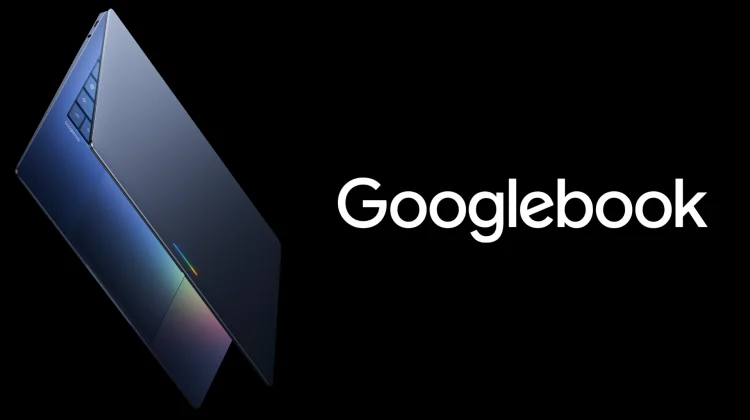
This exact infrastructure bottleneck is why I am genuinely excited about the upcoming arrival of Googlebook hardware this fall.
During our exclusive virtual sit-down with Google VP John Maletis, the concept of Better Together came up as a major foundational pillar for the new platform. Maletis openly acknowledged that while Google has poured years of development into connecting Android to ChromeOS, the underlying architecture made those experiences incredibly complex to maintain.
Googlebook shatters that entire engineering barrier by migrating the laptop’s core operating system straight onto the native Android tech stack.
When your premium Android phone and your Googlebook sit next to each other on a coffee shop table, they won’t be trying to communicate through middle-men anymore. They will be running on the exact same structural plumbing. Maletis noted that by aligning the architectures end-to-end, the reliability and stability of cross-device communication goes up exponentially.
The companion experience we’ve been waiting for
When you remove the friction from the system architecture, the entire concept of a companion ecosystem changes. Maletis explicitly stated that up until now, premium Android users haven’t really had a true, seamless laptop companion option in the way that iPhone users rely on the MacBook ecosystem.
With Googlebook, that gap is finally being closed. Because the phone and the laptop share the same foundational DNA, features like Instant Hotspot, seamless local file transfers, cross-device clipboards, and app streaming won’t feel like fragile workarounds that require constant troubleshooting. They will function as a native, zero-latency extension of the hardware.
We’ve spent over a decade learning how to workflow around the caveats and connection quirks of the Chromebook/Android mobile-to-desktop setup. If Googlebook can finally deliver on the promise of an ecosystem that just works without requiring us to toggle Bluetooth five times a day, it’s going to completely rewrite the baseline expectations for mobile productivity. And I cannot wait!
SUBSCRIBE TO UPSTREAM
Get Chrome Unboxed delivered straight to your inbox
Upstream is our flagship, curated newsletter with the top stories, most click-worthy deals, giveaways, and trending articles from Chrome Unboxed sent directly to your inbox a few times a week. Join 31,000+ subscribers.

