

Support our independent tech coverage. Chrome Unboxed is written by real people, for real people—not search algorithms. Join Chrome Unboxed Plus for just $2 a month to get an ad-free experience, access to our private Discord, and more. Learn more about membership here.
START FREE TRIAL (MONTHLY)START FREE TRIAL (ANNUAL)
Yesterday, I wrote about how Google Pay was about to receive an update that would massively improve it in significant ways, allowing it to truly compete with Apple Pay. In a Youtube premiere, Google has officially revealed what I had long suspected – the same Pay logo redesign that India had recently received for Tez and a ton of features that would help improve the user’s relationship with money. What I hadn’t anticipated was how extensive and well thought out the whole thing was going to be. I’m truly impressed with what the Pay team has done here and the overhaul of their app is designed to help you save money and get insights into your spending habits. It will no doubt drastically change the way we bank and manage our financial relationships with businesses and individuals alike. So, without further ado, let’s take a look at everything that was shown off today!
Designed with relationships at the center
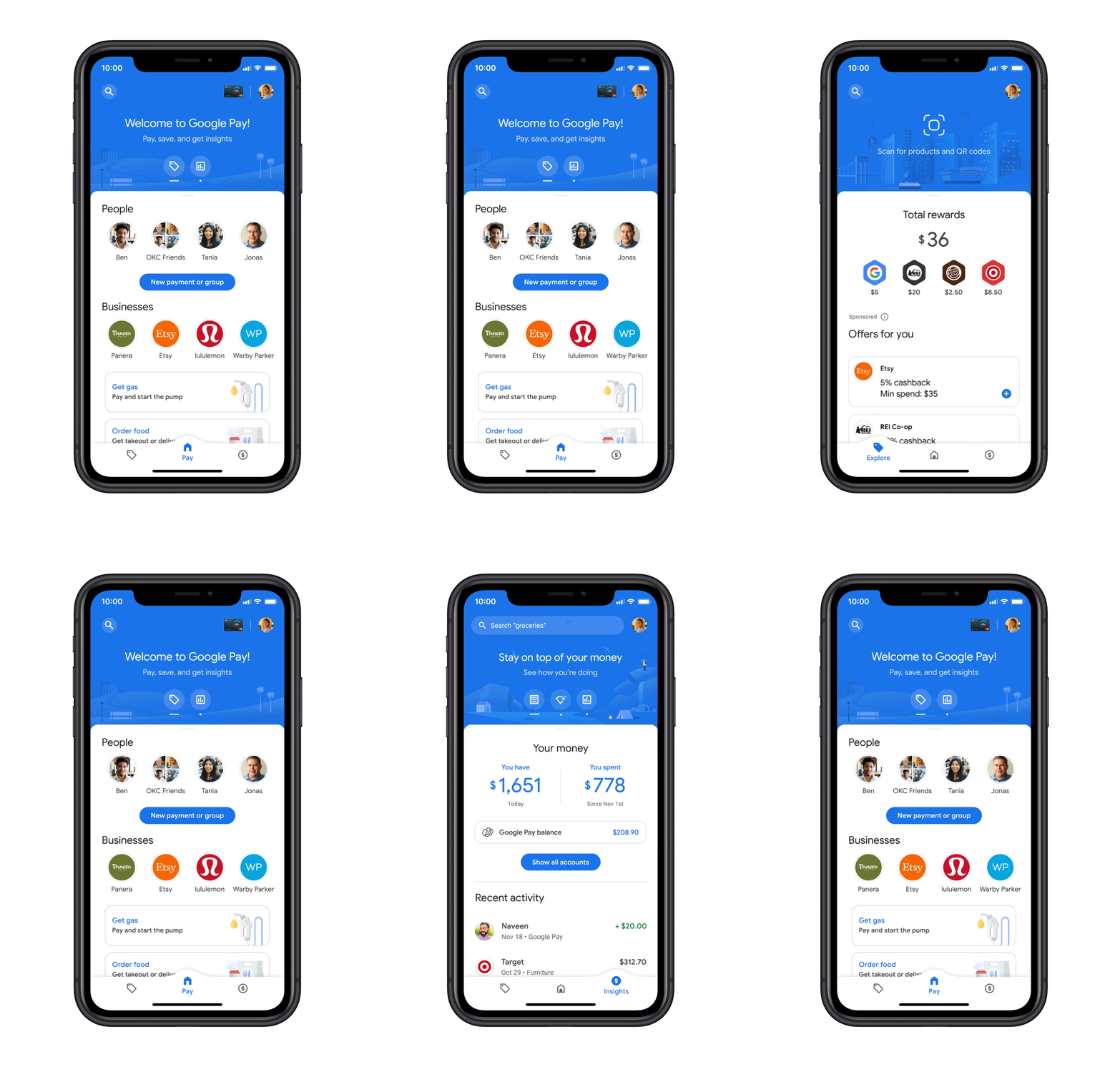
The new app has been redesigned around relationships instead of transactions. People and businesses fill the home screen, but it’s actually a lot deeper than that. Each bubble you see with the face of one of your contacts or the logo of a business you’ve recently interacted with houses a ‘conversation’ of sorts. All of your transactions with them are shown in chat-style bubbles and if you’ve sent or received payments from a friend or family member, you can message them back and forth about the transaction. Businesses are more of a one-way conversation as you can’t chat with them at this time, but your loyalty cards for these places do show at the top of the chat along with any relevant offers. It’s genius though, really. The rest of your loyalty cards are still housed in the app at the top right with your default credit or debit card.
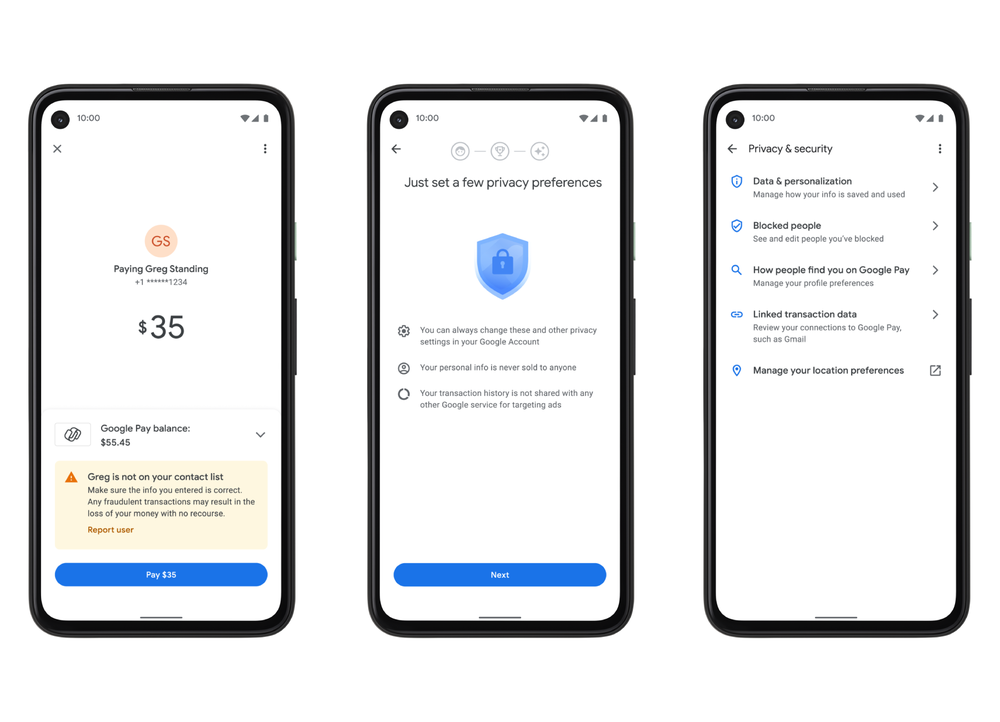
I’ve heard from many of you lately that you had hoped Google would turn Pay into a Venmo or Cash app sort of tool and well, here you go. The only difference is that unlike those apps, Google Pay is completely private – your transactions and conversations with payors or payees are between you and them. There is no social wall feature here. In fact, Google made it abundantly clear throughout their presentation that they have no intention of sharing your information with anyone, not even third parties for ad targeting or internally at Google itself.
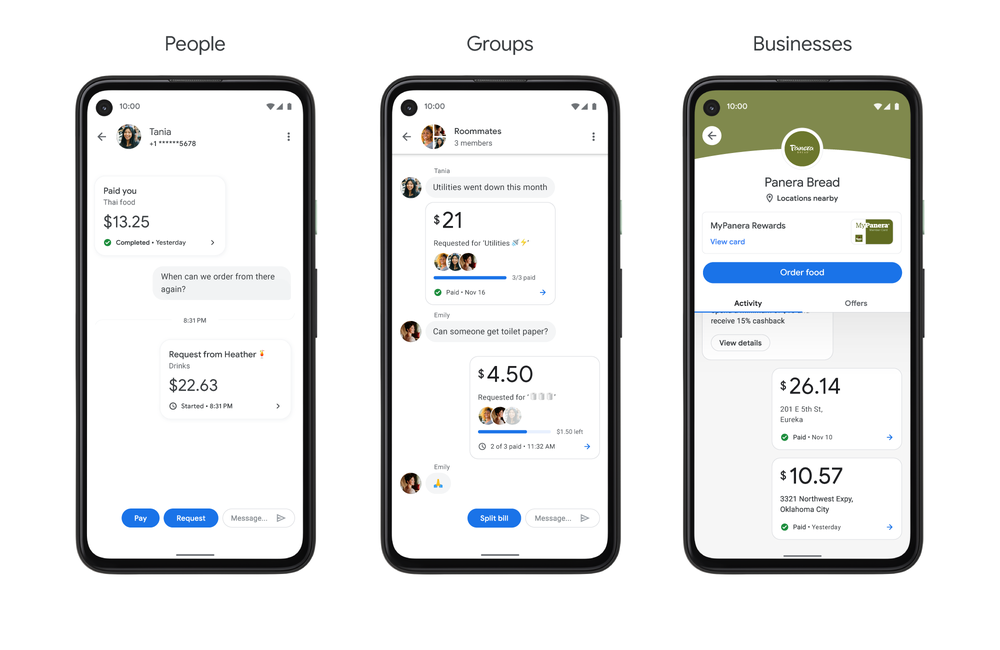
In addition to individual and business ‘conversations’, Google Pay also allows you to create groups so that splitting a bill is easier than ever. When sharing an expense with more than one person, you can chat about the details and get status updates when each person has paid their portion – don’t worry, the app automatically does the math on who owes what.
Order food, buy gas and pay for parking like a boss
Some of the most exciting features are the ability to order food at over 100,000 restaurants, buy gas at over 30,000 gas stations (and see prices at the pump), and pay for parking in over 400 cities all from within the app. Say goodbye to Gas Buddy, UberEats, and more. I actually waited to write this today because I took the food ordering feature for a spin. Google has actually partnered with Door Dash, UberEats, Postmates, and more and automatically pairs you with them after you finalize your order.
I chose a restaurant and was able to see their full menu in the app with tabbed categories. Then, I threw a meal and some sides into my cart and checked out. Within moments, I had Door Dash sending me lunch and Google even gave me an estimate of when it was to arrive by! My order status was also a part of my “conversation” wall with the restaurant every step of the way and I received notifications when it was updated too.
By the way, if a menu item has a relevant photo on Google Maps while you’re ordering food, it shows right in the restaurants’ menu – that’s completely genius. I’m going to keep saying that all day because everything just ties together so well that you can tell Google has been really thinking about how to make this work and make it competitive. They have a strong ecosystem of popular and well-worn apps and services and they’re drawing upon them all here to make the experience exceptional and forward-thinking.
In fact, any receipts you have in Google Photos or Gmail (Goodbye receipt scanning in Evernote) can be automatically dragged into Google Pay as well and be shown in your transaction history! Like all of the integrations here, Google is keen to stress that you must enable them yourself and that they’re focused on the multiple layers of privacy they’ve built into the app.
Redeem offers while you shop, find transactions with powerful search
Google Pay can also help you save money and redeem offers without the hassle of clipping coupons or copying and pasting promo codes. There’s a separate tab for deals and as I mentioned before, relevant offers also appear in your relationship bubble with that business. With one tap, these are automatically applied to your order or if you pay in store.
I’ll do my best to keep the rest of this short since I’ve already gushed about most of the new features. One of the biggest implementations here that I think may be under-appreciated is the search bar. Instead of manually tagging and categorizing your transactions (this is why I can’t use Mint or any other app, it’s too much work and hard to keep up with!) you simply search for things like “food”, “restaurants”, or “coffee last month”. Google’s super-smart AI and machine learning algorithms can automate the whole process and call up any relevant receipts in an instant. It should be eye-opening to see how much I’ve spent on coffee last month, but it’s also worrying. The new app’s tools should help hold you accountable to yourself to make wiser spending decisions so that you can save for what matters most to you.
You will be alerted if you’re about to send money to a stranger or more accurately, someone you’ve not interacted with before or who is not in your contact book. It uses advanced security and multiple layers of protection, but you’re always in control of your privacy settings and they can be changed at any time.
The future Google colored, but mostly green
Google has partnered with Plaid to allow you to pull in and two-way sync your banking transactions – those not created via tap to pay – into the new Pay app. This is going to be another home-run feature that takes off with the masses, in my opinion, and will do a lot to set up Google’s next phase – offering full financial management in-app via Plex accounts.
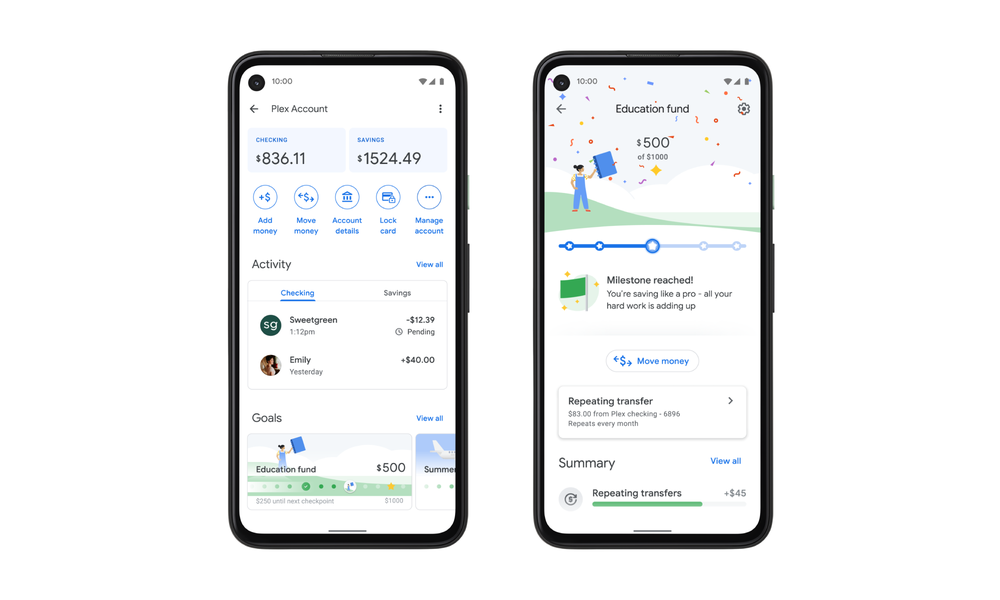
Google “Plex” (Googolplex…Google, you are so clever) is a card and account in partnership with trusted banks and credit unions and includes checking and savings accounts with no monthly fees, overdraft charges, or minimum balance requirements. Yes, you could say that Google Wallet is back with a vengeance. It looks like you can make custom saving and spending goals and milestones. I really do think that Google can create a more user-friendly experience for financial management than Intuit and others have before, thanks to their machine learning tricks and because they referred to it as ‘fun’ during the presentation.
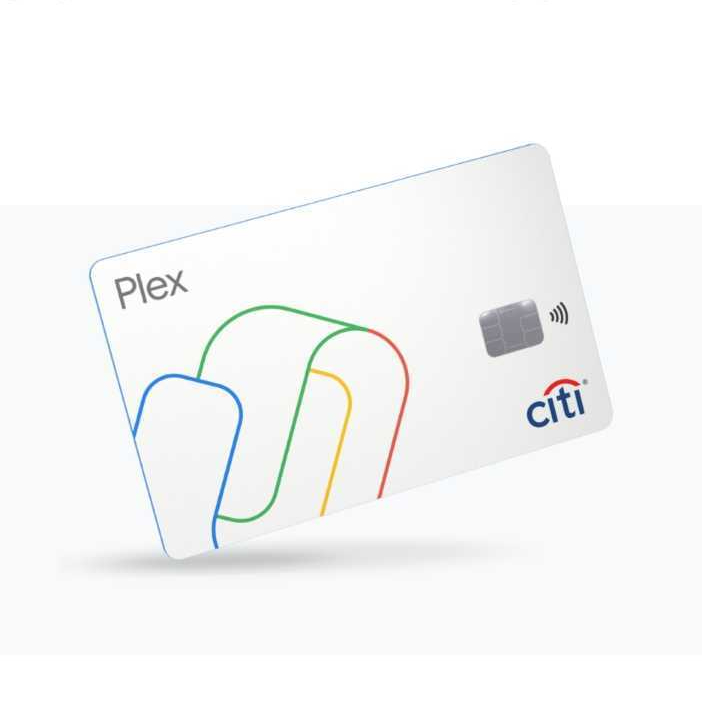
Starting at some point next year, 11 banks and credit unions, including minority-owned depository banks in the U.S. will start offering Plex Accounts to those who apply. You can join the waitlist from within the app – Citi and SFCU are the first up to bat. You can watch the full presentation below. All in all, Google is looking to not only replace your wallet but your bank as well and they’re doing a good job at setting the new Google Pay app up to do just that. While this update is sure to ruffle some feathers, I, for one, can’t wait for their new tools to roll out in full next year so I can take hold of my money goals. You can download the new Google Pay app for Android and iOS right now in early access with the button below!
Try the new Google Pay in Early Access
SUBSCRIBE TO UPSTREAM
Get Chrome Unboxed delivered straight to your inbox
Upstream is our flagship, curated newsletter with the top stories, most click-worthy deals, giveaways, and trending articles from Chrome Unboxed sent directly to your inbox a few times a week. Join 31,000+ subscribers.

