

Support our independent tech coverage. Chrome Unboxed is written by real people, for real people—not search algorithms. Join Chrome Unboxed Plus for just $2 a month to get an ad-free experience, access to our private Discord, and more. Learn more about membership here.
START FREE TRIAL (MONTHLY)START FREE TRIAL (ANNUAL)
 Here at Chrome Unboxed, we are all about work flow. That’s one of the many reasons we are all about Chrome OS. Google continues to develop the operating system to be a seamless environment for its users. Whether it’s using gestures on your track pad or unlocking your Chromebook with your mobile device, Chrome OS is all about user experience.
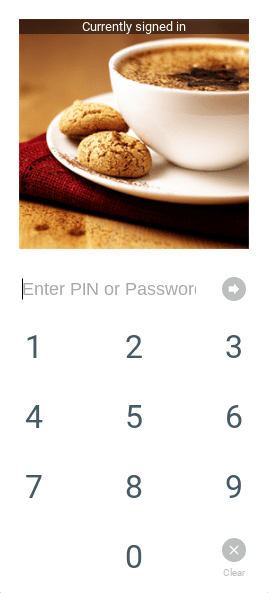
The addition of Pin Unlock to the latest update of the Developer channel of Chrome OS gives us yet another option to maximize productivity. OMGChrome! reported yesterday that the Pin Unlock options has been made available in the experimental Canary Channel of Chrome OS. Upon further inspection this morning, I have found the option is available in the Developer Channel as well.
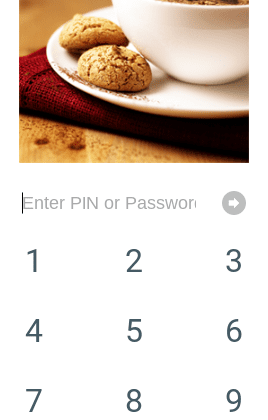
Similar to your mobile device, the Pin Unlock allows you to set a pin number to unlock your Chromebook instead of your account password. This is from the UNLOCK screen only, not the log in screen. This feature will be very useful if you happen to be in an environment where you are frequently having to walk away from your device of if you have an iPhone or Windows mobile device and are unable to use Smart Lock.
If you would like to get an early peak at the Pin Unlock feature you will need to first put your device in the developer channel. You can do so by heading to the settings menu and clicking the About Chrome OS>more info>change channel. For step-by-step instructions check out Robby’s article here.
Dislcaimer,
This channel is not suitable for use on your primary device and certain features and apps might break.
— Chromium Team
Don’t worry, if you find the developer channel to be to buggy you can easily switch back to Stable by following the same steps. You will be required to Powerwash your device when reverting back to the official channel.
Now you can enable the Pin Unlock by following these steps. In your browser paste chrome://flags/#quick-unlock-pin then select enable. Next point your browser to chrome://md-settings/ and you will see and option to “Configure Quick Unlock“.
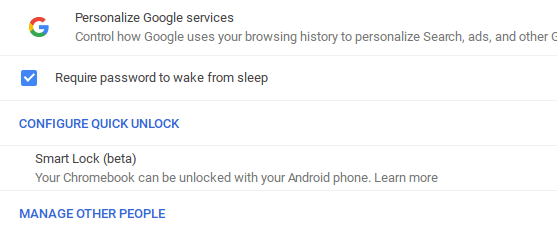
Once you have confirmed your pin number click save and you’re good to go. Keep in mind this is the developer channel and it may be some time before we see this feature hit the stable channel. But, it is cool to see the continual evolution of Chrome OS first hand.
UPDATED: It looks like, according to the Chrome Releases Blog, the 3 Google Play enabled devices have not received this part of the latest Dev Channel Update (2015 Chromebook Pixel, ASUS Chromebook Flip, Acer Chromebook R11). If you are on one of those devices, give it a bit of time and you should see this working.

