


Contents In an update post on X today, Google Photos announced a new way to create videos, and yes, you guessed it, it's driven by artificial intelligence. The company says it's focused on letting you automate video highlight creation with ease and personalization and just a few taps. This means … [Read more...] about Google Photos will let you create AI-drive “reels” from your memories with just a few taps
Support our independent tech coverage. Chrome Unboxed is written by real people, for real people—not search algorithms. Join Chrome Unboxed Plus for just $2 a month to get an ad-free experience, access to our private Discord, and more. Learn more about membership here.
START FREE TRIAL (MONTHLY)START FREE TRIAL (ANNUAL)
Android 13 is beginning to arrive on Chromebooks, but only for a few right now
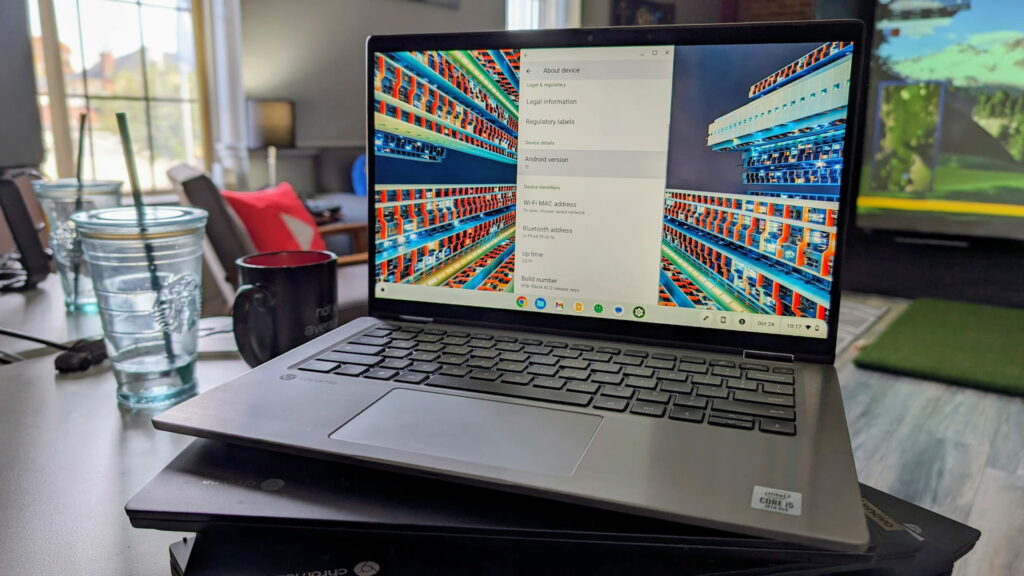
Contents Found all the way back in February of this year, we're finally beginning to see the roll out of Android 13 for some Chromebooks. With ChromeOS 118 arriving last week, it seems a handful of boards now have Android 13 moving forward. Without flags or any special settings, we've … [Read more...] about Android 13 is beginning to arrive on Chromebooks, but only for a few right now
How to switch your Chrome browser’s Side Panel to the left and why you may want to

Contents Love it or hate it, Google's Side Panel is chock-full of great content, because, well, it's your content! Your bookmarks, history, Reading list items you've saved for later, Chrome customization, and more all reside in the latest obsession created by the tech giant. At first, it was … [Read more...] about How to switch your Chrome browser’s Side Panel to the left and why you may want to
Accessibility: Your Chromebook will soon let you control the mouse and keyboard with your face
Well, this is a weird article. I never thought I'd be talking about Face Tracking and Google in a somewhat positive light. However, ChromeOS is currently implementing exactly that as a part of its ongoing AI improvements. Yes, you heard me right - your Chromebook will soon track your face, but not … [Read more...] about Accessibility: Your Chromebook will soon let you control the mouse and keyboard with your face
If you are still missing ChromeOS 118, you aren’t alone

Last week, we marked a big change in the ChromeOS landscape with the arrival of ChromeOS 118. As our favorite operating system sees updates with bug fixes and new features every 4 weeks at this point, the announcement of another update isn't huge news most times. But ChromeOS 118 was a special and … [Read more...] about If you are still missing ChromeOS 118, you aren’t alone
How to group your Gmail messages by ‘today’, ‘yesterday’, ‘Last Week’, and more like Inbox by Google
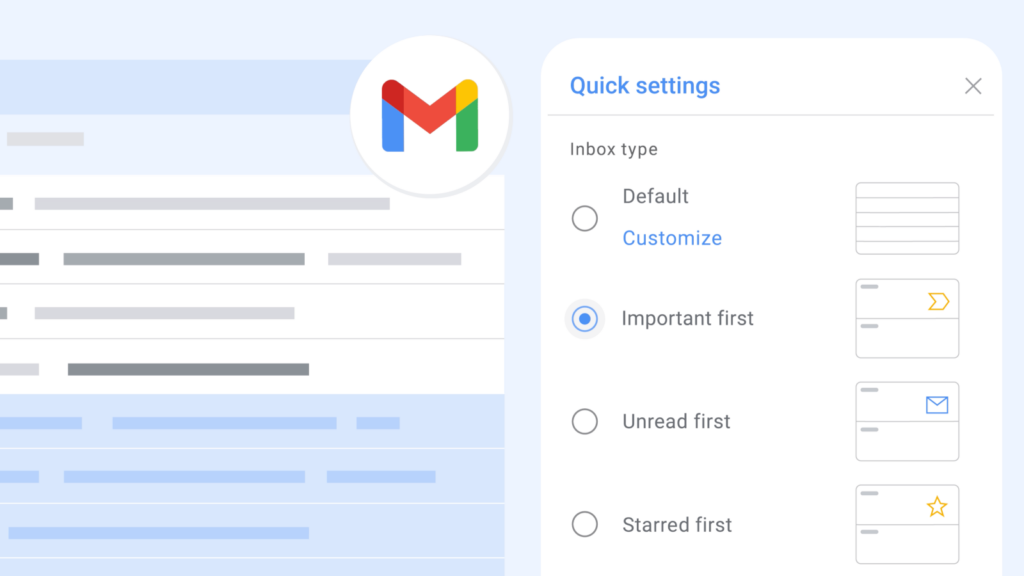
Do you remember Inbox by Google? Do you miss it as much as I do? Sure, Google gave us many of the features the service had, but we're still waiting very impatiently for the 'Bundles' feature to come around as I think they've promised. Gmail is extensible, but... Luckily, Chrome extensions … [Read more...] about How to group your Gmail messages by ‘today’, ‘yesterday’, ‘Last Week’, and more like Inbox by Google
How to use your Chromebook’s Dictation tool to save yourself hours of typing

Remember back in the day when physical computer software boxes lined the shelves of Best Buy, Target, and even Circuit City? Yeah, I remember Circuit City. There was one box in particular that I always wanted to buy, but could never afford. It was the one software that made me believe that … [Read more...] about How to use your Chromebook’s Dictation tool to save yourself hours of typing
A closer look at ChromeOS 118 and new Chromebook Plus features [VIDEO]

ChromeOS 118 began its roll-out this week and with it came a nice handful of Chromebook Plus features for the entire list of devices that meet those Chromebook Plus specifications. For those non-Plus devices, the updates aren't much to talk about this time around and this ChromeOS 118 release was … [Read more...] about A closer look at ChromeOS 118 and new Chromebook Plus features [VIDEO]
Google takes an ‘iconic’ step toward making Gmail more accessible and glanceable

Navigating Gmail on the web with your Chromebook just got a bit easier, thanks to the new icons Google is adding to its overflow menu. Previously, the only options in the three dots 'more' options menu on an email you'd see were 'Reply' and 'Forward'. Now, every action in that menu is now … [Read more...] about Google takes an ‘iconic’ step toward making Gmail more accessible and glanceable
The Chrome Cast 244: a new Samsung Chromebook Plus may be on the way

This week on The Chrome Cast, we discuss the potential for a new Chromebook Plus model that could be on the way from Samsung. From the heights of the Samsung Chromebook Plus/Pro and Galaxy Chromebook to the oddly-named and poorly-executed devices like the Galaxy Chromebook Go and Galaxy Chromebook … [Read more...] about The Chrome Cast 244: a new Samsung Chromebook Plus may be on the way
How to clear the cache on your Chromebook and Google Play apps

Believe it or not, it’s the little things that count. When you have a lot of apps and web apps on your Chromebook, you’d be tempted to think that deleting these would speed up your laptop, but you may not need to resort to such drastic measures to squeeze out a bit more optimization. You’re … [Read more...] about How to clear the cache on your Chromebook and Google Play apps
This handy addition to Google Messages is quietly brilliant

Google Messages is constantly being worked on now that Google has decided to go all-in and made it their messenger of choice. There's still a long road ahead to get people to use it for more than just a glorified text message client, but as Google continues to add more and more cool, thoughtful … [Read more...] about This handy addition to Google Messages is quietly brilliant
