


Support our independent tech coverage. Chrome Unboxed is written by real people, for real people—not search algorithms. Join Chrome Unboxed Plus for just $2 a month to get an ad-free experience, access to our private Discord, and more. Learn more about membership here.
START FREE TRIAL (MONTHLY)START FREE TRIAL (ANNUAL)
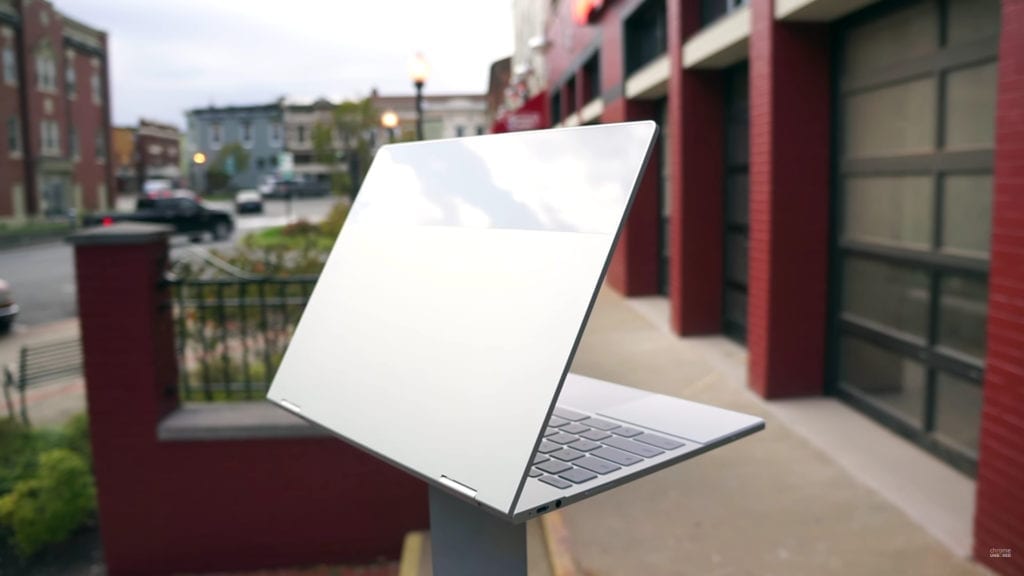 I went back and read a post I authored about 10 months ago and a light went off for me concerning the Google Pixelbook. The article? This one about the third device concept.
A quick refresh if you don’t choose to go back and read that post: it’s long and I understand. Basically, we have two devices we tend to frequent most days. Our phone – which at this point has basically become a utility – and our work device. That second device might be a computer, a tablet or a point of sale system like a cash register.
Regardless, we all tend to work on two devices for a good majority of our days. There is downtime, though, and there’s a growing spot in most people’s digital lifestyle for a third device to consume content and generally relax with.
In that slot, tablets (mainly the iPad) have found their home. Quick, easy, light and fast, tablets are a pretty great third device and give us a content consumption machine that is pretty good overall.
In the article I was referring to, I made the case that Chromebooks could make a better third device experience and I think we are finally getting to the point where we might see the marketing push that actually makes this happen.
Commercials Work
At the core of most shifts that happen with users and devices, marketing is usually heavily involved. We’re finally seeing a return to strong marketing for Chromebooks from Google and I’ve seen one of the new Chromebook commercials in nearly every program I watch on TV lately.
They are beginning to aggressively market, and that is necessary if adoption is to happen.
The concept of the third device doesn’t have to be implicitly stated. It is something that people are doing without the need for slick ad campaign. What does need to happen for Chromebooks to start becoming the go-to third device, however, is marketing.
People need to realize all Chromebooks are capable of, and the new ads are doing a decent job at getting that info out there.
The Problem
The problem that sits right in the middle of this whole setup is the Pixelbook. Many of you will remember my overall glowing review of the device, and I stand by that review.
It is an amazing piece of hardware that is – by far – the best Chrome OS experience you can have right now.
It is also very expensive for a Chromebook. Yeah, I said it. It is expensive.
While it isn’t really expensive when compared with a Surface or iPad Pro, it is extremely expensive when sat next to any other Chromebook.
I’m not going to get into the value of a device and what you can or cannot do on a Chromebook. Those arguments are for another time in the future when and if I begin to argue that the majority of users can completely ditch Windows or Mac OS in favor of Chrome OS.
We aren’t there. Yet.
And that isn’t what we’re talking about, here, anyway. We’re talking about third devices and how Chromebooks fit into that plan.
And, in that scenario, the Pixelbook gets really confusing.
What To Buy?
When I decide what to purchase as my third device, there are many things to consider. I would expect that for many, price is one of the biggest factors in those considerations.
Again, I’m assuming you have a work/school device and a phone you enjoy, so the third device has some flexibility in what it can/can’t do. This is a massive draw for Chromebooks. As a third device, Chromebooks can just be OK within their limits and just be good at what they are good at: being fast, secure, long on battery and short on maintenance.
Chromebooks also make great family devices with their ease of use from a multi-user standpoint. I’ve never used a device that is so simple to hand off to another user. I can log into my wife’s Chromebook and be up and running within minutes with all my stuff ready and waiting for me.
Nothing else does that so well.
Again, when I’m looking for a third device, I can focus on these types of features instead of trying to figure out how to get Photoshop or Premier running well enough for my demanding job. I can fully enjoy and engage in the light-weight OS and all the speed and streamlined simplicity that comes along with it.
What is that worth, though? In a land of $329 iPads and $150 Kindle tablets, I have a lot of choice for my relaxing, lounging device. When we remove all the conversation around legacy desktop apps and just talk about casual use, there are lots of options for consumers to consider.
If this space is where Chromebooks are the best choice, the whole thing starts to fall down when the poster-child for the Chromebook campaign starts at $999 and goes up.
Unlike previous high-priced Pixels, the Pixelbook is getting marketed right alongside devices half its price. If the target market is the general consumer who will likely have to go to work and be forced to use the company-issued laptop, what is the likelihood that this same person will drop $1000+ on a casual device?
I imagine it isn’t high.
And this is what confounds me so much about the Pixelbook. It is an amazing piece of hardware and I love using it, but I can’t escape the sneaking feeling that I will be one of a small group using one for quite some time. It isn’t ready to replace Windows or Mac OS (yet) and it feels priced out of consideration as a third device.
That is a real shame, too, because it makes a splendid third device. Around the house, consuming content, playing some games, and punching out an email or article: the Pixelbook excels in all those ways. When it comes to most professional environments, though, the experience isn’t quite there. Chrome OS simply isn’t ready for that just yet.
Now, in 6-12 months from now, as the Chrome OS + Android experience continues to coalesce, things could be very different. I’m not saying I want to work in Photoshop, Microsoft Word, or InDesign, but the clients I deal with still do. That won’t change in a year or two. Those habits and needs will be around for a long, long time. The current workforce is simply too entrenched in these desktop applications to easily walk away.
Two Roads
So, one of two things has to happen: Chrome OS will have to be able to confidently do more or good hardware will have to get more affordable.
If Chrome OS gets more capable and can actually replace Windows or Mac OS in the workforce without caveates, $1000+ devices completely make sense.
If Chromebooks and Chrome OS remain light and mobile at heart (which I hope they do), the better hardware needs to be a bit more affordable. In the realm of the third device, $1000 hardware doesn’t fly. $300-$500 is the sweet spot. People don’t mind paying a little premium for a little premium. But in a world where the new iPad costs just $329, you can’t really argue paying much more than $500 for a great Chromebook.
Samsung and ASUS built great devices this year right at the top of that price tier. But the interest and sales of those devices picked up the minute their prices came down just a bit. This Sunday when Samsung has it’s Black Friday Week sale and you can snag the Chromebook Plus for $350, I would be willing to bet they sell a slew of them.
Why? Price and value begin matching up very well at that price point. Because, for the time being, Chromebooks are the absolute best third device you can buy, and in that space I think consumers are getting really curious about what it looks like to own one. When you combine good hardware, reasonable pricing, and a great experience that meets the intended use, you have a device that sells.
I sincerely hope that the Pixelbook’s effect is to drive the entire segment forward and help us begin seeing even more high-quality devices with reasonable price tags. And, who knows? In a year or two from now, Chrome OS might be positioned to not only be your third device, but your first device, too.

