


Support our independent tech coverage. Chrome Unboxed is written by real people, for real people—not search algorithms. Join Chrome Unboxed Plus for just $2 a month to get an ad-free experience, access to our private Discord, and more. Learn more about membership here.
START FREE TRIAL (MONTHLY)START FREE TRIAL (ANNUAL)
Google just announced via a blog post that there are a ton of new – and useful – features coming to Google Photos “over the coming weeks.” These features are the same ones we reported on last month and then again last week, which consists of a new layout for better organization, discovery, sharing, and importing of photos.
New library tab
The new library tab now includes smart chips at the top so you can easily filter and sort photos in your albums, on-device, or shared with others. Sandwiched between the smart chips and the photo grid, you will find the option to “add a new album” displayed as text, unlike the large button found on the old version of the library. At the bottom of the library, you will find the options to view your trash, photo archive, utilities, locked folder, and a brand new option for importing photos.

Import from external services (iCloud, Facebook, etc)
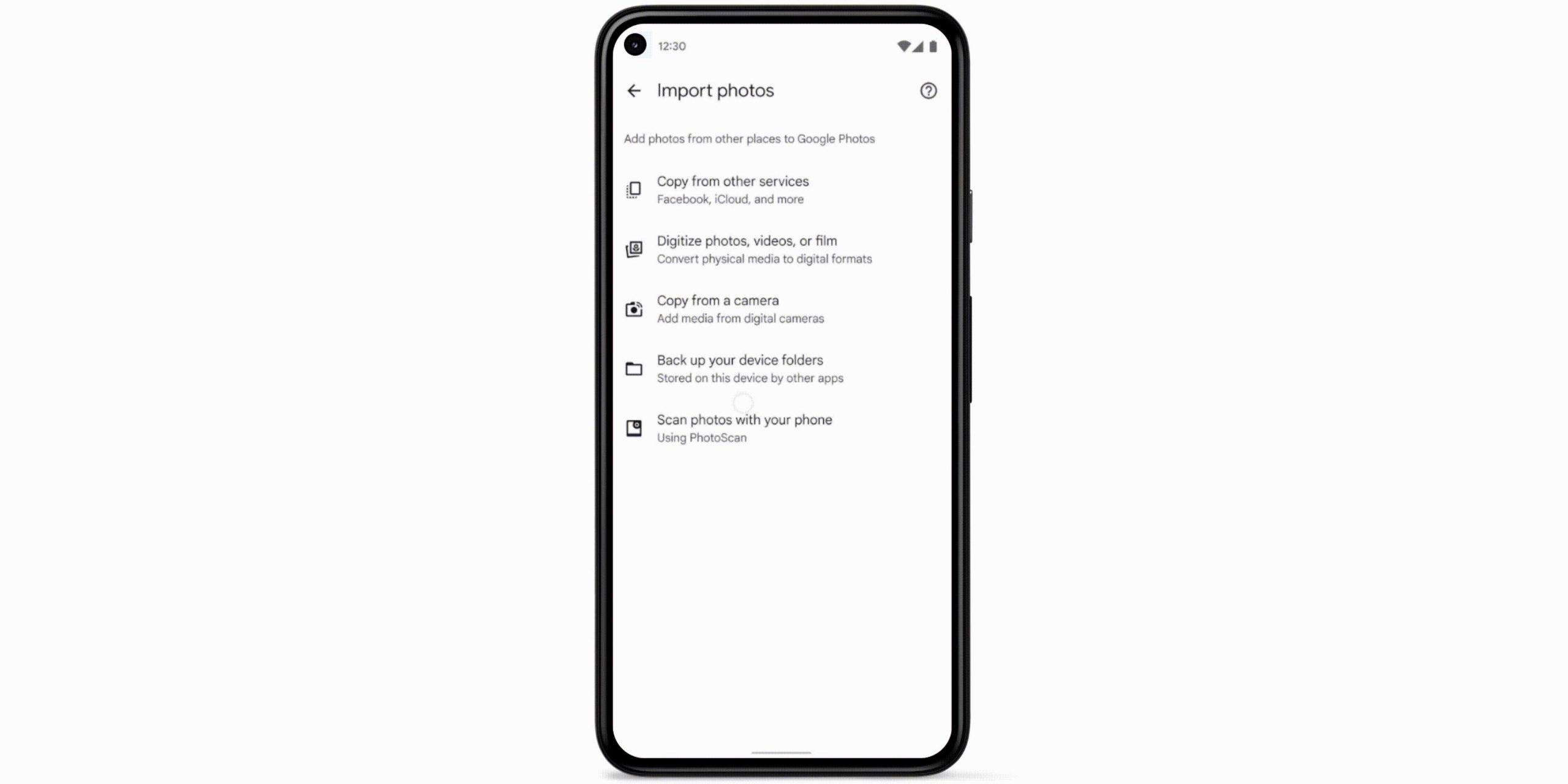
The new “Import photos” section can quickly help you copy photos from third-party services such as iCloud and Facebook and make it easier for you to digitize physical media such as photos, videos, or films that you may have lying around your home. Lastly, you will find an option to “copy media from a digital camera“, which I can see myself using quite a bit.
More streamlined sharing
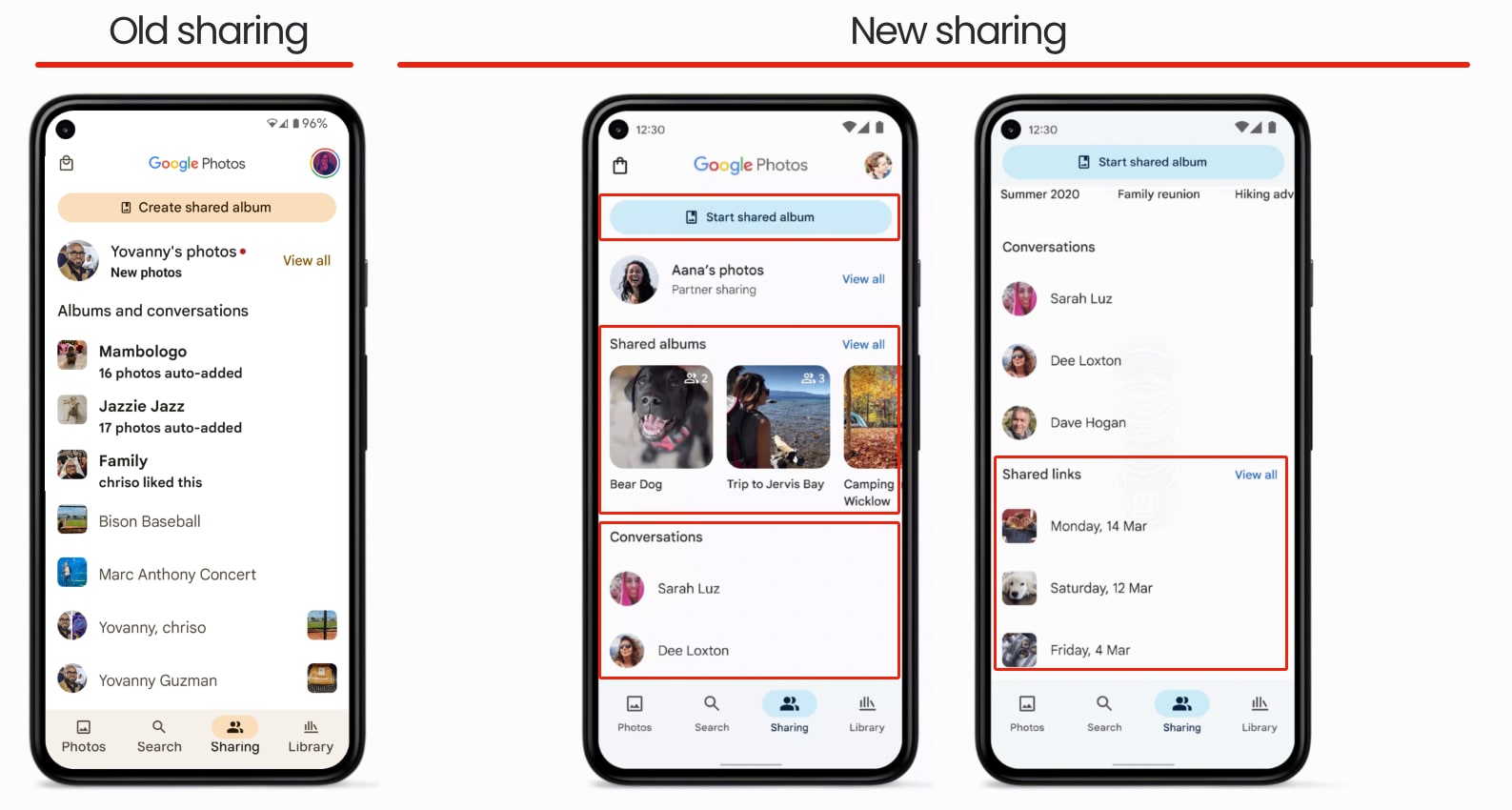
The “Sharing” tab also got a new look with the “Create shared album” button renamed to “Start shared album,” and the albums that have already been shared are shown prominently below in their section. “Conversations” and “Shared links” also get their separate sections underneath shared albums, instead of having everything bundled together as before in the old version. Per Google, these changes to the sharing tab will be rolling out this week on Android devices and making their way to iOS soon.
Clean up those screenshots
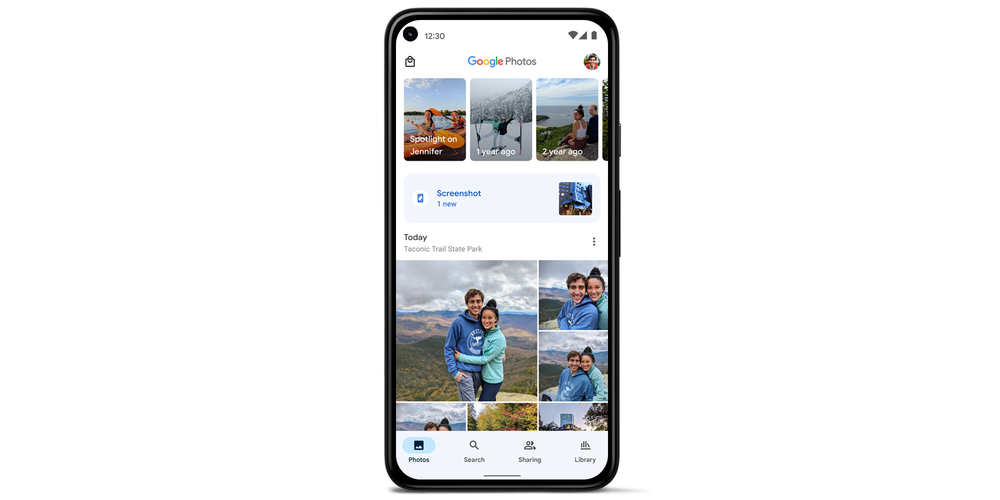
This one might be my favorite out of all the new features announced. To help you avoid hoarding countless screenshots on your Android device, this update will add a shortcut at the top of the main photo grid that will take you straight to your screenshots. Additionally, when viewing a screenshot, you’ll see a carousel of contextual suggestions to copy text, crop, search using Google Lens.
The features mentioned above will be rolling out to all Android phones in the coming weeks. It is unclear if this will be a server-side update or if it will require a new version of Google Photos from the Play Store. As of writing this article, I am on Google Photos version 5.82.0.434379353, the latest version on the Play Store and APK Mirror, and I do not have any of these features yet. Needless to say, I am looking forward to test-driving all these features very soon!
SUBSCRIBE TO UPSTREAM
Get Chrome Unboxed delivered straight to your inbox
Upstream is our flagship, curated newsletter with the top stories, most click-worthy deals, giveaways, and trending articles from Chrome Unboxed sent directly to your inbox a few times a week. Join 31,000+ subscribers.
