Support our independent tech coverage. Chrome Unboxed is written by real people, for real people—not search algorithms. Join Chrome Unboxed Plus for just $2 a month to get an ad-free experience, access to our private Discord, and more. Learn more about membership here.
START FREE TRIAL (MONTHLY)START FREE TRIAL (ANNUAL)
9to5Google’s Abner Li posted an article this week showing off a new profile photo switcher in Gmail for Android that allows users to swap their account image directly from the app instead of having to open up the full Google Account settings page on the web. While useful, this shortcut is not available across all of Google’s apps yet, and I believe that the company can do better to provide more organic ways for users to alter their data on Chromebooks.
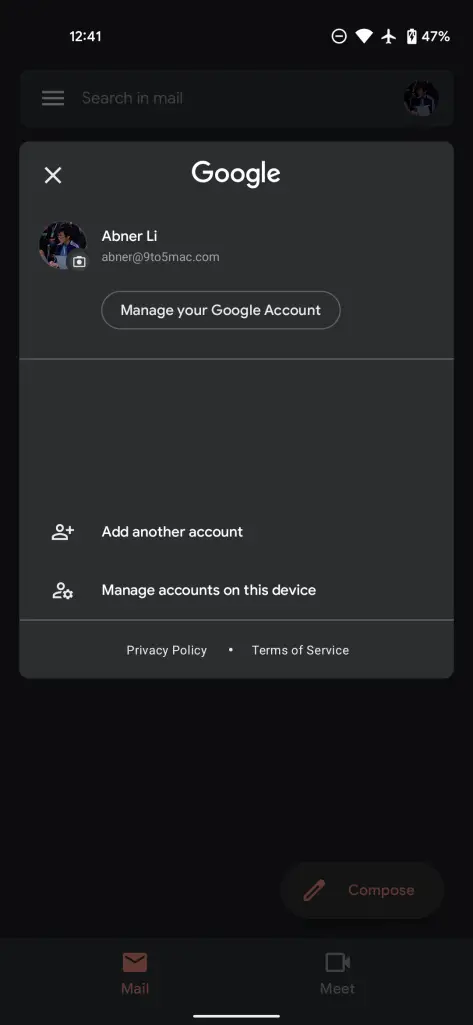
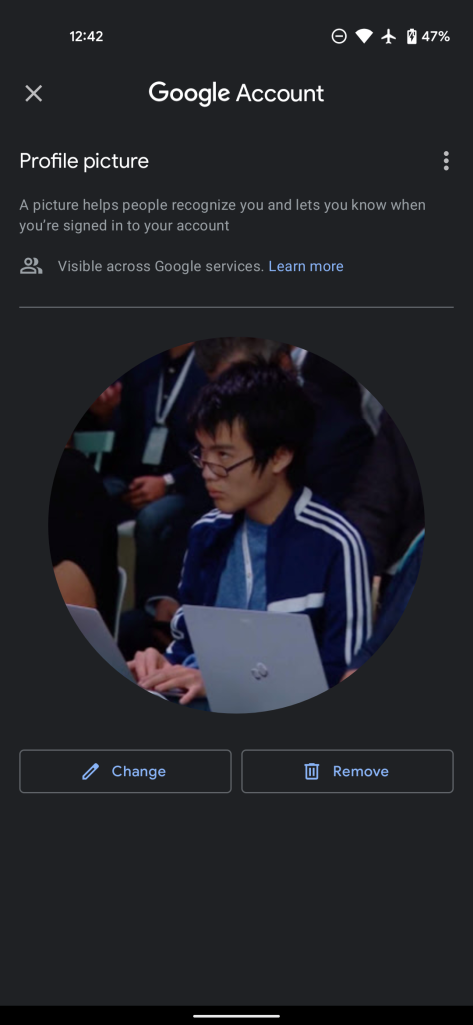
I understand that modifying information directly via the account settings page keeps everything secure and unified in one location, but I believe that data should be more natively accessible from and adapt to the hardware that’s being used to tap into it. For example, in my time as a Chromebook Expert in Best Buy, I had many consumers come in over the years asking why they couldn’t change their Chromebook password from the device at all. Instead, they had to be taught to visit their Google Account from the web and then choose the password reset option. Similarly, I sometimes had people ask me why they changed their Chromebook account image, but that new image was not synching to their phone, and so on.
I believe that this presents an opportunity for Google to make the experience for Chromebook users more cohesive. By providing a local password reset option on laptops that then changes their Google account password across all devices and in the cloud instead of forcing users to do everything from the web – a place that does not immediately come to mind for most people – they can make Chromebooks much easier to adopt for the less tech-savvy.
Similarly, by allowing local Chromebook account images to sync with Google Accounts instead of solely changing the image on the device, the company can maintain a consistent experience across its hardware. I also love the idea of giving users a small camera icon at the corner of the profile image directly via the quick settings menu on Chromebooks instead of having to change it via the Settings app.
This would be more in line with Google’s attempts to offer this solution via Gmail on Android (This shortcut is not yet available on my Chromebook via the Gmail app), it would take fewer steps, and it would make more sense overall. If you want to change your profile image, why wouldn’t you just click on your profile image, right? UX design should allow the user to use their common sense, and reward them for thinking about things logically and linearly.
If adding a camera icon to the quick settings profile image on Chromebooks would provide too much clutter, which I could certainly see being the case, clicking on it ought to take users to the Settings app where they can currently change their image. I don’t believe this has to be an either-or, per se, but rather a both-and. This does, of course, present a problem for users like myself who click on their profile image to swap between signed-in accounts on their laptop, but I’m sure Google could find a solution that made sense for both use-cases.
What I’m trying to say is that the more barriers Google removes from its users to get the most out of their data, the more likely they are to adopt new hardware and software and feel in control of it. Just because Chromebooks were built for the web, that doesn’t they should continue feeling like a browser in a box for the most important data and privacy features.
We recently heard that the company buried privacy controls in Google Maps so that people were less likely to find them, so aside from having poor cohesion between its teams and projects as I’ve demonstrated with today’s example, it seems as though it just needs to rework some of its decisions to be less self-seeking and more in favor of its users overall. Let’s discuss all of this in the comments.
SUBSCRIBE TO UPSTREAM
Get Chrome Unboxed delivered straight to your inbox
Upstream is our flagship, curated newsletter with the top stories, most click-worthy deals, giveaways, and trending articles from Chrome Unboxed sent directly to your inbox a few times a week. Join 31,000+ subscribers.