

Support our independent tech coverage. Chrome Unboxed is written by real people, for real people—not search algorithms. Join Chrome Unboxed Plus for just $2 a month to get an ad-free experience, access to our private Discord, and more. Learn more about membership here.
START FREE TRIAL (MONTHLY)START FREE TRIAL (ANNUAL)
Work from home. Hybrid workforce. New normal. COVID-19 has made these household terminologies as we rethink how we work and learn in a world that’s still figuring out how to manage in the midst of a pandemic. There are no words that can fully describe the weightiness of what our world has experienced over the past 18 months but that doesn’t mean that a silver lining can not be found. In the world of computing, technology has rapidly evolved to adapt to this new era of virtual learning and remote working and many of those technologies will impact generations to come in a very positive way.
Many companies have accelerated the move to the cloud as SaaS on the go has become a crucial part of the hybrid workforce. That has, in turn, created a need for new hardware that can better leverage cloud services and the multiple collaboration tools that have exploded over the past two years as many have shifted to a virtual normal. Two areas that are seeing exponential growth and innovation are virtual meeting hardware and docking stations for the desktop. More and more, users need to get their hands on better video conferencing hardware that’s versatile as remote meetings have become the status quo. Unfortunately, a dedicated piece of hardware just for meetings can be expensive and can take up a lot of precious desk real estate.
Thankfully, the aforementioned innovation was not lost on this particular vertical and many companies are now producing hardware specifically aimed at improving your meetings while enhancing your workspace. Just last week, Google announced its partnership with Avocor for the next generation of Meet hardware that integrates all the powerful collaboration power of Jamboard. While specifically designed for Google Meet, the new Avocor Board and Desktop devices can make a solid addition to any office setup regardless of the software platforms you use.
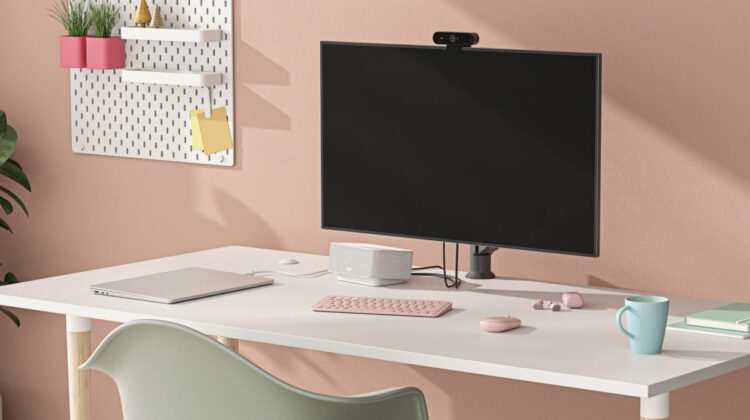
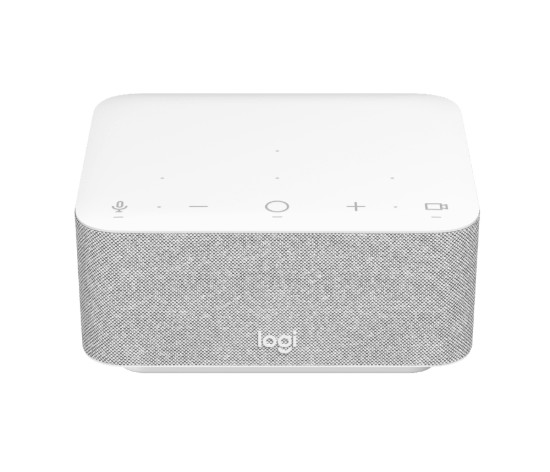
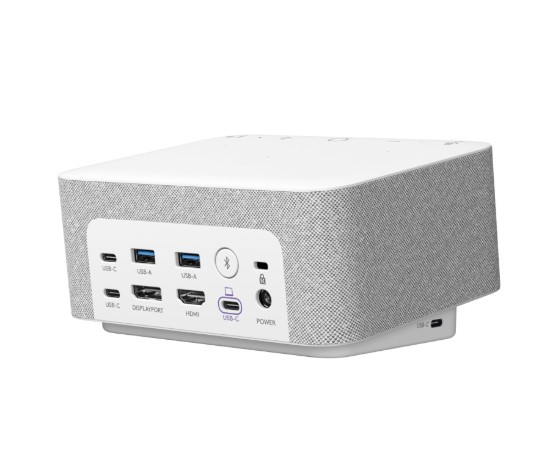
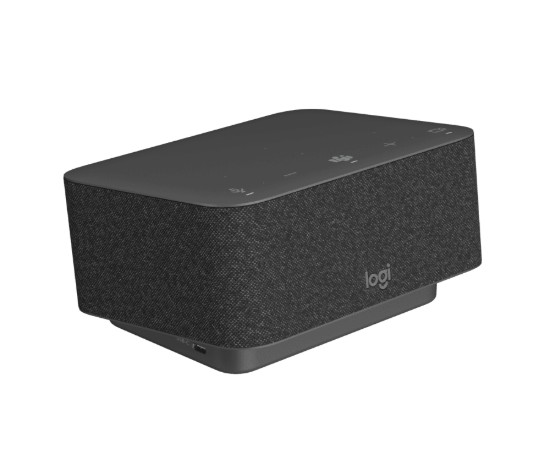
Logitech has now jumped on the bandwagon with a very interesting take on an old-school conference room fixture, the speakerphone. Well, the upcoming Logi Dock brings a bit more to the table than simply being a powerful speaker/mic combo for your virtual meetings. As the name implies, this is an all-in-one dock that can connect all of your desktop devices while providing crystal-clear audio for meetings and it gives you one-touch support for jumping on and off calls. The docking station features ports aplenty to connect your laptop or desktop to multiple displays while giving you more options for charging and connected accessories like a keyboard or mouse that uses a dongle which happens to be one of Logitech’s fortes. Check out this quick teaser for the upcoming Logi Dock.
The Logi Dock will feature one-touch controls to start a meeting when synced with your Google Calander. It will also allow you to mute and disable video with the touch of a button when connected to a compatible device. This feature will require downloading the Logi Tune software to sync your meetings. Logitech is currently working to certify the Logi Dock for Microsoft Teams, Google Meet, Google Voice, and Zoom in the coming months, and personally, I can’t wait to get my hands on this thing. With a retail price of $399, it may feel a bit pricey but for those of us that want an all-in-one dock that harnesses the power of conference calls and tuned audio, it’s an easy sell. Here’s a breakdown of the features of the upcoming Logi Dock that is slated for release at some point this winter and will be certified to work with Chrome OS, Windows, macOS, Android, and iOS.
Logi Dock at a glance
- Beamforming mic array with six mics
- 2 x 55mm drivers
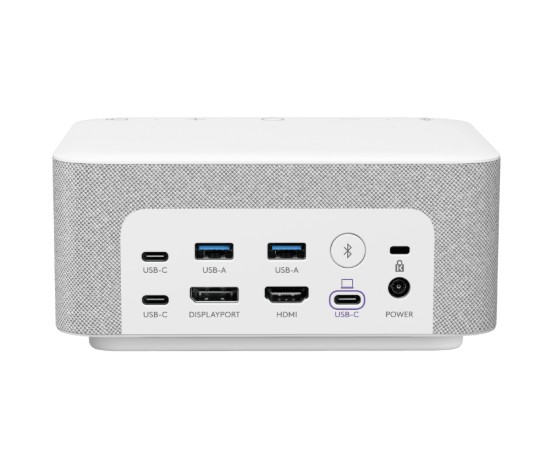
- 1 x display/video – HDMI v. 1.4b (Support 4K@60Hz HDR)
- 1 x display/video – DisplayPort 1.4 (Support 4K@60Hz HDR)
- 2 x USB-A1 x USB3.1 (5Gbps) with 4.5W charging
- 1 x USB3.1 (5Gbps) with 7.5W fast charging
- 3 x USB-C2 x USB3.1 (5 Gbps) with 4.5W charging
- 1 x USB3.1 (5 Gbps) with 7.5W fast charging
- 1 x USB-C Upstream
- 1 x Bluetooth Sync button
- Height: 3.34 in (84.8 mm)
- Width: 6.30 in (160 mm)
- Depth: 5.18 in (131.5 mm)
- Weight: 0.942 kg
- Graphite or White fabric
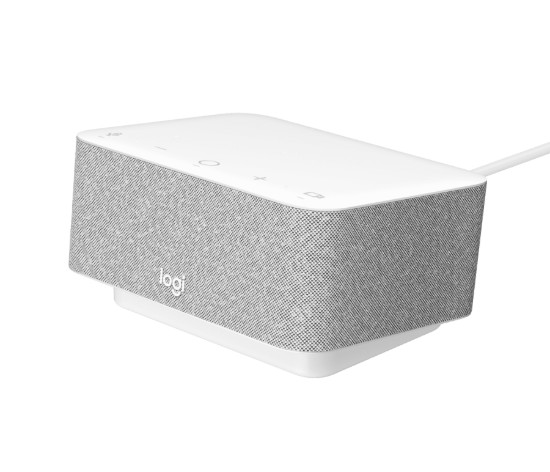
While we’re waiting, I’ve gone ahead and reached out to the Logitech team to see when we can get our hands on a review unit. This device will be a near-perfect addition to many desk setups and I’m already starting a punch list for how Logitech can improve the dock if and when they decide to make a version 2.0. First and foremost, add wireless charging. The dock is large enough to hold a phone and a pair of headphones. It would all but eliminate the need for extraneous cables on my desk and it would be a beautiful upgrade to my Moshi USB-C wireless charging dock that is a bit small and lacks all the conferencing features of the Logi Dock. You can sign up for updates on the release at the link below. Stay tuned for more Meet hardware from Logitech when they hold a webinar on September 21. We’ll cover down on what’s new.
SUBSCRIBE TO UPSTREAM
Get Chrome Unboxed delivered straight to your inbox
Upstream is our flagship, curated newsletter with the top stories, most click-worthy deals, giveaways, and trending articles from Chrome Unboxed sent directly to your inbox a few times a week. Join 31,000+ subscribers.

