

Support our independent tech coverage. Chrome Unboxed is written by real people, for real people—not search algorithms. Join Chrome Unboxed Plus for just $2 a month to get an ad-free experience, access to our private Discord, and more. Learn more about membership here.
START FREE TRIAL (MONTHLY)START FREE TRIAL (ANNUAL)
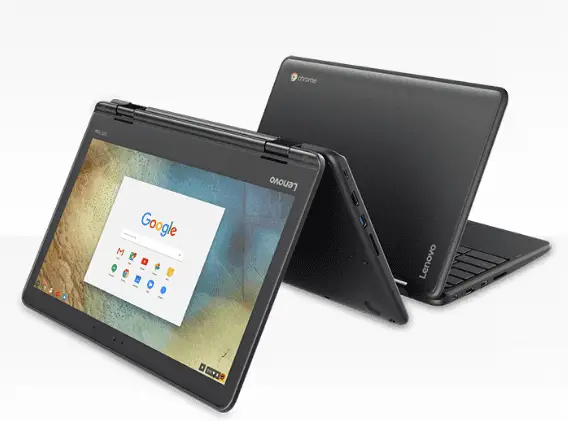
I’ll start off by saying, I completely dropped the ball on this particular product. Lenovo’s latest additions to their educational Chromebook lineup was announced back in late January and I completely overlooked the fact that there was a MediaTek MT8173 among them. It has now come to our attention the Lenovo is, in fact, the device ‘Hana’ we have been tracking.
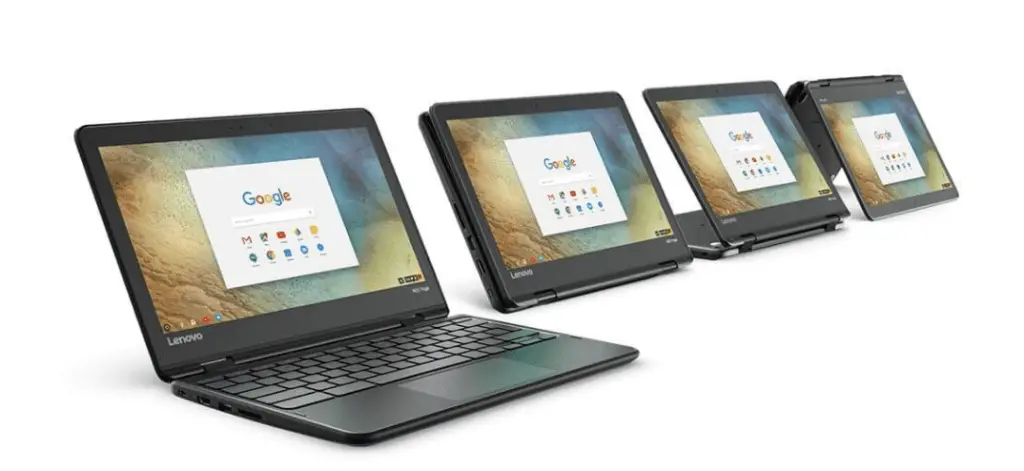
Now that that’s out of the way, let’s just jump right in. Shall we? The Lenovo N23 Yoga Chromebook is the companion device to the N23 Clamshell Chromebook only with some very distinct differences. For starters the processor. The Yoga is rocking the MediaTek MT8173C. The very same chipset found in the Acer Chromebook R13. The traditional N23 houses the last generation Braswell chips like that found in the Acer Chromebook 14. Additionally is the form-factor. The Yoga, as all its Yoga kin, is a convertible with touch-screen standard. The N23 will get you an optional touch-screen and 180° hinge.
Now, as far as performance on paper, these two chips run neck and neck. With Octane scores ranging from 8800 to almost 10,000 they are very comparable. The major difference here? ARM vs. Intel. The ARM-based processors, at least for now, handle Android Apps better and that’s exactly what a convertible device like this looks to take advantage of. An all-around machine that handles daily tasks, leverages the Play Store and can hold up to a classroom environment.
Here’s the full specs on the Lenovo N23 and N23 Yoga.
Lenovo N23 Chromebook
- Intel® Celeron® N3060 or Intel® Celeron® N3160
- 11.6″ HD TN antiglare display (1366 x 768, 220 nit) or HD IPS antiglare multitouch (250 nit)
- Up to 4 GB LPDDR3
- Up to 32GB eMMC storage
- 720p, 180-degree rotatable camera
- Full-sized, water-resistant keyboard with touchpad & mechanically anchored keys
- Reinforced ports & hinges, drop-resistant up to 27.5″ (70 cm)
- 2 x USB 3.0
- HDMI
- Combo mic / audio jack
- 2-in-1 card reader
- Kensington lock slot
The Lenovo N23 has a starting price of $199 and up from there. I’ve had a bit of a time finding any in stock but there are a few on Amazon for a little over $200 with 4GB RAM and 16GB storage.
Lenovo N23 Chromebook at Amazon
Lenovo N23 Yoga Chromebook
- MediaTek MT8173C ARM with Big/Little architecture
- 11.6″ antiglare display HD IPS multitouch (250 nit)
- Up to 4 GB LPDDR3
- Up to 32GB eMMC storage
- 720p, 180-degree rotatable camera
- Full-sized, water-resistant keyboard with touchpad & mechanically anchored keys
- Reinforced ports & hinges, drop-resistant up to 27.5″ (70 cm)
- 2 x USB 3.0
- HDMI
- Combo mic / audio jack
- 2-in-1 card reader
- Kensington lock slot
You can find the N23 Yoga with 4GB RAM and 32GB storage for around $275. A better deal for your money if you ask me.
Lenovo N23 Yoga Chromebook at Amazon
ARM chips are in a very good position to take a bite out of the Chromebook market at the education sector will be a great place to start. I would not be at all surprised to see more devices of this type coming in the near future. We can now mark ‘Hana’ off the list of unknowns and start looking for the next one.

