

Support our independent tech coverage. Chrome Unboxed is written by real people, for real people—not search algorithms. Join Chrome Unboxed Plus for just $2 a month to get an ad-free experience, access to our private Discord, and more. Learn more about membership here.
START FREE TRIAL (MONTHLY)START FREE TRIAL (ANNUAL)
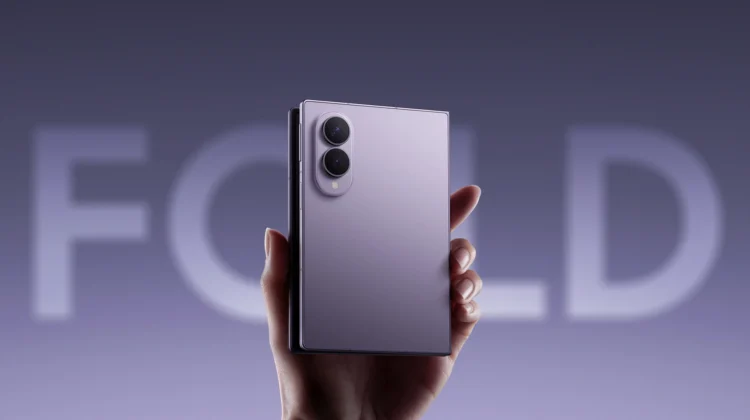
I’ve spent over a month now daily driving the new Samsung Galaxy Z Fold 8, and for my personal day-to-day workflow, this device has been fantastic. The thinner form factor hits a sweet spot, performance is ridiculously quick, and the battery life holds up easily through heavy use.
Whether I’m playing a bit of Call of Duty: Mobile, browsing the web, reading yet another book, or catching up on YouTube, that massive inner screen delivers an incredible experience. For everything I regularly ask of my smartphone, the hardware and software experience on Z Fold 8 have been top-tier.
But as much I enjoy using this foldable, though, there is one specific software feature from the Google Pixel camp that I am seriously envious of right now: Rambler.
The difference between dictation and comprehension
If you haven’t tracked what Google recently introduced with Rambler on the Pixel 11 series, it is basically a ground-up rethink of voice-to-text inside Gboard.
Traditional speech-to-text tools on mobile are quite literal. You tap the microphone icon, dictate what you want to say, and the engine attempts a strict, word-for-word transcription. If you stumble, repeat yourself, use filler words like “um” or “like,” or pause awkwardly, all of that mess ends up right in your text box. By the time I’m done talking, I often spend just as much time cleaning up grammar and fixing misplaced punctuation as I would have spent simply thumb-typing the message in the first place.
Rambler takes a completely different approach. Powered by Gemini directly inside Gboard, it listens to how people actually speak in the real world. You don’t have to construct a rigid, polished sentence in your head before hitting the mic. You can ramble, self-correct mid-thought, change your mind halfway through a sentence, and let the model figure out what you meant.
Instead of dumping an exact audio transcript on your screen, it digests the whole thought and formats it into clean, natural, properly punctuated sentences. You can even speak conversational edit commands right after your thought, like asking it to make a line more direct or adjust the tone, without ever touching the display.
I can’t wait for this to expand beyond Pixel
The best comparison I can give is using the microphone button right inside the Gemini app. You can tap that mic, talk out loud for three or four loose, disjointed sentences, and Gemini immediately extracts the core point you were trying to make without getting tripped up by your syntax.
Having that level of conversational comprehension baked system-wide into Gboard across every single text field would be a huge quality-of-life upgrade. Being able to quickly answer a WhatsApp message, fire off an email in Gmail, or reply to a quick text while multitasking on a large inner screen without paying the usual “cleanup tax” is exactly where modern mobile AI feels genuinely useful.
Right now, Google is keeping Rambler exclusive to its newest Pixel lineup, which makes sense as a hardware differentiator out of the gate. But considering how widely adopted Gboard is across the entire Android ecosystem, I really hope Google eventually brings this feature to flagship devices from other OEMs down the road. The Fold 8 already checks almost every box for me, but having Rambler in my keyboard would make the experience just about complete.
SUBSCRIBE TO UPSTREAM
Get Chrome Unboxed delivered straight to your inbox
Upstream is our flagship, curated newsletter with the top stories, most click-worthy deals, giveaways, and trending articles from Chrome Unboxed sent directly to your inbox a few times a week. Join 31,000+ subscribers.

