


Support our independent tech coverage. Chrome Unboxed is written by real people, for real people—not search algorithms. Join Chrome Unboxed Plus for just $2 a month to get an ad-free experience, access to our private Discord, and more. Learn more about membership here.
START FREE TRIAL (MONTHLY)START FREE TRIAL (ANNUAL)
Last year, Microsoft announced that its Xbox Cloud Gaming Beta would be set free from the bounds of consoles and its Windows PC application. Shortly thereafter, it became a web app, or PWA, and thanks to this change, anyone can play Xbox games on their Chromebooks or anywhere there is a browser. Let’s take a quick look at how to get up and running with some great AAA-quality games on your ChromeOS device, shall we?

First and foremost, you’ll need to visit the Xbox Cloud Gaming Beta website. Don’t forget to make it a standalone experience by turning it into an icon that you can click with ease before continuing! Oh, and one more thing – in order to play cloud-streamed games as opposed to downloading them on something like a Windows PC, you’ll need to be a Game Pass Ultimate subscriber.
This costs $14.99 USD per month and is the most expensive tier. With that, however, you get a ton of games to play with no downloads or updates, so I would say to at least try the $1 USD trial that the company offers before deciding to go all in. Once you’re on the website, just click the green ‘Log in’ button at the top of the site and enter your Outlook account credentials. If you’re not an Ultimate member, the home screen will then show a green ‘Subscribe to Ultimate’ button in place of ‘Log in’.
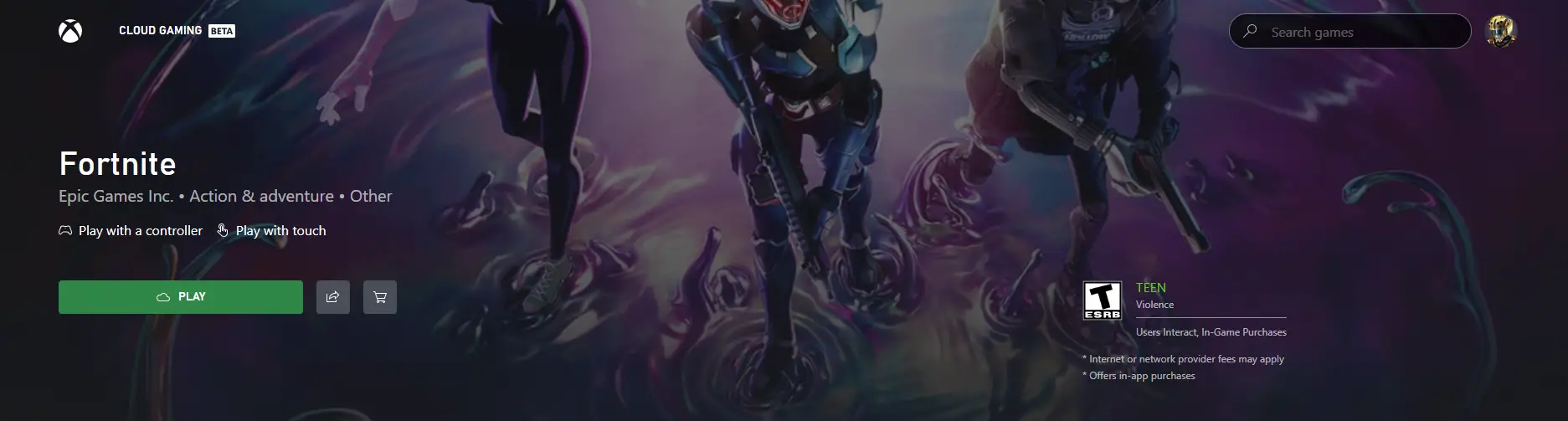
Sweet, so if you’ve subscribed to Ultimate, you can then select any title from the web app’s vast library of content. From the individual listing, just click the green ‘Play’ button. Because you just set this up, you likely don’t have a Bluetooth game controller connected in order to start gaming, so you’ll get the error below.
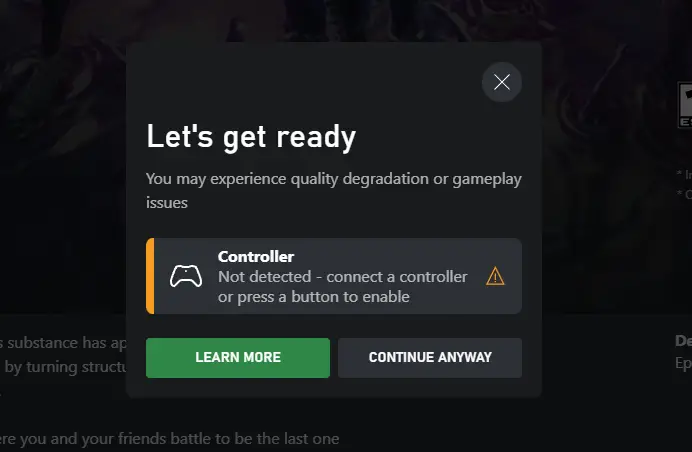
In order to proceed, you’ll need to place your controller into discovery or pairing mode. Please follow instructions from the controller manufacturer’s website in order to achieve this. I would cover it here, but every gamepad is different. For example, a DualSense PlayStation 5 controller requires you to press and hold the ‘Share’ button at the same time as the PlayStation button in the center.
After a few seconds, the light bar will start blinking. For all controllers, you’ll simply visit your Chromebook’s Settings app, go to ‘Bluetooth’, and select it from the ‘Unpaired devices’ list. Doing so will cause it to connect to your ChromeOS laptop and well, that’s it!
One thing you ought to know before diving in is that the PWA just received some great improvements to streaming quality and overall performance on Chromebooks, as noted by a Verified Xbox Employee on Reddit this week. This is the result of Microsoft swapping over to a different streaming technology for its users, so you should have less lag and a better overall experience no matter where you play.
Hi everyone! We’ve just released a set of performance improvements on Xbox Cloud Gaming for gamers playing via browser on Linux and ChromeOS devices. You can expect a higher resolution and smoother streaming experience.
Reddit
Return to the Xbox Cloud Gaming Beta website or web app and try clicking ‘Play’ on any title once more. You will not see the same error and the game will boot up as it ought to. Congrats and happy gaming! Are you a Google Stadia cloud gaming refugee looking for a new place to play your favorite titles? If so, are you going to use Xbox on the web now that it’s available, or are you interested in PlayStation Plus Premium?
I just want the steps!
- Open the Chrome browser on your Chromebook
- Visit the Xbox Cloud Gaming Beta website
- Log into your Xbox account using the green button at the top
- If you’re not a Game Pass Ultimate subscriber, upgrade to play cloud games
- Select a title
- Connect a Bluetooth game controller
- Click ‘Play’ to launch the game
- Enjoy!
SUBSCRIBE TO UPSTREAM
Get Chrome Unboxed delivered straight to your inbox
Upstream is our flagship, curated newsletter with the top stories, most click-worthy deals, giveaways, and trending articles from Chrome Unboxed sent directly to your inbox a few times a week. Join 31,000+ subscribers.

