

• Skip to main content
  • Skip to primary sidebar
  • Deals
  • Features
  • Guides
  • Chromebooks
  • Videos
  • Podcast
  • More +
    • Reviews
    • Unboxing
    • Upcoming Devices
    • Chromebook Plus
    • Chrome
    • ChromeOS
    • Chrome OS Flex
  • Search
  • Sign Up
  • Log In
Chrome Unboxed – The Latest Chrome OS News

Chrome Unboxed - The Latest Chrome OS News

A Space for All Things Chrome, Google, and More!

  • Deals
  • Features
  • Guides
  • Chromebooks
  • Videos
  • Podcast
  • More +
    • Reviews
    • Unboxing
    • Upcoming Devices
    • Chromebook Plus
    • Chrome
    • ChromeOS
    • Chrome OS Flex
  • Search
  • Sign Up
  • Log In

Google’s excellent note-taking and research app gets a new name

July 17, 2026 By Joseph Humphrey View Comments

Support our independent tech coverage. Chrome Unboxed is written by real people, for real people—not search algorithms. Join Chrome Unboxed Plus for just $2 a month to get an ad-free experience, access to our private Discord, and more. Learn more about membership here.
START FREE TRIAL (MONTHLY)START FREE TRIAL (ANNUAL)

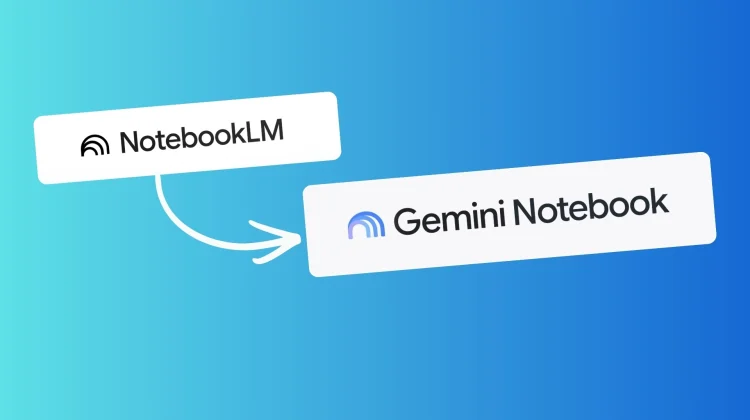
Google is officially changing the name of its incredibly popular AI-powered note-taking and research app. Moving forward, NotebookLM will be known as Gemini Notebook.

If you’ve been following along, this app actually started out as an experiment called “Project Tailwind” back at Google I/O in 2023. It eventually morphed into NotebookLM, and over the past three years, it has exploded in popularity. According to Google, over 30 million people and 600,000 organizations are now using the tool to summarize documents, generate audio podcasts, and organize complex research.

Xremove ads

The transition to Gemini Notebook makes total sense. Google has spent the last year unifying nearly every AI product under the Gemini banner, and ditching the clunky “LM” (Language Model) from the name is a smart move for mainstream adoption.

What is actually changing?

For the most part, Gemini Notebook remains the exact same app you know and love. Your existing notebooks are safe, and you won’t need to migrate any of your data. The core functionality—uploading PDFs, docs, and web links to create a grounded AI research assistant—remains completely intact.

Featured Videos

Xremove ads

However, Google isn’t just slapping a new logo on the app and calling it a day. Gemini Notebook is getting deeper integration across the ecosystem. You can already access notebooks directly inside the main Gemini app, and Google says it soon plans to bring your notebooks directly into AI Mode within Google Search.

Check out Today’s Best Chomebook Deals

An upgrade for complex research

Alongside the name change, Google is officially rolling out the major under-the-hood upgrade that was announced last month.

As part of this update, Gemini Notebook will now have secure cloud computing skills. This new capability gives every single notebook access to a secure, cloud-based computer that allows the Gemini AI to write and execute code natively on your behalf. Instead of just summarizing text, Gemini Notebook will now be able to run complex data analysis, perform calculations, and generate interactive charts or spreadsheets based strictly on the sources you provided.

Xremove ads

This is a big step up for anyone using the tool for serious data work. This cloud computing feature is available today for Google AI Ultra subscribers and Workspace business customers. Google says it will roll out to all Google AI Pro users on the web over the next few weeks.

While I’m usually hesitant when Google starts renaming successful products, this feels like the right move. The tool is getting more and more powerful, and tying it directly to the Gemini brand should help even more people discover just how useful this research assistant actually is.

SUBSCRIBE TO UPSTREAM

Get Chrome Unboxed delivered straight to your inbox

Upstream is our flagship, curated newsletter with the top stories, most click-worthy deals, giveaways, and trending articles from Chrome Unboxed sent directly to your inbox a few times a week. Join 31,000+ subscribers.

Xremove ads
SUBSCRIBE HERE!

Filed Under: AI, Gemini, News

About Joseph Humphrey

Joe has been a part of Chrome Unboxed since 2016 when he started helping Robby produce YouTube videos. Although normally behind the scenes, Joe has spent countless hours editing reviews and unboxings of many, many Chromebooks. Now a Partner in Unboxed Media, Joe is constantly thinking strategically about the Chromebook industry and how Chrome Unboxed can continue to innovate in the space.

Primary Sidebar

Xremove ads

Deals

You can score the massively upgraded ASUS CX54 Chromebook Plus for just $599 right now

By Joseph Humphrey
July 28, 2026

The best Chromebook deals today

By Robby Payne
July 27, 2026

The updated Lenovo IdeaPad Slim 3 Chromebook drops to just $199 in massive new sale

By Robby Payne
July 21, 2026

The Pixel 10 Pro is $300 off right now, and it’s still my favorite small phone

By Joseph Humphrey
July 12, 2026

The new Lenovo IdeaPad Slim 3 Chromebook gets a super-affordable $249 configuration

By Robby Payne
July 7, 2026

More Deals

Xremove ads

Reviews

Acer Chromebook Plus Spin 514 Review: the best convertible you can buy [VIDEO]

By Robby Payne
July 1, 2026

Lenovo Chromebook Plus 2-in-1 Review: pretty great in a vacuum

By Robby Payne
April 23, 2026

My review after 6 weeks with the Lenovo Chromebook Plus 14 [VIDEO]

By Robby Payne
August 11, 2025

One week with the best small Android tablet you can buy, and I’m sold

By Robby Payne
May 9, 2025

Best Chromebooks of 2024 [VIDEO]

By Robby Payne
November 28, 2024

More Reviews

Xremove ads

Guides

This Chromebook trackpad shortcut is definitely not new, but is blowing my mind

By Robby Payne
March 11, 2024

How to reduce broadcast delay on YouTube TV to stop live spoilers

By Robby Payne
December 8, 2023

Windows PC keyboard and Chromebook

How to use a Windows keyboard with a Chromebook

By Joseph Humphrey
December 8, 2023

How reset and revert your Chromebook to the previous version of Chrome OS

By Robby Payne
November 29, 2023

My Chromebook Plus features disappeared: here’s how I fixed it

By Robby Payne
November 24, 2023

More Guides

TWITTER · FACEBOOK · INSTAGRAM · YOUTUBE · EMAIL · ABOUT

Copyright © 2026 · Chrome Unboxed · Chrome is a registered trademark of Google Inc.
We are participants in various affiliate advertising programs designed to provide a means for us to earn fees by linking to affiliated sites.

PRIVACY POLICY