


Support our independent tech coverage. Chrome Unboxed is written by real people, for real people—not search algorithms. Join Chrome Unboxed Plus for just $2 a month to get an ad-free experience, access to our private Discord, and more. Learn more about membership here.
START FREE TRIAL (MONTHLY)START FREE TRIAL (ANNUAL)
If there’s one thing that many of us have been doing as we continue living in lockdown during the pandemic, it’s catching up on a bit of light (or heavy) reading. Even though some people say that Google Play Books “isn’t dead yet” as it celebrates its 10th birthday, I would argue that the service isn’t going anywhere. No one in their right mind would cancel it, even with the track record that Google has with ‘sunsetting’ their services.
You see, Google Play Books spawned out of Google’s initiative to create the largest body of online human knowledge by scanning 25 million books, many of which are out of print, rare, or generally unavailable outside of the library system (There were more than 130 million unique books in the world as of 2010). Publishers who take advantage of Google’s Partner Program can offer their books for purchase on the Google Play Store and others can simply partner with Google to make them available via the Library Project.
Knowing this and seeing the enormous growth in eBook sales over just this year alone (no, real books aren’t dying), it’s safe to say that Google Play Books is not in danger of closing up shop. With that being said though, I believe that they may have grown a bit stagnant. Why bother innovating if there’s no reason to? Sure, they have competition in the form of Amazon Kindle, but I believe that both are here to stay. They did create the incredibly innovative Bubble Zoom technology for comics and have also begun to create auto-narrated audiobooks using machine learning (Check them out!), but I have a few ideas on what can be improved.
Having outlined their top trending books in different categories for 2020 on The Keyword this week, I felt pretty disappointed that we didn’t see a larger birthday surprise. Let’s take a look at a few things that Google Play Books can focus on for the future in order to become even better!
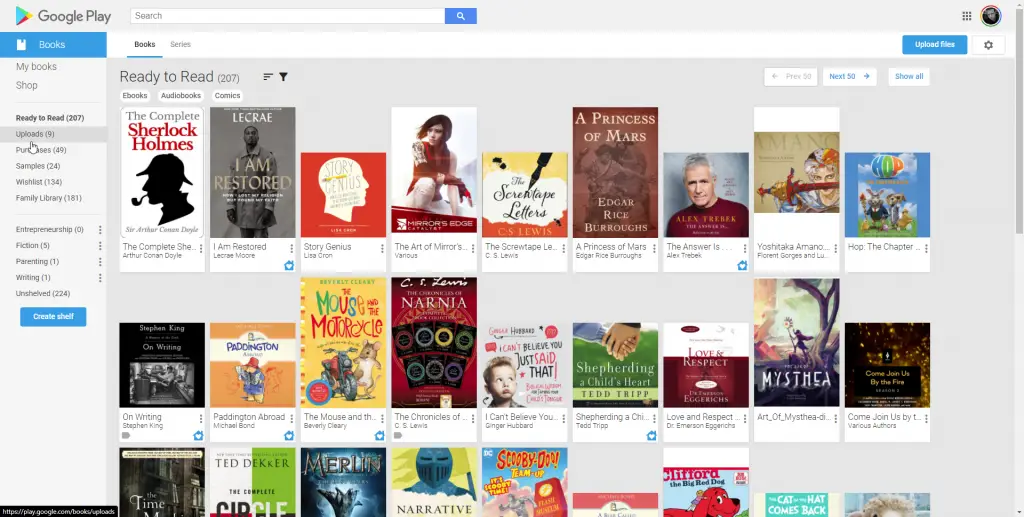
Okay, let’s start with the most obvious improvement – the web app. If I’m honest (and I like to be), Google Play Books on the web looks very, very dated. In fact, the entire Google Play Store looks dated, but that’s a discussion for another time. The books have sharp, corners, card backgrounds behind their titles, the UI surrounding it is just very…accessible.
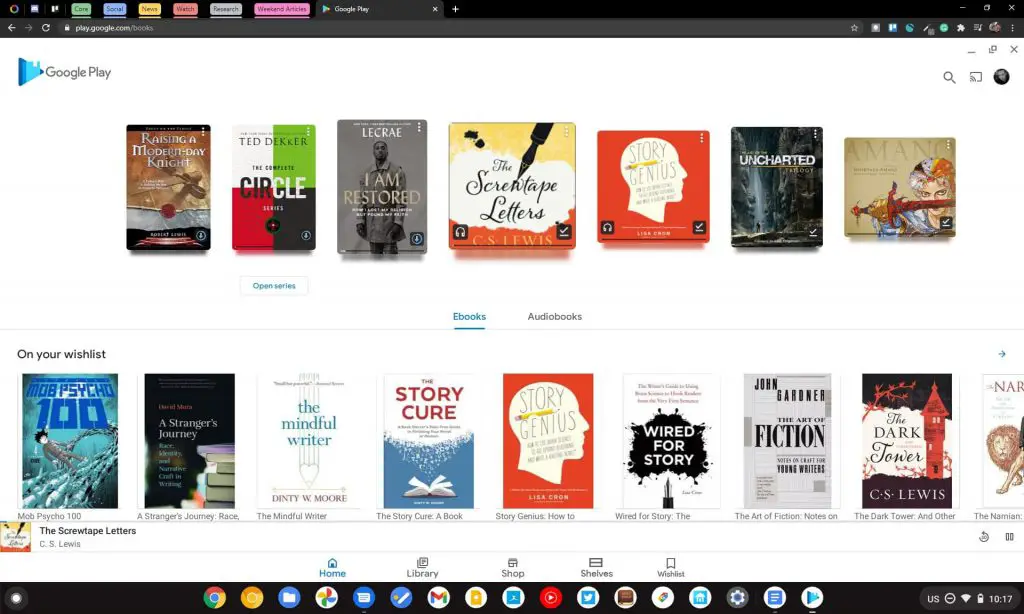
That’s great and all, in fact, it’s vital, but my hope is that Google upgrades the Play Books web app very soon with a complete redesign. There has to be a way to make it more beautiful or at least modern without stealing away its accessible design, right? Below, I’ve done a quick mock-up to overlay the Google Play Books app’s interface on top of the Chrome browser to show how awesome it would look if that same design came to the web.
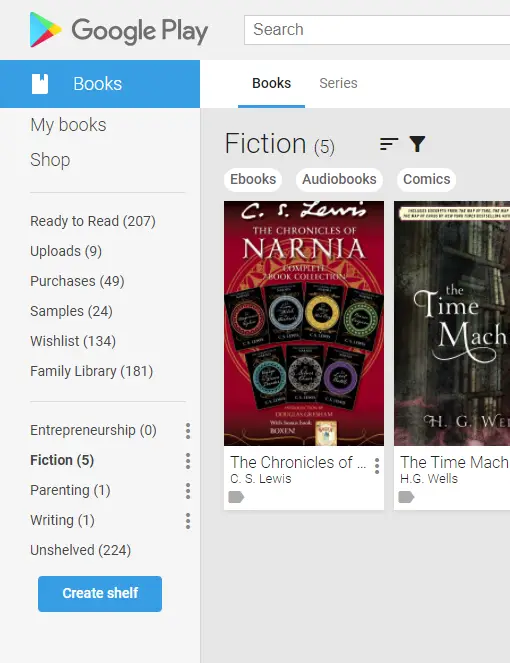
Another thing that would be awesome is if Google finally brought their shelves feature out of beta and ported it over to the app! Many of you may not be aware of this, but yes, there is a feature that’s been around you can toggle on in the settings of the web app that allows you to create your own shelves and organize your books very nicely! You can categorize them based on what types of books they are or whether or not you’ve read them or plan to, for example. The problem with the app is that this feature isn’t implemented yet. After Amazon closed their awesome Shelfari service, I and many others who became fond of shelves were left without it on a major service that allowed you to buy and read eBooks. Being that I use my Chromebook and my phone for all content consumption nowadays, it would be great to have this on the app. We just hope that Google hasn’t shelved the feature (har!)
Since Google Play Movies and TV was rebranded as Google TV, they’ve leaned in pretty heavily to their Watchlist feature and making it available on the bottom navigation of the app. We know that Google is going all-in on their Collections feature and unifying everything under it as a way to ‘save’ things for later and we’re seeing this same behavior reflected in Google Maps, Search, and more. Play Books already features a wishlist and it would be nice to see it make its way to the bottom navigation of the app using the iconic material design bookmark icon! In fact, with so much movement on Collections lately, I bet this is the very next update we see from Play Books. I’ve illustrated the bottom navigation for shelves and wishlists in the mock-up I mentioned above.
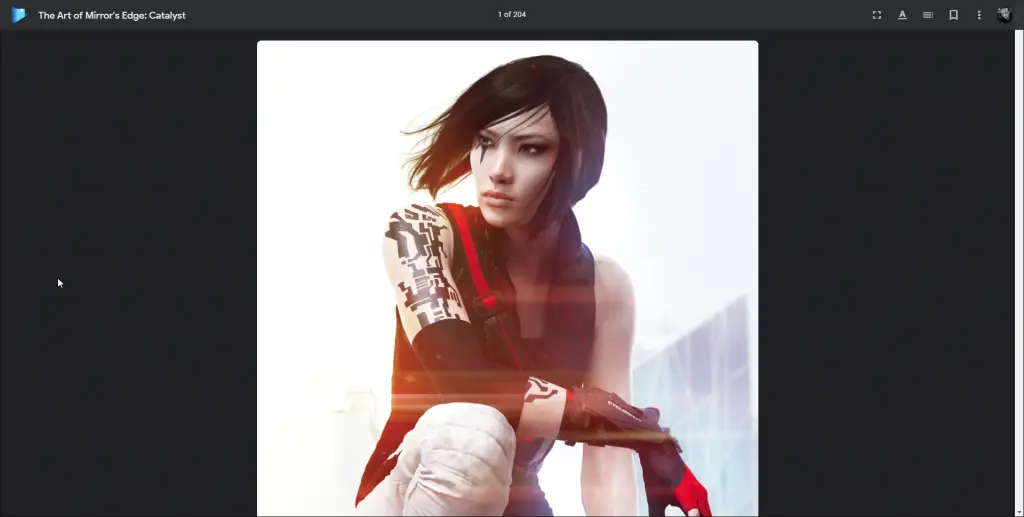
I would also love to see the standard eBook reading experience improve on the web app. As you can see below, it features standard links for closing the ebook and turning the pages with very basic stylization for the reading tools. The new Google Play Books reader design for comics, art books, and audiobooks (seen below as well) has made beautiful, modern design choices, including a fresh, new logo and lays out your tools in a way that honestly just makes the reading experience a joy. The standard reader, by comparison, still feels like it’s stuck in the ’90s, doesn’t it?
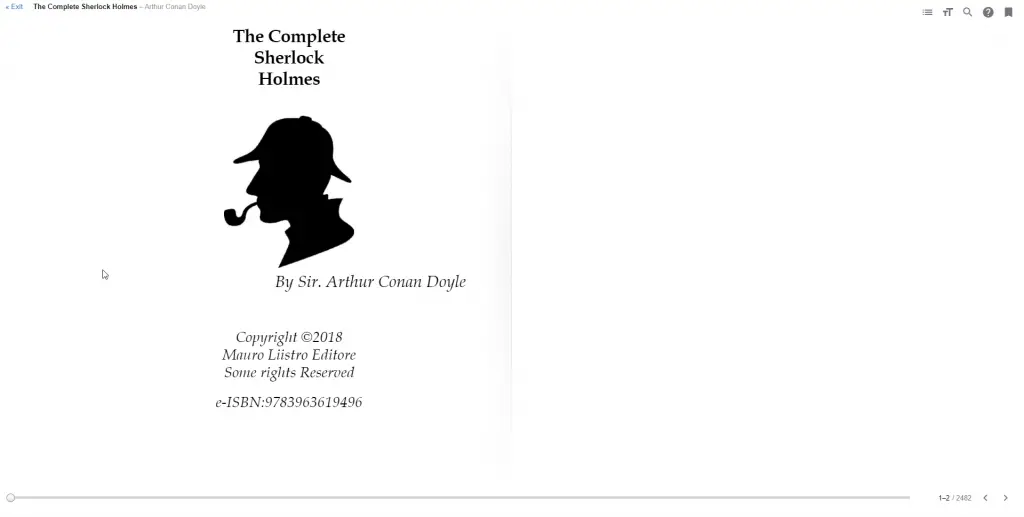
Standard eBook layout
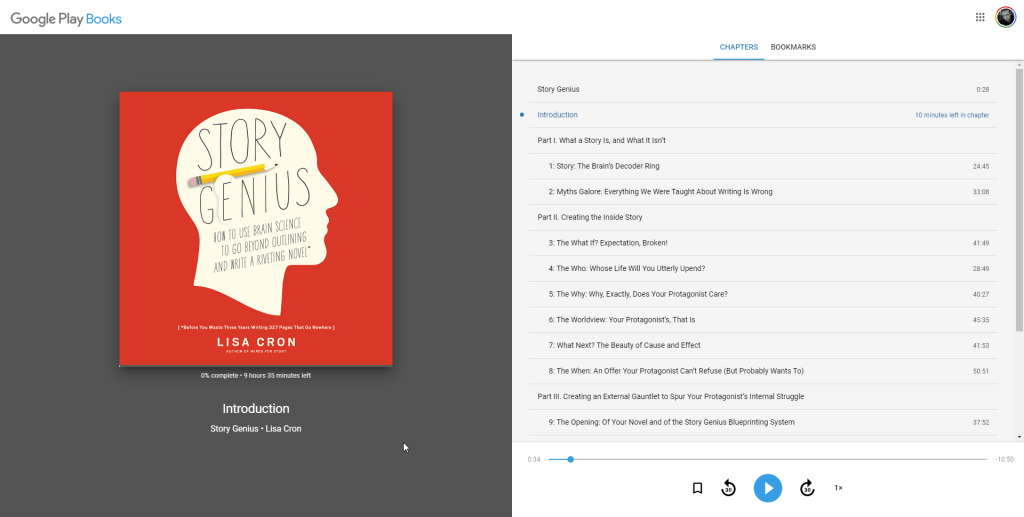
Audiobook layout
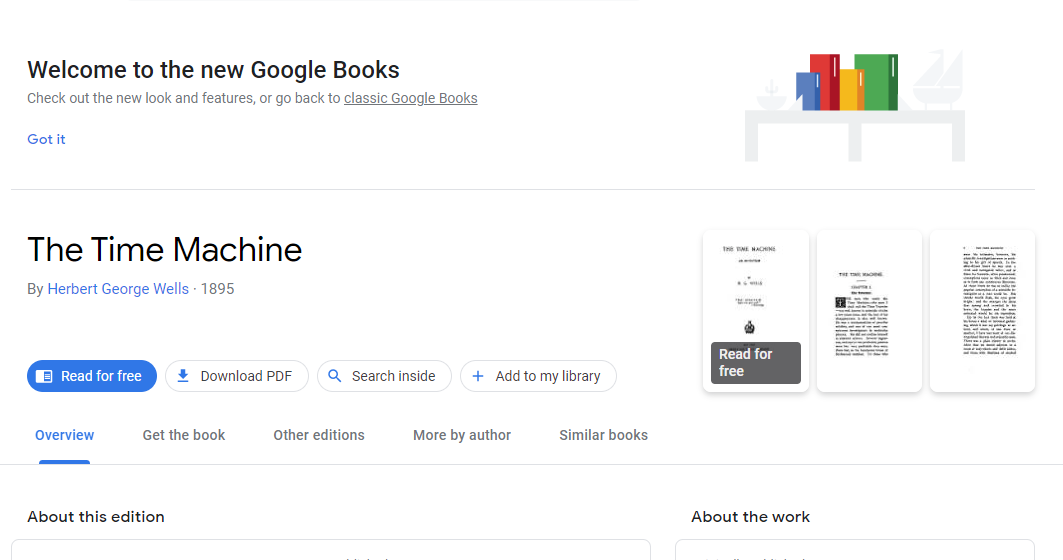
This next one may not make much or any sense, but in order to reduce confusion and one day eliminate the Google Play Store – yes, I have some theories about that which I will share one day – they should merge Google Play Books with Google Books, keeping only the latter name. Google Books has already received a redesign as well (below), so it’s clear that Google’s bookworms are considering a lot of things here and there.
I understand that it may not work since the Library Project I mentioned earlier and the Partner Program have different goals, even ethically, but I hope there’s a way to work this out. Imagine this – Google Books allows you to read, download, cite, link, or translate a book or a magazine. If you just want to purchase and read a book, that’s fine too, but merging the two would allow for the Library Project to continue and grow while allowing users access to more books. If you have any thoughts on this or any reasons why this couldn’t happen, let me know in the comments!
Next up, I hope to see Google turn Play Books on the web into a true progressive web app or PWA. I think that as we rely more on the web, it would be incredible to download a book or audiobook for offline use on a Chromebook without having to have the app installed.
My last wishlist item for the future of Google Play Books is that Google develops its own color eInk reader specifically designed for use with Google Play Books. While I love reading my books on my Lenovo Duet Chromebook and have even realized that reading books on my phone isn’t so bad, it does leave me vulnerable to distractions from other apps – even with the Digital Wellbeing tools enabled. I’ve already tried an Amazon Kindle since I love the eInk display more than an LCD one, but once I realized that you don’t actually own your books and can’t export them like you can with Google Takeout, I bailed and went exclusively with Google’s service.
How cool would it be to see a Google-branded ereader? I think that now that the company has had a few years of hardware experience under their belt and now that color eInk is being developed further, it may be the perfect time for Google start working on this behind the scenes – especially since dousing everything in color is their favorite thing to do! I agree that this could take several years, but by that time, the technology may be able to work through its limitations.
With Shelves appearing on the web in beta, the creation of auto-narrated audiobooks, and a revamped comics, art books, and audiobooks interface, it’s clear that the Google Play team is tinkering with Books. I believe that many of these features are long overdue. Their 10th anniversary seemed like the perfect opportunity to celebrate with some much-needed updates, so it looks like they missed a huge opportunity! I hope that they get moving on some of these things sooner rather than later because I don’t want to be asking for them on their 20 year anniversary!
SUBSCRIBE TO UPSTREAM
Get Chrome Unboxed delivered straight to your inbox
Upstream is our flagship, curated newsletter with the top stories, most click-worthy deals, giveaways, and trending articles from Chrome Unboxed sent directly to your inbox a few times a week. Join 31,000+ subscribers.

