


Support our independent tech coverage. Chrome Unboxed is written by real people, for real people—not search algorithms. Join Chrome Unboxed Plus for just $2 a month to get an ad-free experience, access to our private Discord, and more. Learn more about membership here.
START FREE TRIAL (MONTHLY)START FREE TRIAL (ANNUAL)
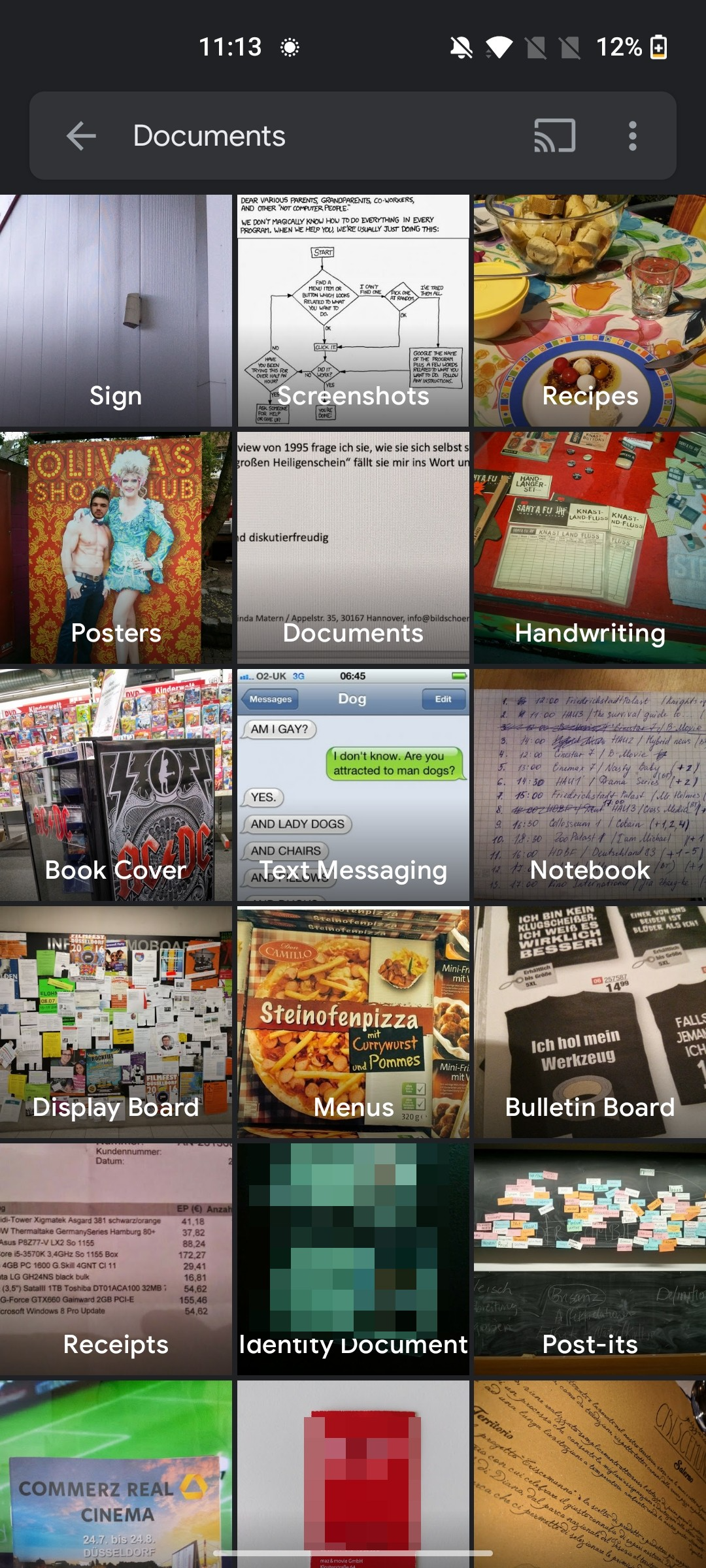
Discovered by a tipster who reached out to Android Police, Google Photos will soon show you a dedicated section for your documents in the Explore tab of the app. Joining the pre-existing ‘People’, ‘Places’, and ‘Things’ sections, ‘Documents’ features several sub-categories such as screenshots, posters, documents (of course), handwriting, signs, recipes, book covers, text messages, notebooks, display boards, menus, bulletin boards, receipts, identity documents (IDs), post-its, and more – wow.
The inclusion of ‘Documents’ is interesting, to say the least. On one hand, adding a tab for this makes perfect sense as most users have – at least at some point in their usage of the app – taken a photo of a receipt, document, etc. with their phone camera instead of using the ODT scanning feature built into the Google Drive app for Android.
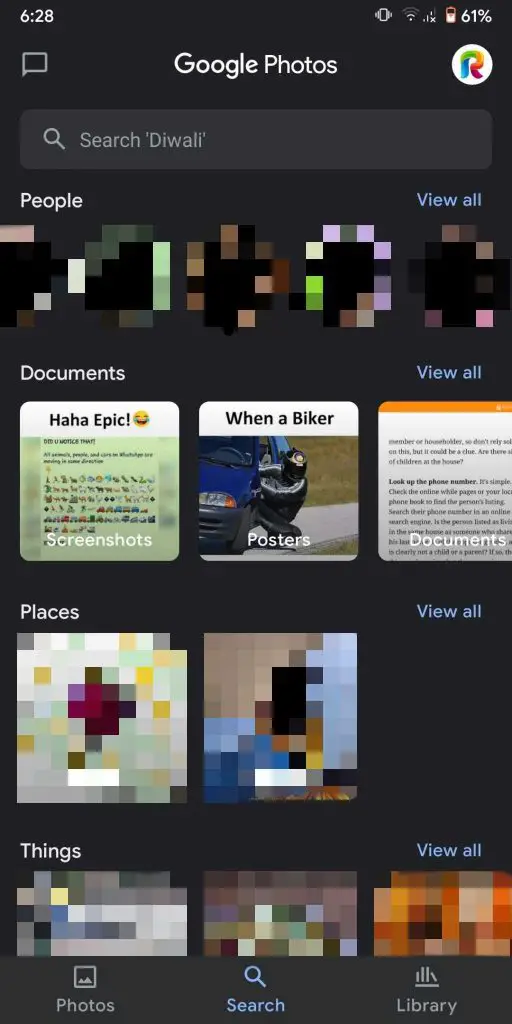
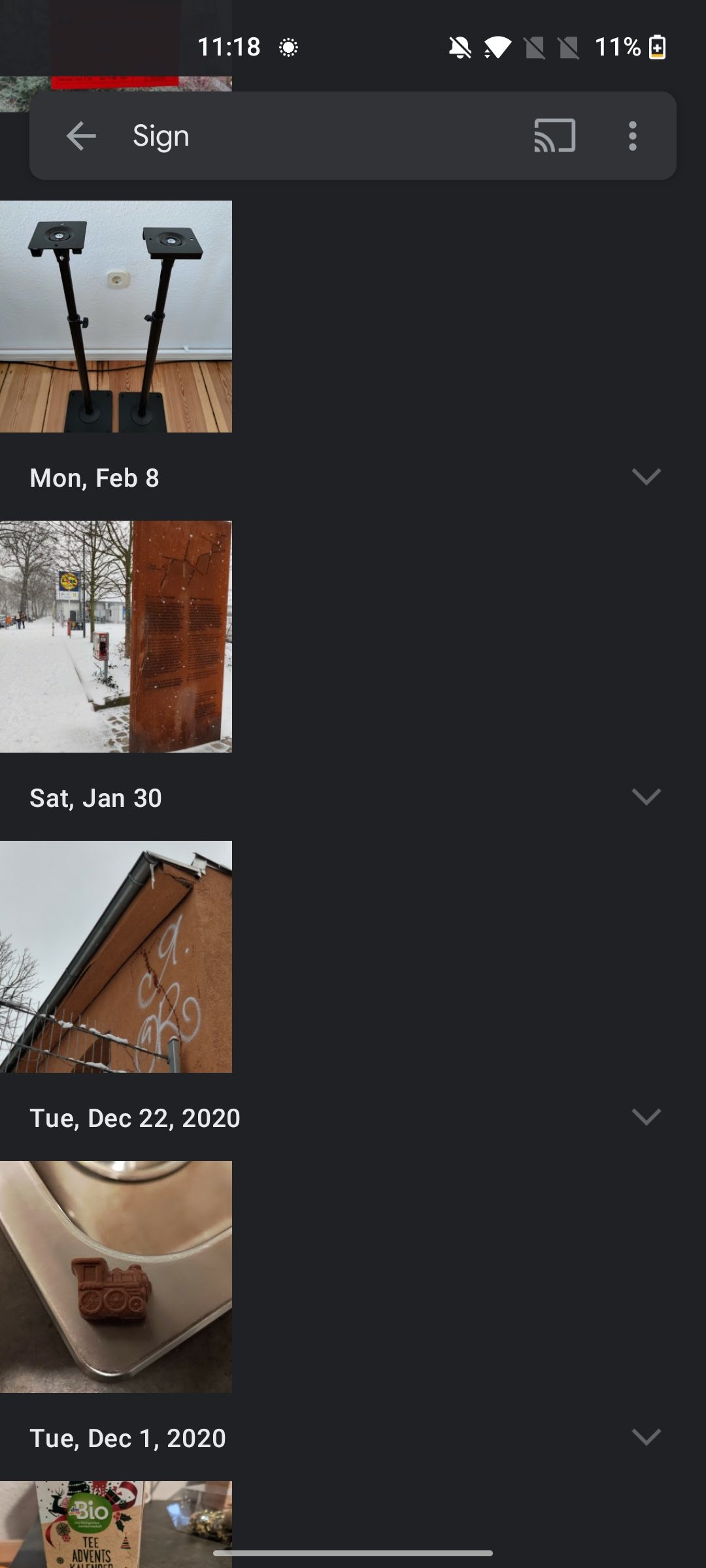
This could be due to Google not really telling most people it existed, or at least not advertising it enough. Google Photos was advertised as a one-stop-shop for all of your photo needs, but over the years, Google has done a lot to direct users to Drive for documents, receipts, and more. In fact, its incubator company named Area 120 recently created a full-fledged app just for that called Stack.
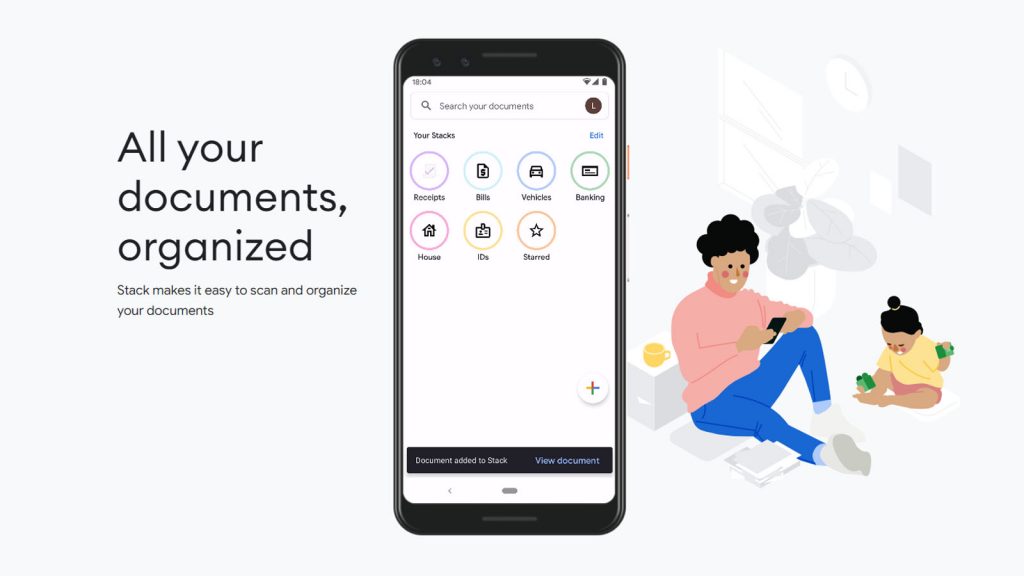
We discussed Stack recently, and I mentioned how I felt it could point to the future Google may have planned for Drive – a clean and organized experience driven by AI and machine learning. You’ll snap a photo and let Google sort it into the appropriate category on your behalf. The inclusion of a ‘Documents’ tab on Google Photos could very well be the beginning of the company’s desire to help users migrate all of these photos of important documents over to Drive using the technology found in Stack.
Since Google is very much a company that prides itself on doubling up on features, I don’t think it’s out of the realm of possibility to see the categories found in Stack – bills, vehicles, banking, house, IDs, receipts, and starred – nested in the Photos app under the new ‘Documents’ section. Since all of your account storage is now unified under Google One, allowing documents to show across Photos and Drive would be a non-issue. Also, take note that several of the Stack categories make an appearance in the images above – namely IDs, and receipts. Interesting, right?
Here’s a stretch for you too – if Google Photos and Drive end up blurring the line between their storage systems in other ways such as this, it could make integrating Google Photos into the Chrome OS Files app much easier in the future. Food for thought. What do you think about all of this? Are you interested in having better organization methods for pictures of documents you’ve taken in Google Photos? Do you like that Google is trying to take away the need for users to change their habits and upload docs to Drive by automating the process? I’m personally a big fan of this approach, but I would love to hear your thoughts!
SUBSCRIBE TO UPSTREAM
Get Chrome Unboxed delivered straight to your inbox
Upstream is our flagship, curated newsletter with the top stories, most click-worthy deals, giveaways, and trending articles from Chrome Unboxed sent directly to your inbox a few times a week. Join 31,000+ subscribers.


