

Support our independent tech coverage. Chrome Unboxed is written by real people, for real people—not search algorithms. Join Chrome Unboxed Plus for just $2 a month to get an ad-free experience, access to our private Discord, and more. Learn more about membership here.
START FREE TRIAL (MONTHLY)START FREE TRIAL (ANNUAL)
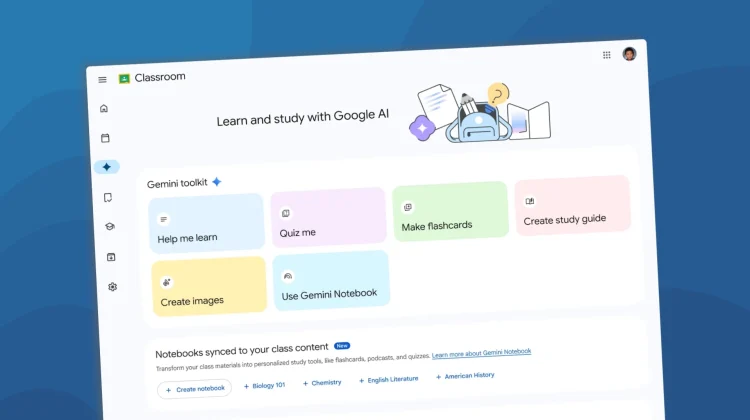
Google is rolling out an update to its education ecosystem, officially expanding Gemini in Google Classroom to students of all ages. Starting August 10, K-12 and higher education students who have been granted access by their administrators will be able to tap into Gemini AI directly within their daily workflows.
Having covered ChromeOS and Google Workspace in the education sector for over a decade, we have watched how these tools evolve, and how the classroom has been completely transformed by technology. When Google updated Gemini in Classroom last year, they opened it up to educators and higher-ed students 18 and older. Allowing younger students to now have access to Gemini within Google Classroom is a huge shift, but what really catches my attention isn’t just the age expansion—it’s how deeply Google is integrating the AI into the actual homework experience to remove friction.
Context is everything
Historically, the biggest annoyance with using an AI chatbot for studying has been the endless copy-and-pasting. You had to open a separate tab, paste your syllabus, paste the assignment instructions, and then ask your question. Google is finally eliminating that messy workflow.
With this update, the Gemini tab in Classroom now features highly contextualized starter prompts. When a student clicks a prompt, a box pops up letting them select their specific class and current assignment. Gemini instantly pulls in the assignment title, the teacher’s instructions, and the attached curriculum materials behind the scenes.
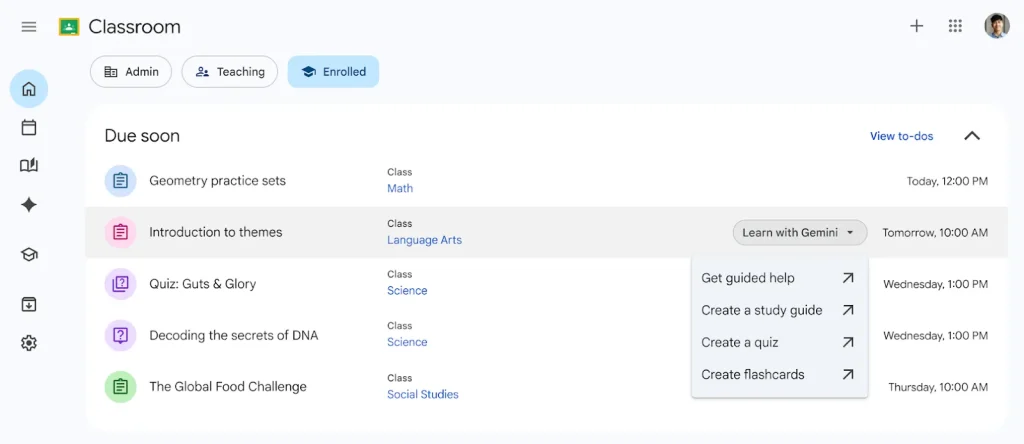
From a practical, people-first standpoint, I think this is exactly how AI should work. The resulting interaction is grounded entirely in the student’s actual schoolwork without forcing them to constantly bounce between tabs. Google is also adding a quick “Learn with Gemini” button that appears when hovering over any upcoming assignment in the redesigned Classroom homepage’s “Due Soon” section.
Flashcards, quizzes, and Notebook integration
So, what can students actually do with this? Once they are in the Gemini tab, they can instantly transform their static class materials into interactive study aids. With a few clicks, the AI can generate custom flashcards or practice quizzes tailored directly to the teacher’s curriculum.
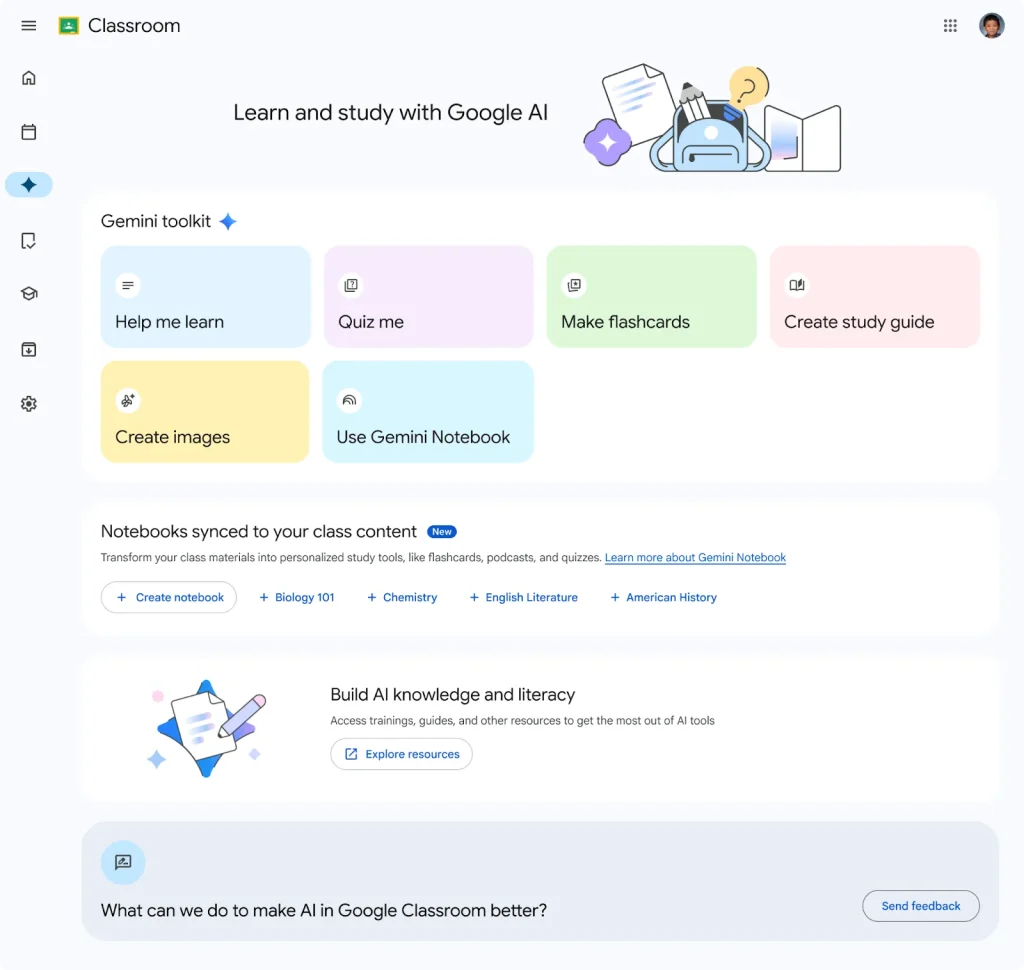
If students also have access to Gemini Notebook (formerly NotebookLM), the utility goes even deeper. They can sync their provided materials straight to Notebook to generate audio overviews, custom infographics, and comprehensive study guides. For visual or auditory learners, having a tool that can instantly remix a boring PDF into a personalized audio summary is an absolute game-changer for daily study habits.
The admin side of things
For the IT admins out there managing these fleets, the rollout starts hitting the web on August 10, with mobile following on August 17. Access to the Gemini tab will be turned on by default for all students—assuming your overarching Gemini in Classroom settings are already enabled.
If you want to keep this turned off for younger students while allowing it for older ones, you will need to actively manage those permissions by moving the under-18 users into a separate Organizational Unit (OU) in your Admin console and restricting access there.
Bringing Gemini to K-12 students is bound to spark some debate, but integrating it natively as a heavily contextualized, guardrailed study buddy rather than a wild-west chatbot feels like the right move. It’s a solid pitch, honestly, and I’m eager to see how students actually put these new tools to use this coming school year.
SUBSCRIBE TO UPSTREAM
Get Chrome Unboxed delivered straight to your inbox
Upstream is our flagship, curated newsletter with the top stories, most click-worthy deals, giveaways, and trending articles from Chrome Unboxed sent directly to your inbox a few times a week. Join 31,000+ subscribers.

