

Support our independent tech coverage. Chrome Unboxed is written by real people, for real people—not search algorithms. Join Chrome Unboxed Plus for just $2 a month to get an ad-free experience, access to our private Discord, and more. Learn more about membership here.
START FREE TRIAL (MONTHLY)START FREE TRIAL (ANNUAL)
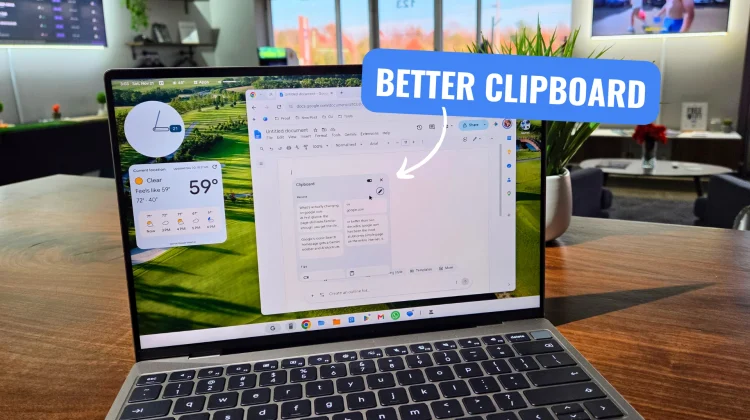
If you have spent any time writing, editing, or moving text around on a Googlebook lately, you have probably run into this particular friction point that drives me up the wall. Right now, when you copy formatted text – bold headers or italicized links – the very first item sitting in your clipboard will paste with its formatting intact. The second you open up your clipboard history or try to pull something from Quick Insert, though, every single older item gets stripped down to plain text.
When you are bouncing between Google Docs, emails, and web research all morning, having to constantly re-apply formatting or go back to re-copy text just to keep a hyperlink alive gets old fast. That is why a new teardown from Android Authority caught my eye right away; it looks like Google is actively testing a better way to handle formatted pasting inside Gboard.
How the new Gboard paste shortcut works
Digging into version 18.8.0.10 beta of Gboard, the folks at Android Authority managed to surface a new toolbar option accompanied by an intro prompt that reads, “Paste while preserving all formatting.” Instead of forcing you to long-press a text field and hunt through Android’s floating context menu every time you want to keep your text styling, Gboard is putting both options right on the keyboard toolbar side by side.
Tapping the standard clipboard shortcut pastes your copied text with all of its original bolding, italics, and styling preserved, while a second icon pastes it cleanly as plain text. That’s all it really has to be, right? Giving users a quick, one-tap choice between rich text and plain text without breaking their typing flow is just good, sensible UI design.
Why this matters so much for Googlebook OS
Here is the catch right now, and it is an important one: in this early Gboard beta, preserving formatting only works for the most recently copied item. Older entries sitting further down in your clipboard history still default to plain text. Sound familiar? That is the exact same limitation we are dealing with in daily use on Googlebook OS.
Because Googlebook OS is built on an Android 17 foundation rather than legacy ChromeOS, a lot of these underlying clipboard and input behaviors are tied directly to how Android and Google’s core apps handle rich text. Right now, Googlebook OS is still very much an active work-in-progress with plenty of desktop quirks to iron out, and clipboard management is high on that list. While this Gboard update doesn’t fix multi-item rich-text history on its own yet, it shows Google is actively rethinking how Android keyboards handle formatted text at the toolbar level.
What I’m watching for next
Even though this teardown only applies to the top item in Gboard’s clipboard for now, getting proper rich-text vs. plain-text controls built natively into Google’s input stack is a step in the right direction. Will that expand to full clipboard history and Quick Insert on Googlebook OS? I certainly hope it does as Google continues patching the desktop experience.
For anyone working heavily in documents on Android tablets or Googlebooks, small quality-of-life fixes like this make a bigger difference than flashy headline features. I’ll be keeping a close eye on upcoming Gboard updates and Googlebook OS patches to see if this toolbar logic finally trickles down to the full clipboard history.
SUBSCRIBE TO UPSTREAM
Get Chrome Unboxed delivered straight to your inbox
Upstream is our flagship, curated newsletter with the top stories, most click-worthy deals, giveaways, and trending articles from Chrome Unboxed sent directly to your inbox a few times a week. Join 31,000+ subscribers.

